
Topics
What are Topics?
This section allows you to predefine topics which your customer service agents can tag at the end of conversations.
Why use Topics?
Adding topics allows you to analyze your data and uncover the most common topics that still require assistance from a human agent, and which could potentially be automated. It also gives you valuable business insight into why your customers need support, and where you can potentially improve processes to limit support tickets in the future.
How to access Topics?
In order to find topics, please go to Inbox > Settings > Topics.
Topics
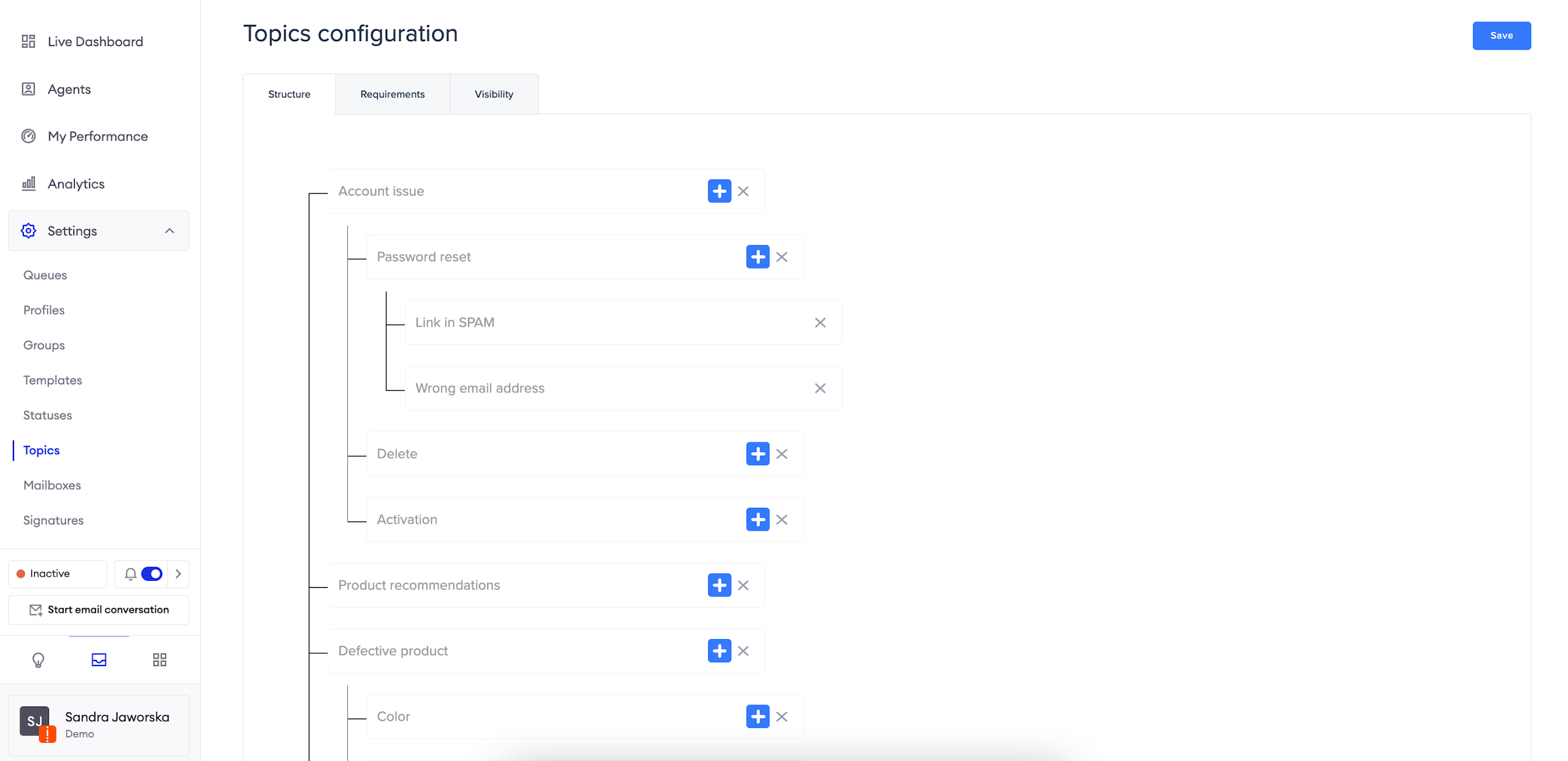
To add topics, navigate the hierarchy and use the "+" button to add new levels.
Topics can be nested into 3 levels of depth, therefore creating a structure, for example:
- Account issue
- Password reset
- Link in SPAM
- Delete
- Activation
- Password reset
Requirements
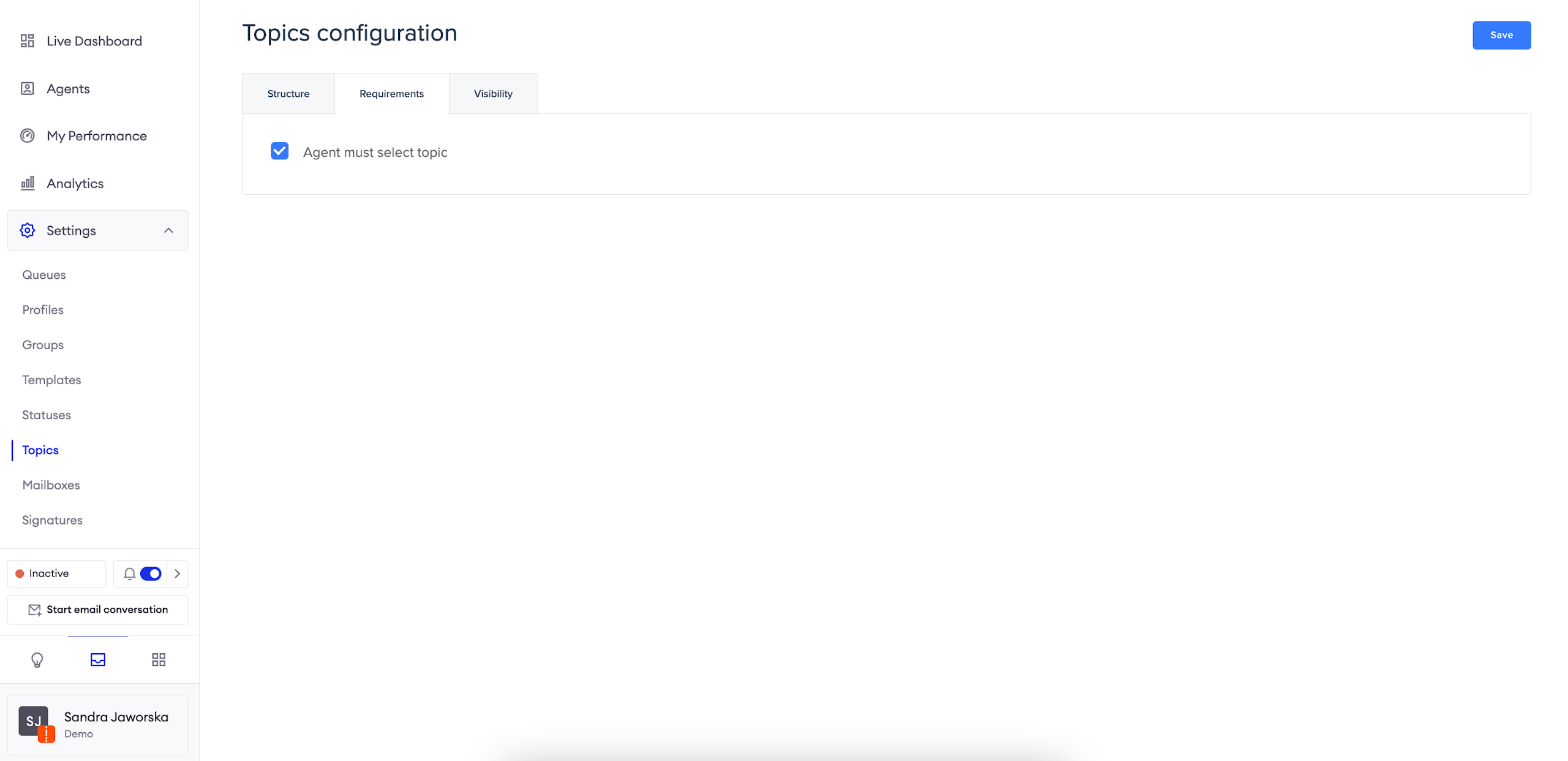
If you want to make sure your agents assign topics after finishing a conversation, mark this option. Otherwise, assigning a topic will not be mandatory.
Visibility
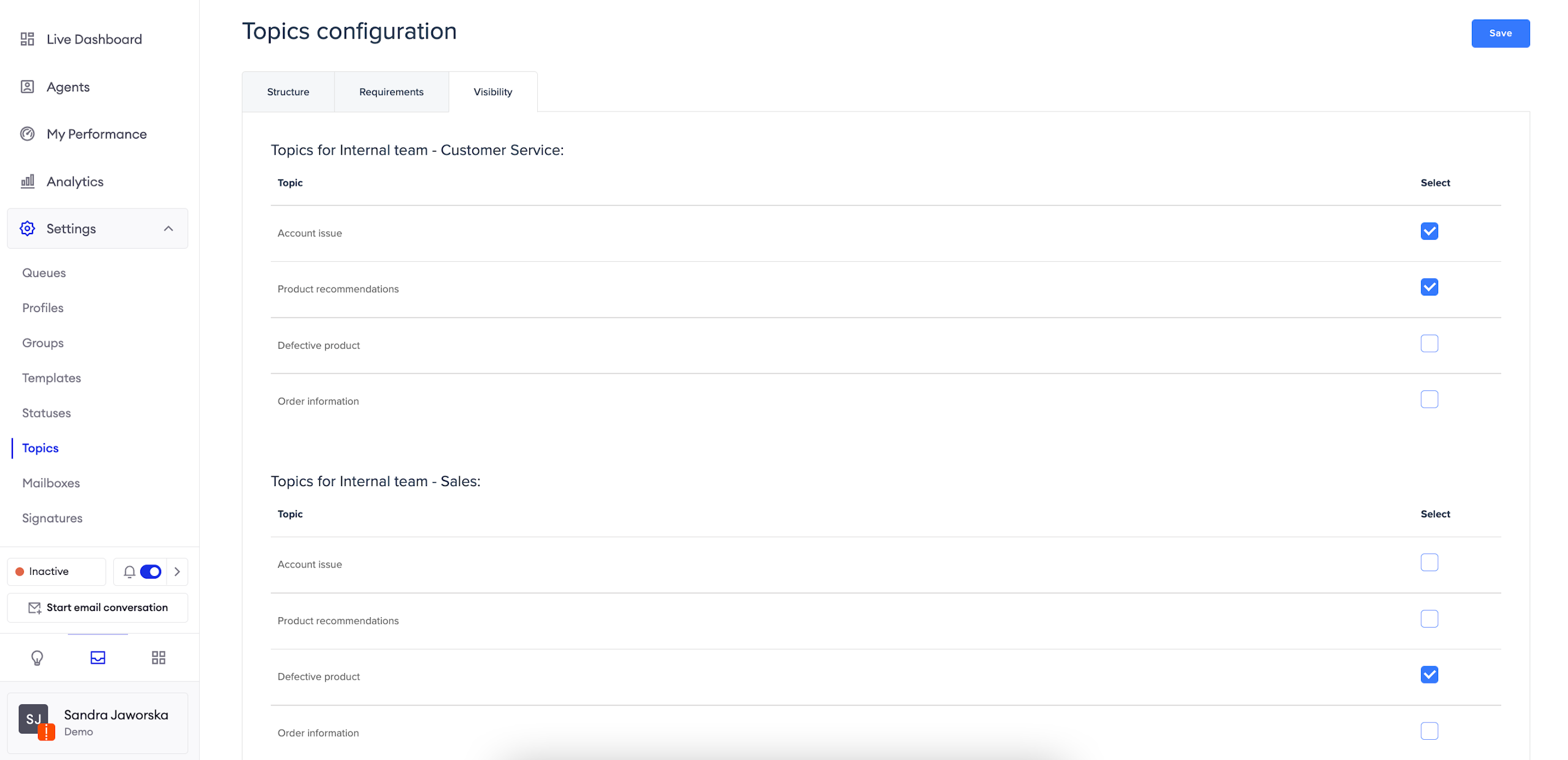
This section allows you to assign access to topics for particular Groups. Make sure that you check appropriate boxes, otherwise your agents won't be able to see the topics when marking threads as done.
Updated over 1 year ago