
Frames
What is the Frames Module?
The Frames module allows the configuration of a set of overlays that users can later put on the photos of their choice. The frames are rendered inside a carousel with each element being the respective frame with one button, whose caption can be customized.
Why use Frames?
Frames allow your users to put funny and intriguing overlays on the pictures they upload. Predefine a bunch of such frames and allow your customers’ creativity to make your newest campaign go viral all over the world.
How to access Frames?
To access the Frames Module, navigate to Modules > Frames from the navigation bar.
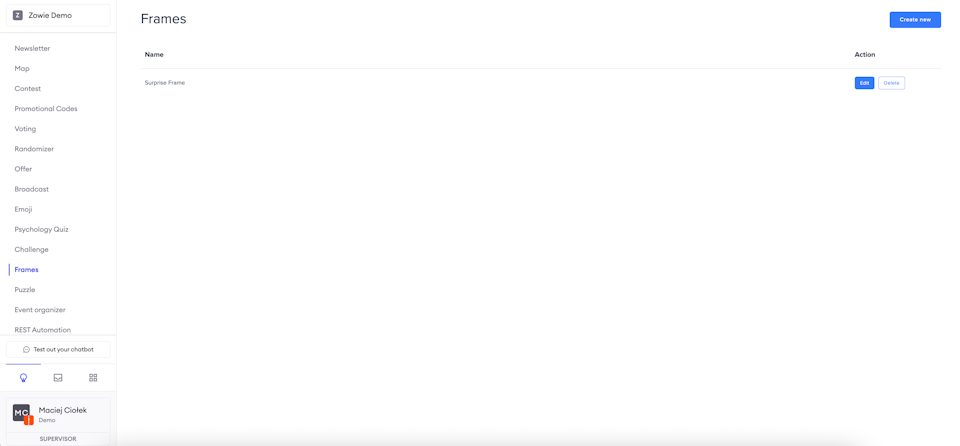
Welcome content
Provide the welcome content specifies basic messages sent by this module to the user. After filling it in provide the Request image and Wrong file type messages - the former is sent to inform the user that they should send the image in their next message, and the latter is sent in case of the user sends an inappropriate file.
There are also two button captions to fill: Resign button caption used when the user decides not to upload their photo, and Choose button caption.
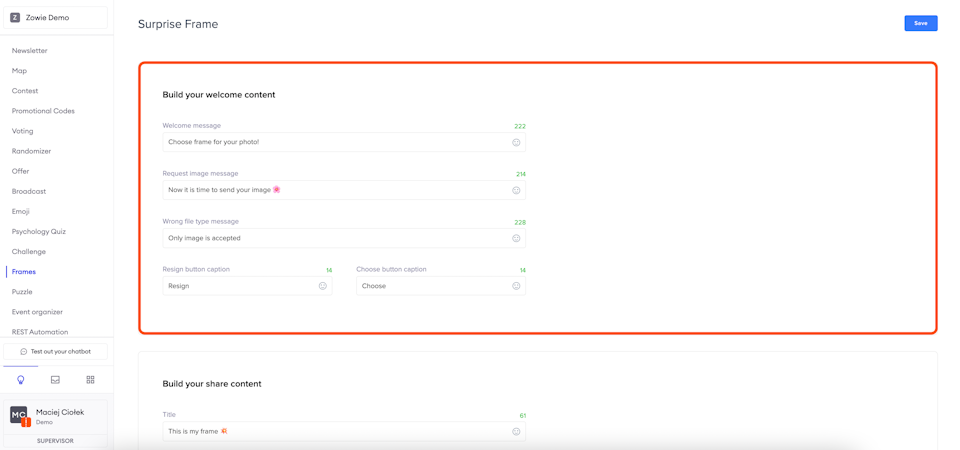
Share
After the user has generated their frame they can easily share it with friends. Provide a Title for the container which will be shared, as well as a short Description. Finally, provide the _CTA caption _for the button that will redirect the user's friend to generate their own photos.
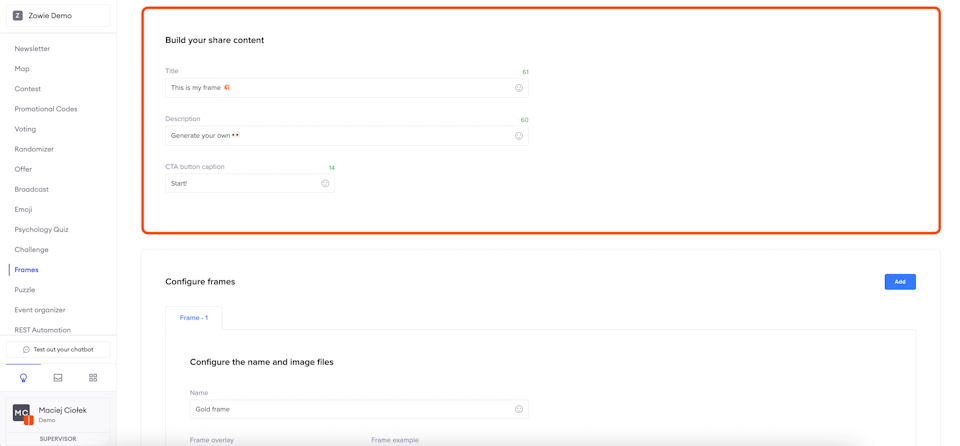
Frames configuration
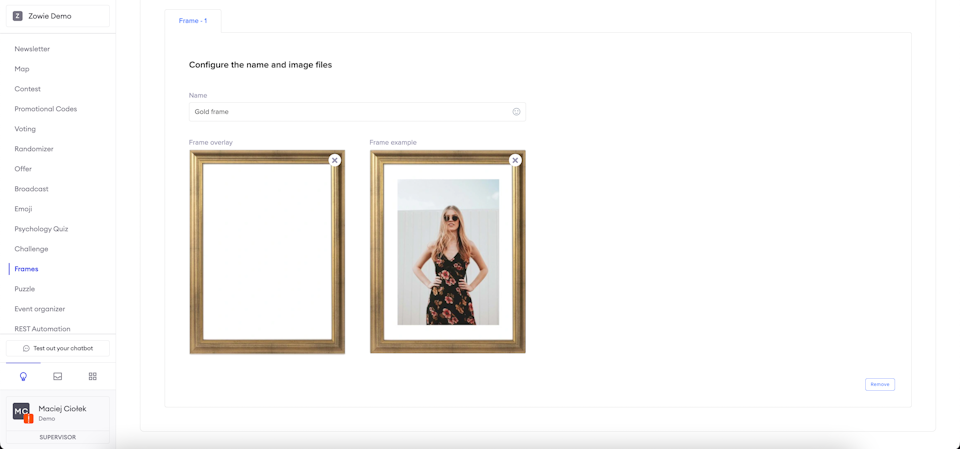
Provide the Name that will be displayed inside the carousel. Then, upload two images: the Frame overlay, so the actual image that will be overlaid over the user uploaded photo and the _Frame example _that will be rendered as the carousel element. You can add and remove frames by using the "Add" and "Remove" buttons at the top and the bottom of the section, respectively.
Updated over 1 year ago