
Quality Assurance
What is Quality Assurance?
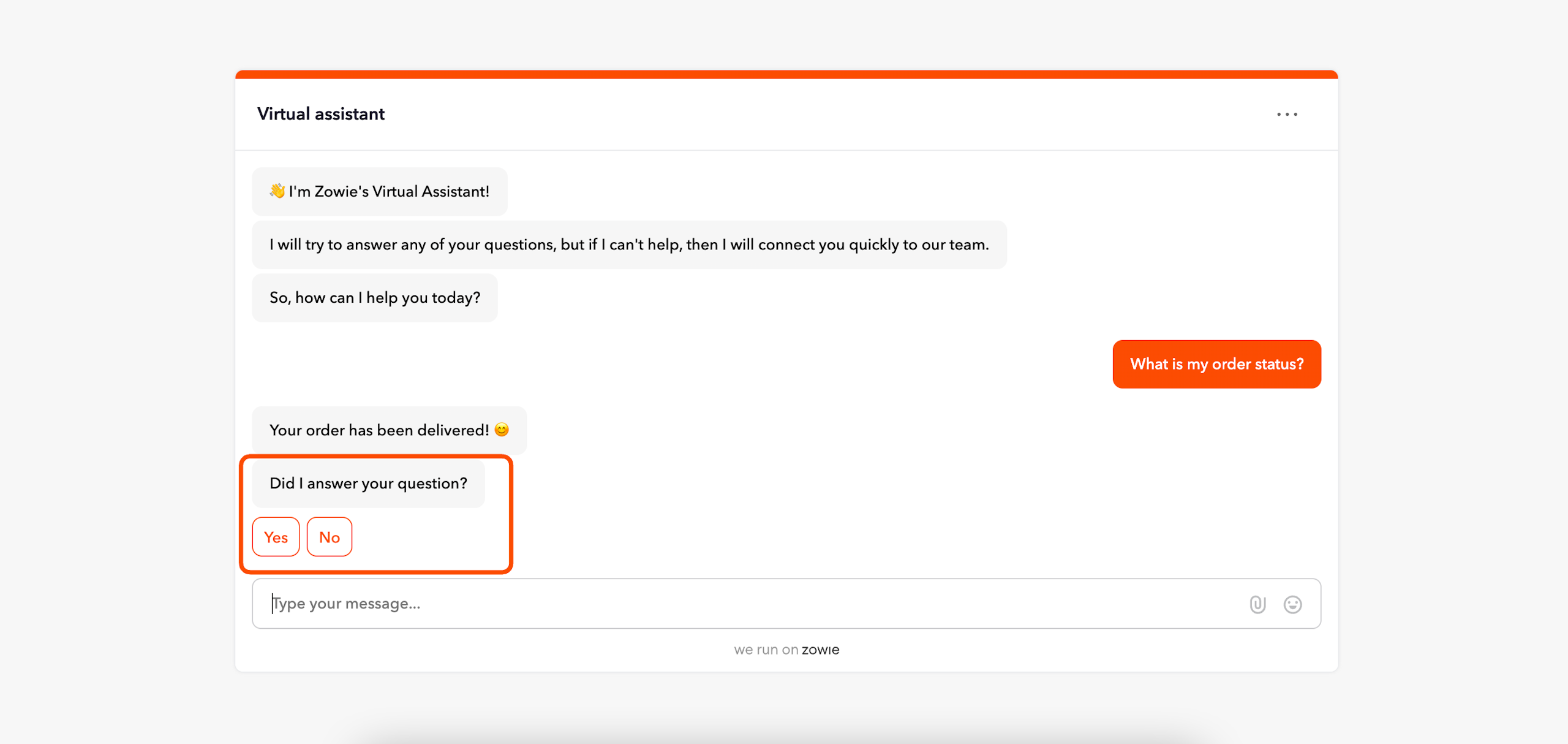
Quality Assurance is a mechanism that asks your end-users whether or not the answers provided by the bot are relevant and helpful to your customers. It can be enabled on a case-by-case basis within each Automation.
Why use Quality Assurance?
Quality assurance is important because it generates the data which shows you which Automations in your knowledge base are helpful to customers and which aren't. This data can be used to improve the content within your Knowledge Base to increase customer satisfaction. It's also critical data that helps you understand what customers are happy or unhappy about with regard to the general customer experience provided by your brand.
Lastly, Quality Assurance helps our chatbot learn whether it's providing relevant answers to your customer's inquiries.
How to access Quality Assurance
To access the Quality Assurance section, navigate to Automations > Quality Assurance from Zowie's menu bar.
Configuring Quality Assurance
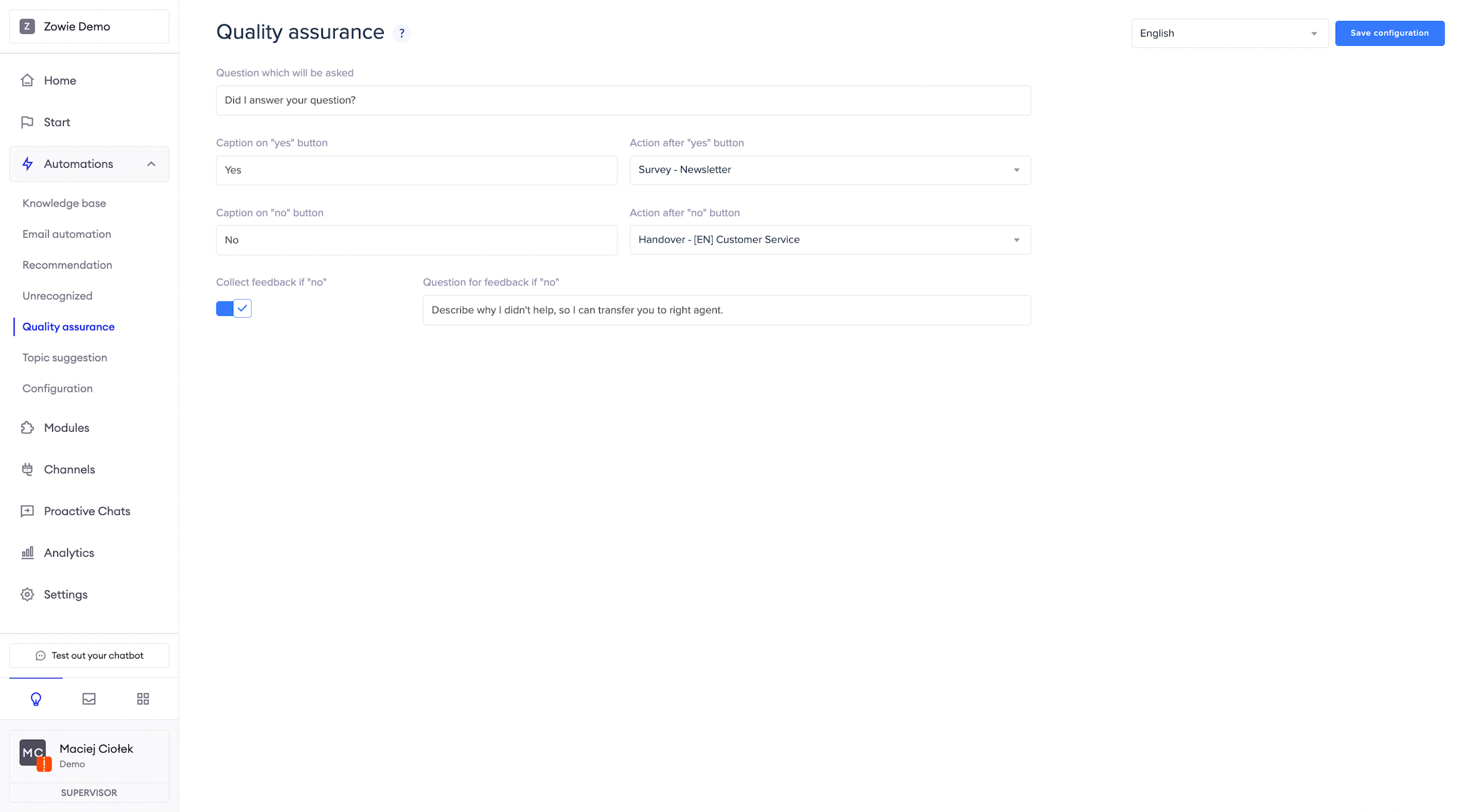
Quality Assurance is enabled on automation by automation basis. Any time it is enabled, the default scenario configured here will be presented to your users.
Start by configuring the Question which will be asked which outlines exactly how the bot will present this question to your users.
You can also configure the Caption on the "Yes" button and Caption on the "No" button, although just a simple "Yes" and "No" are typically used here. In addition, choose the actions that should happen after the user clicks Yes or No.
You may want to enable feedback collection should the answer to the Quality Assurance question be "No". In that case, the chatbot will ask the user for their feedback, which can later be reviewed in the Detailed automation statistics.
AttentionIf you have more than one Region defined, you will see a switch to change the regional configuration of the Quality Assurance.
Updated over 1 year ago