
Gladly
Zowie offers integration with Gladly that enables your AI Agent to automatically create support tickets and sync your Gladly knowledge base.
About
Integration with Gladly allows the Zowie AI Agent to create support tickets directly in Gladly as part of automated flows. Additionally, Zowie can pull your Gladly Answers into X2 Knowledge, making that content available to the AI Agent when responding to customers.
Use cases
- Zowie AI Agent can automatically create support tickets in Gladly during a conversation
- Zowie can expose Gladly articles in X2 Knowledge
Prerequisites
Customers must meet the following requirements in order to set up this integration:
- Gladly is used
- Admin access to Gladly is available
Configuration
-
Collect the following credentials from your Gladly account:
- Subdomain — the prefix of your Gladly URL (e.g.
yourcompanyfromyourcompany.gladly.com). - Email — the email address of a Gladly user created for the Zowie integration.
- API Key — the API key for that user. In Gladly, go to Settings → API Tokens to generate one.
- Subdomain — the prefix of your Gladly URL (e.g.
-
In Zowie, go to Workspace → Integrations → Gladly.
-
Click Connect.
-
Fill in the connection form:
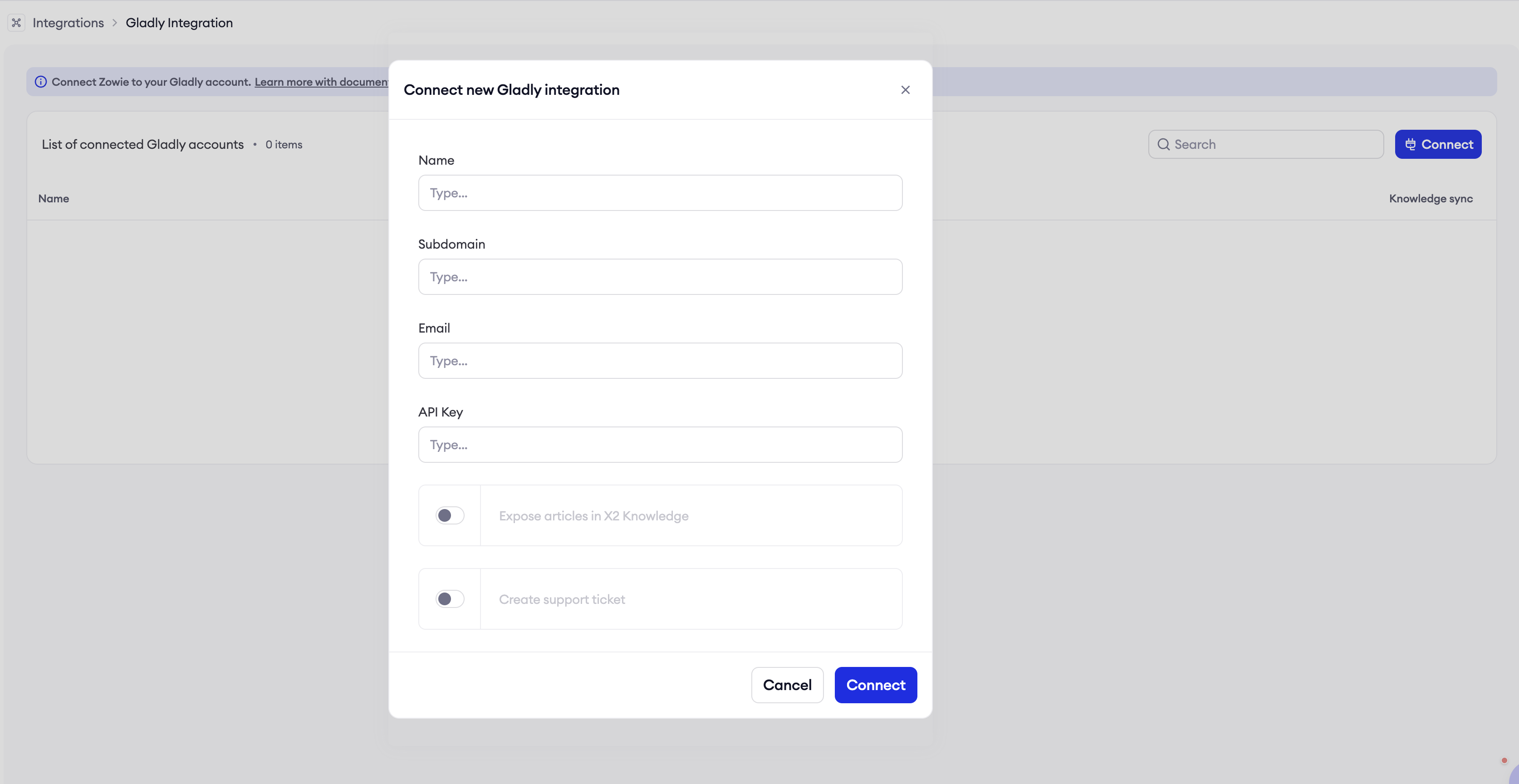
- Name — a label for this connection (e.g.
Customer Care). - Subdomain — collected in step 1.
- Email — collected in step 1.
- API Key — collected in step 1.
- Expose articles in AI Agent Knowledge — enable this to sync Gladly Answers into the AI Agent's knowledge base.
- Allow creating support ticket from AI Agent — enable this to allow the Zowie AI Agent to automatically create tickets in Gladly during a conversation.
- Name — a label for this connection (e.g.
-
Click Connect to save.
That's it! Integration is set.
You can add multiple Gladly connections — for example, one per support team or region.
Setting up ticket creation in AI Agent
Once the integration is connected, you can enable your AI Agent to create Gladly tickets in just a few clicks using the Flow Gallery.
- In Zowie, go to Automate → Flows.
- Click Flow Gallery in the top right corner.
- Find the Create a Ticket (to external platform) template and click Start Setup.
- Provide the configuration parameters:
- Ticket Subject — the subject line for the support ticket.
- Integration ID — the ID of your Gladly connection. You can copy it from Workspace → Integrations → Gladly.
- Click Import flow — your AI Agent is ready to create Gladly tickets.
Features
| Feature | Description |
|---|---|
| Create support tickets in Gladly | Zowie AI Agent automatically creates a Gladly conversation item with the customer set as the requester and an AI-generated conversation summary included. |
| Expose articles in AI Agent Knowledge | Zowie pulls Answers from Gladly and makes them available in the AI Agent's knowledge base. |
Updated 7 months ago