
Importing Knowledge
Supported Sources
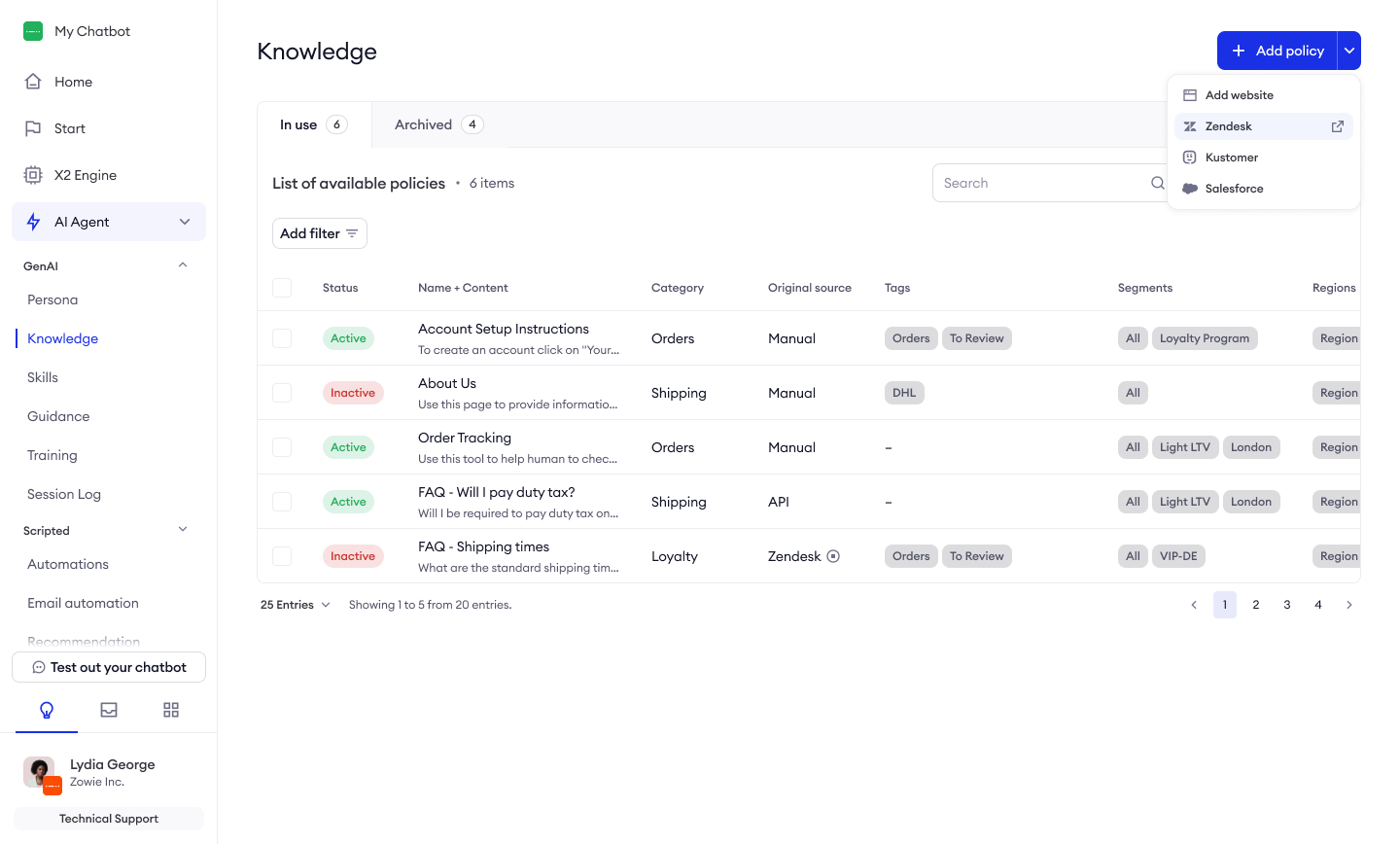
Zowie supports several methods for importing content:
- Manual Creation: Enter content directly into the Zowie interface
- Copy-Paste: Transfer content from existing documentation
- Website Import: Extract content directly from web pages
- API Integration: Connect to custom knowledge sources
- Integration Imports: Import directly from supported platforms
Importing Knowledge from External Sources
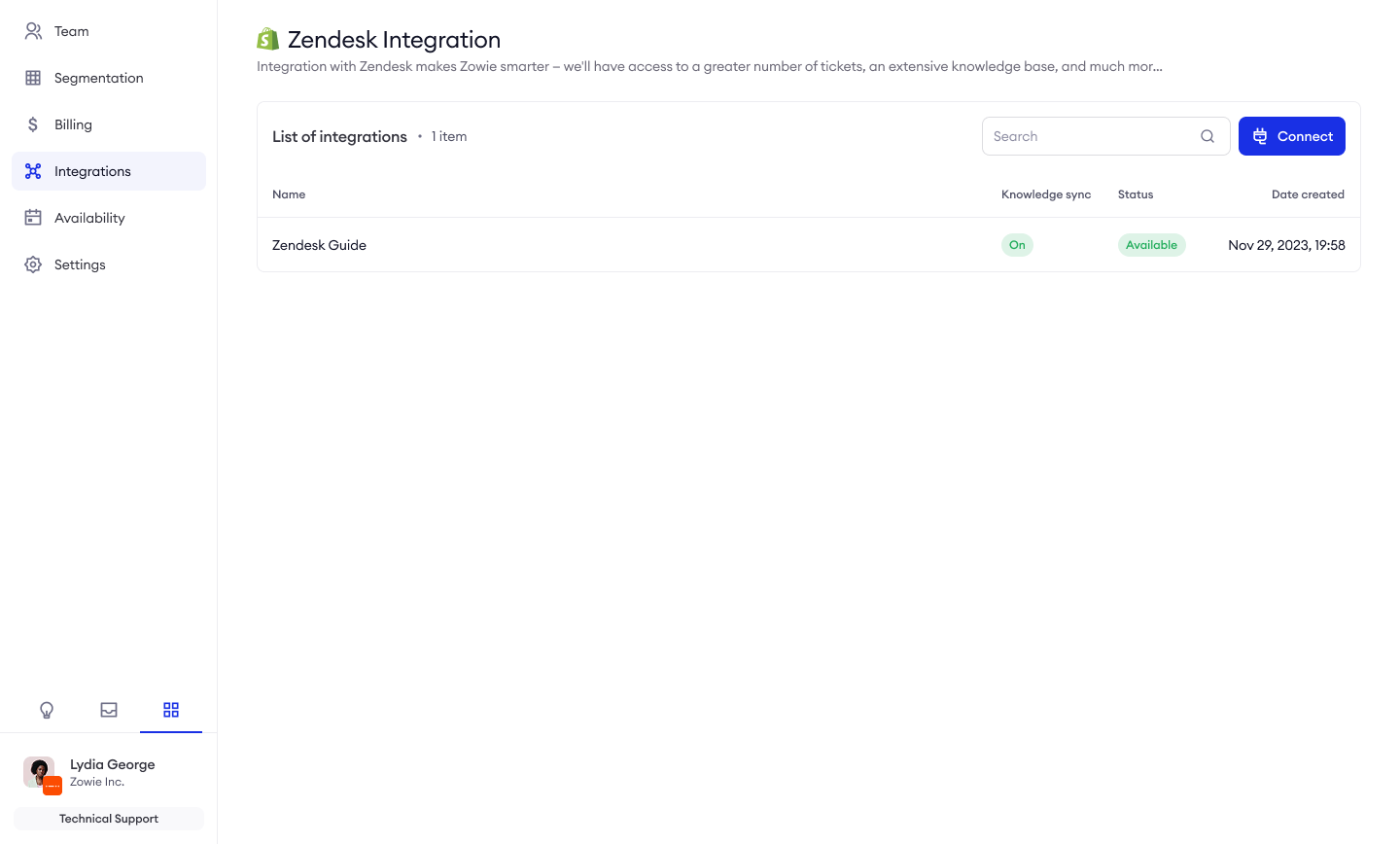
Zowie provides native integrations with:
- Zendesk
- Navigate to Workspace → Integrations → Zendesk
- Enter your Zendesk subdomain
- Select your preferred locale
- (Optional) Enable authentication with your email and API key
- More information can be found here.
- Kustomer
- Navigate to Workspace → Integrations → Kustomer
- Enter your Kustomer API key
- Select the appropriate locale
- More information can be found here.
- Salesforce Knowledge Base
- Navigate to Workspace → Integrations → Salesforce
- Provide your Salesforce API configuration
- Enable the Knowledge Base from Articles option
- (Optional) Use SOQL queries to refine data retrieval
- More information can be found here.
- Website Content
- Navigate to Knowledge → Add Policy → Website
- Enter the URL of the webpage
- Use the selector tool to specify which content to import
- Preview the content before importing
- Custom Knowledge Base API
- Use the Knowledge Base API for custom integration
- Follow the documentation for implementation details, more information can be found here.
Need Help? Our Customer Success team is available to assist you with setting up and optimizing any of these integrations. Don't hesitate to reach out for personalized guidance in establishing connections to your external knowledge sources.
Best Practices
Importing Knowledge from External Sources
When importing content from existing help centers:
- Evaluate Content First: Not all help content makes good knowledge policies. Refer to the Best Practices for Policy Content section to understand what makes an effective policy before importing.
- Restructure When Necessary: Split lengthy articles into focused policies
- Simplify Complex Formatting: Convert to plain text with basic formatting
- Review and Edit: Ensure imported content follows best practices
Pro Tip: Refer to the "Best Practices for Knowledge" section in this guide to ensure your imported content meets the recommended standards for structure and format. Pay particular attention to the "Best Practices for Policy Content" subsection when refining imported materials.
Importing Knowledge from Websites
When importing content from websites, Zowie provides a preview feature to ensure you capture only the information you need:
- Review the Selector: Ensure the CSS selector captures only relevant content and excludes navigation elements, headers, footers, and other non-essential page components
- Preview Imported Content: Before finalizing the import, Zowie displays a preview of the selected content exactly as it will appear in your knowledge base
- Verify Quality: Check that the preview shows readable, well-structured content without unnecessary formatting or irrelevant elements
- Edit as Needed: If the preview doesn't meet your standards, adjust the selector and preview again until you capture only the essential information
- Add Metadata: Once the content quality is verified, apply appropriate tags, categories, and segment assignments
Key Feature: The website import preview functionality allows you to see exactly what content will be imported before finalizing the process, helping you avoid having to make extensive edits after import.
Validation and Quality Control Processes
After importing content:
- Review Each Policy: Ensure accuracy and completeness
- Test with Sample Questions: Verify that the AI retrieves the policy for relevant inquiries
- Check for Inconsistencies: Resolve any contradictions between policies
- Start as Inactive: Begin with policies set to inactive until reviewed
- Gradually Activate: Enable policies in batches to monitor impact
- Transform External Content: If needed, you can de-link imported content from its original source and convert it to Zowie-hosted policies, allowing you to make extensive edits within the Zowie interface without affecting synchronization
Flexibility Option: After importing from external sources, you can choose to maintain automatic synchronization or break the link to the original source. Breaking the link converts the policy to a Zowie-native policy that you can freely edit without affecting the original content. This is particularly useful when you need to significantly restructure or enhance the original content to better suit your AI Agent's needs.
Updated 11 months ago