
Role-Based Access Control
Control who can access and modify what in your Zowie workspace with Role-Based Access Control (RBAC). This guide explains how to create roles, assign permissions, and manage team access across your organization.
Table of Contents
- Understanding RBAC
- Role Types
- Managing Roles
- Assigning Roles to Users
- Predefined Roles
- Workspace Permissions Reference
- AI Agent (Automate) Permissions Reference
Understanding RBAC
Role-Based Access Control (RBAC) lets you define exactly what each team member can see and do within Zowie. Instead of giving everyone full access, you create roles with specific permissions, then assign these roles to team members.
Key Concepts
| Term | Description |
|---|---|
| Permission | A single capability, like "View Knowledge Base" or "Create Processes" |
| Role | A collection of permissions bundled together (e.g., "Knowledge Manager") |
| Assignment | Connecting a role to a specific user |
Benefits
- Security: Limit access to sensitive features like billing or API headers
- Compliance: Control who can publish changes to production
- Organization: Different teams get access only to what they need
- Accountability: Track who has access to what through audit logs coming soon
Role Types
Zowie has two distinct role types, each controlling access to different parts of the platform:
1. Workspace Roles
Workspace roles control access to organization-wide settings that affect your entire Zowie account.
Scope: One role per user across the entire workspace
Controls access to:
- Team management (inviting members, managing roles)
- Availability settings (working hours, out-of-office)
- Customer segmentation (properties, segments)
- Integrations (Zendesk, Shopify, Salesforce, etc.)
- AI Agent management (creating/deleting AI Agents)
- Billing information
- Workspace settings
2. AI Agent Roles (Automate)
AI Agent roles control access to the configuration of individual AI Agents. This allows fine-grained control over who can modify each chatbot.
Scope: One role per user per AI Agent - the same user can have different roles for different AI Agents
Controls access to:
- Start configuration
- Regional settings and glossary
- Processes, data types, and variables
- Channels (Zowie Chat, Messenger, WhatsApp, etc.)
- Testing scenarios
- Personality (Persona and Guidances)
- Knowledge base
- Routing rules
- Handovers and surveys
- Versioning and staging
- Dashboards and supervisor tools
- Plugins
Comparison Table
| Aspect | Workspace Role | AI Agent Role |
|---|---|---|
| Scope | Entire workspace | Per AI Agent |
| Assignments per user | One | One per AI Agent |
| Example use | "Only admins can manage billing" | "Marketing team can only edit the Marketing AI Agent" |
Managing Roles
Accessing Role Management
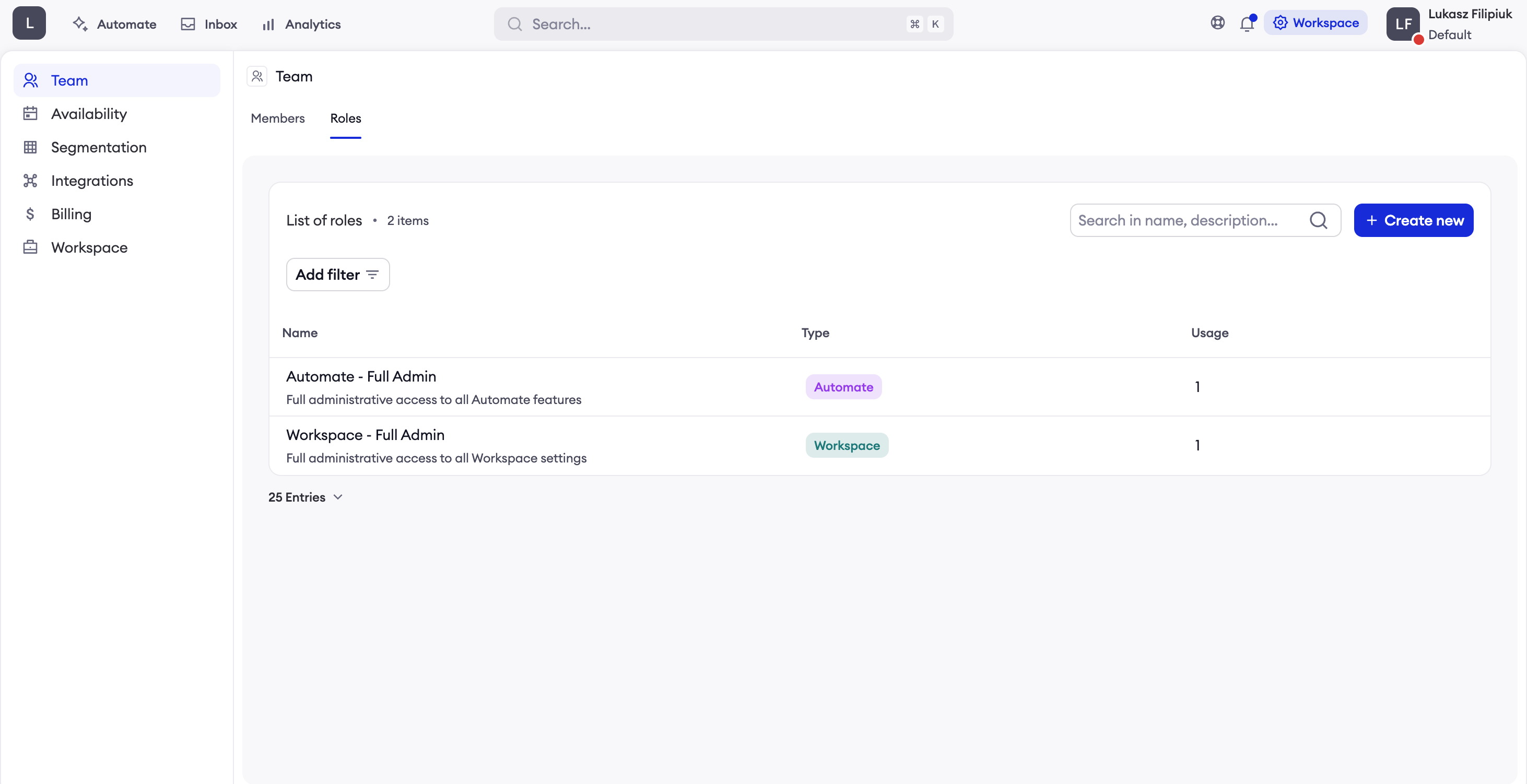
- Navigate to Team in the workspace sidebar
- Click on the Roles tab
- Here you can view, create, edit, and delete roles
Creating a New Role
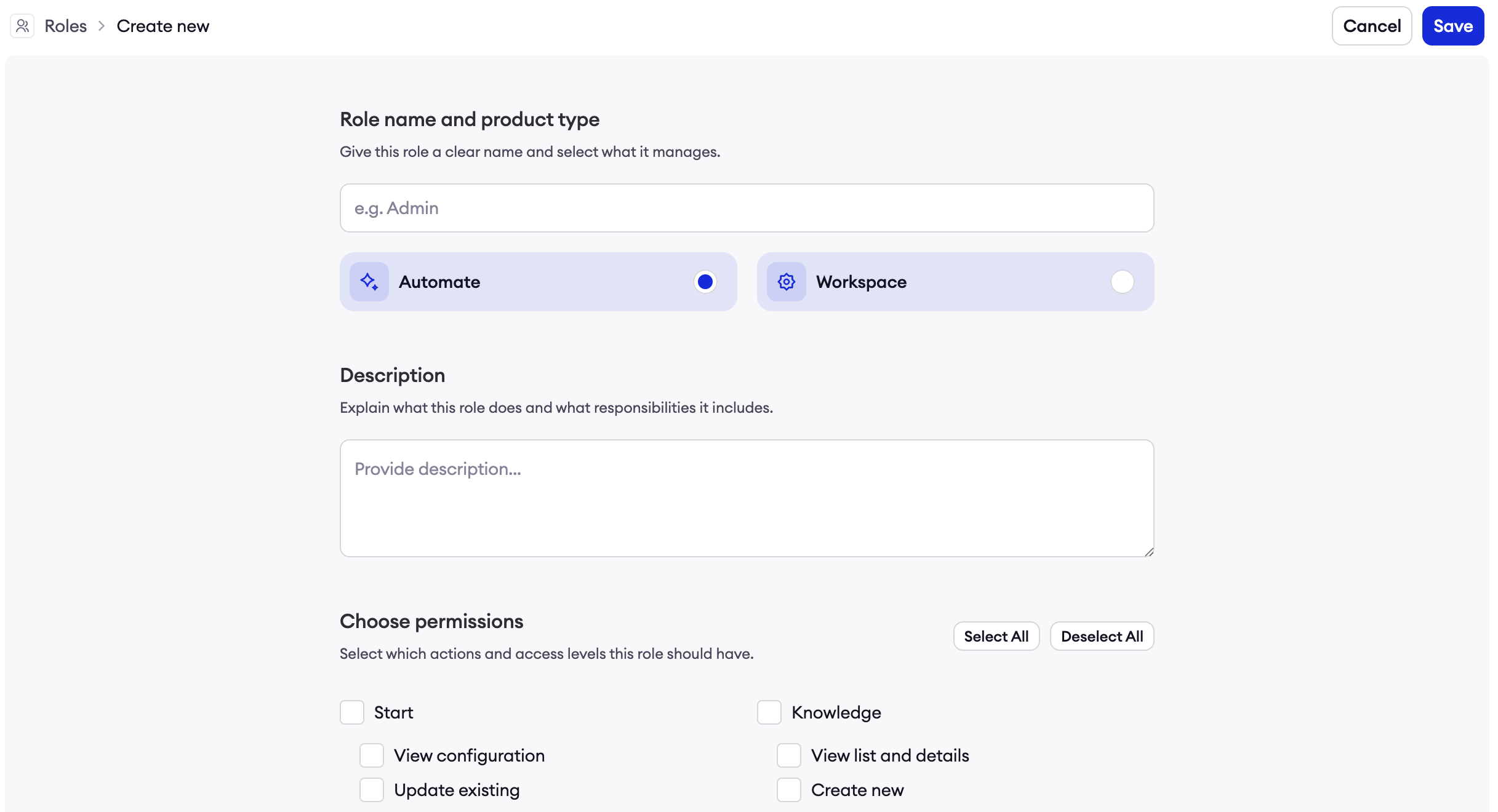
- Click Create New Role in the top-right corner
- Fill in the role details:
- Name: A descriptive name (e.g., "Content Editor", "Bot Administrator")
- Description: Explain what this role is for
- Type: Choose either Workspace or AI Agent
- Select the permissions for this role (see Permissions Reference)
- Click Save
Editing a Role
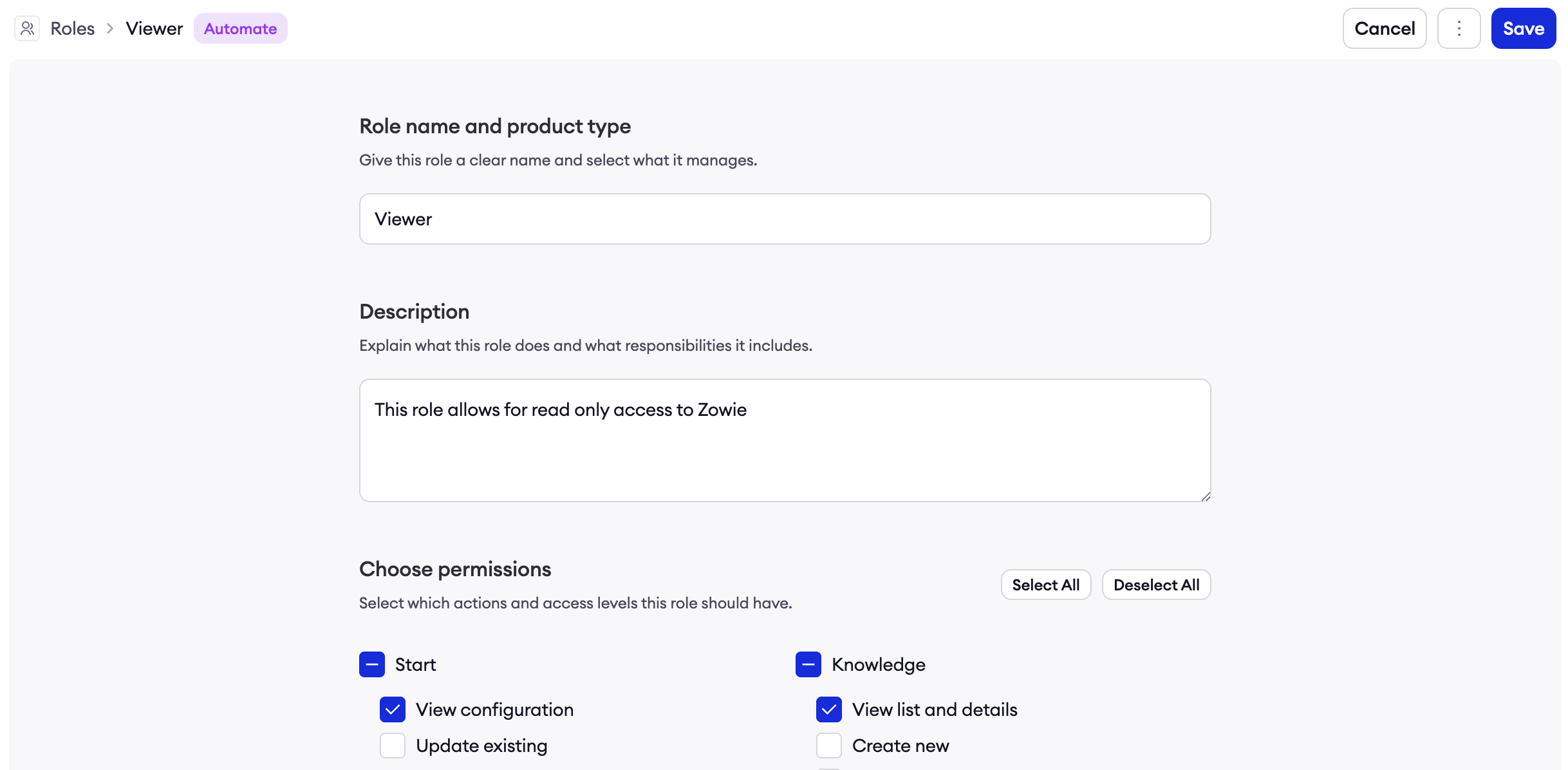
- Find the role in the Roles list
- Click the Edit icon (pencil)
- Modify the name, description, or permissions
- Click Save
Note: You cannot change the role type (Workspace vs AI Agent) after creation.
Deleting a Role
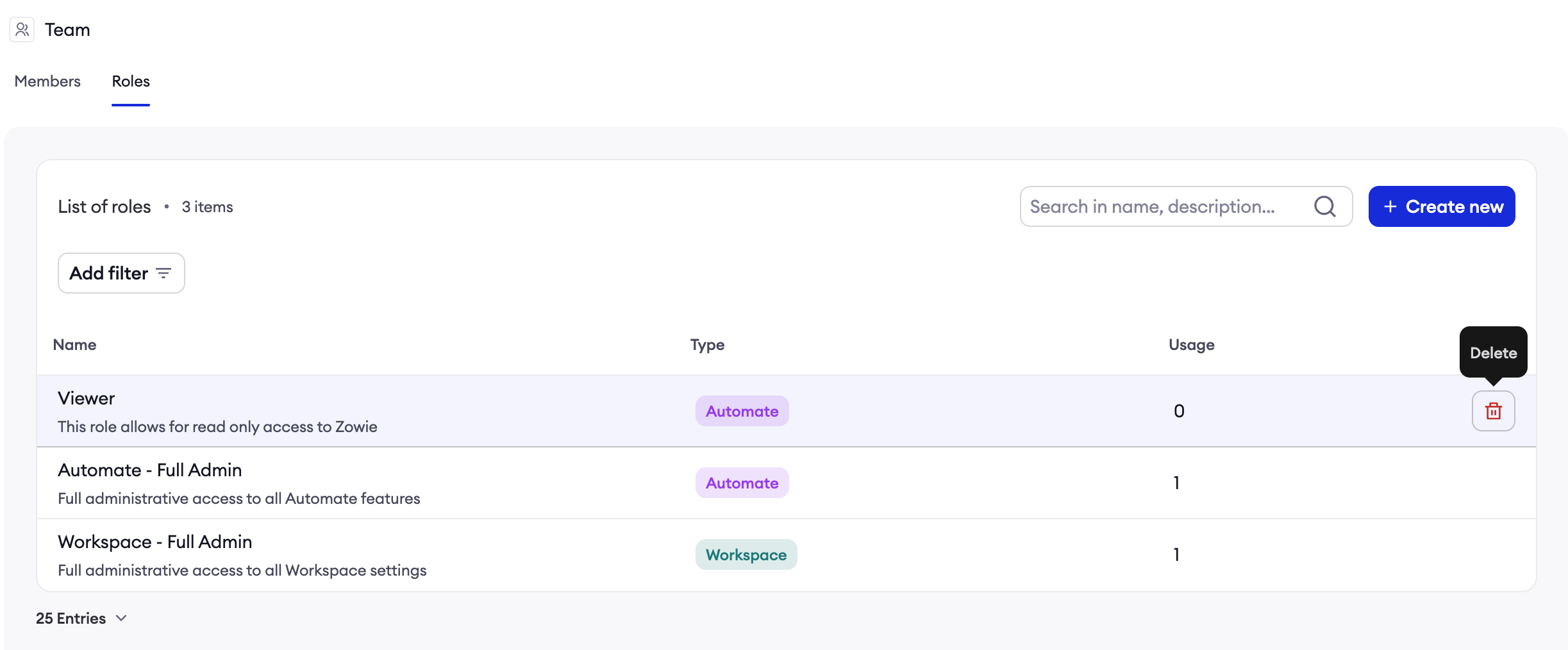
- Find the role in the Roles list
- Click the Delete icon (trash)
- Confirm the deletion
Important: You can only delete roles that are not currently assigned to any users. If the delete button is disabled, the role is still in use.
Assigning Roles to Users
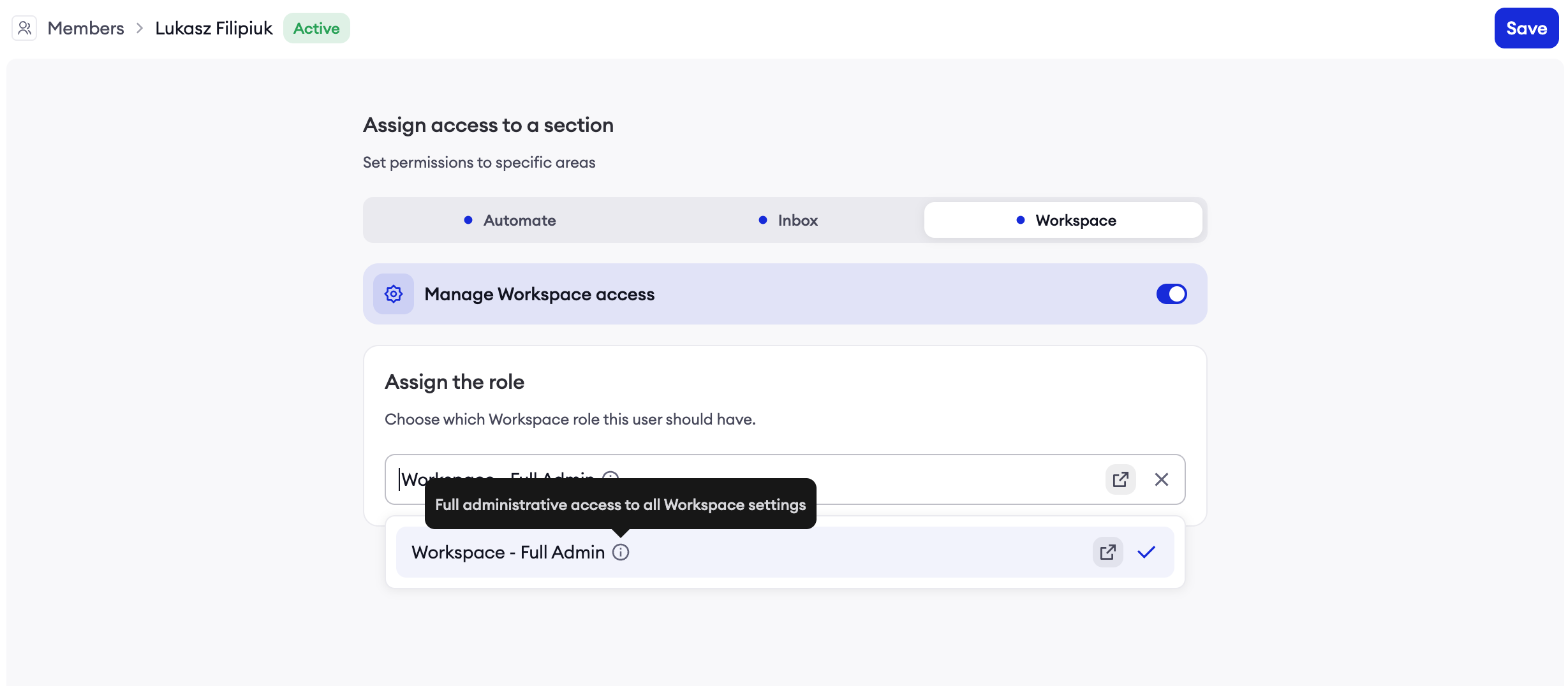
Assigning a Workspace Role
Each user can have one Workspace role. To assign:
- Navigate to Team > Members
- Click on a team member to edit their profile
- In the Workspace Role section, select a role from the dropdown
- Click Save
Assigning AI Agent Roles
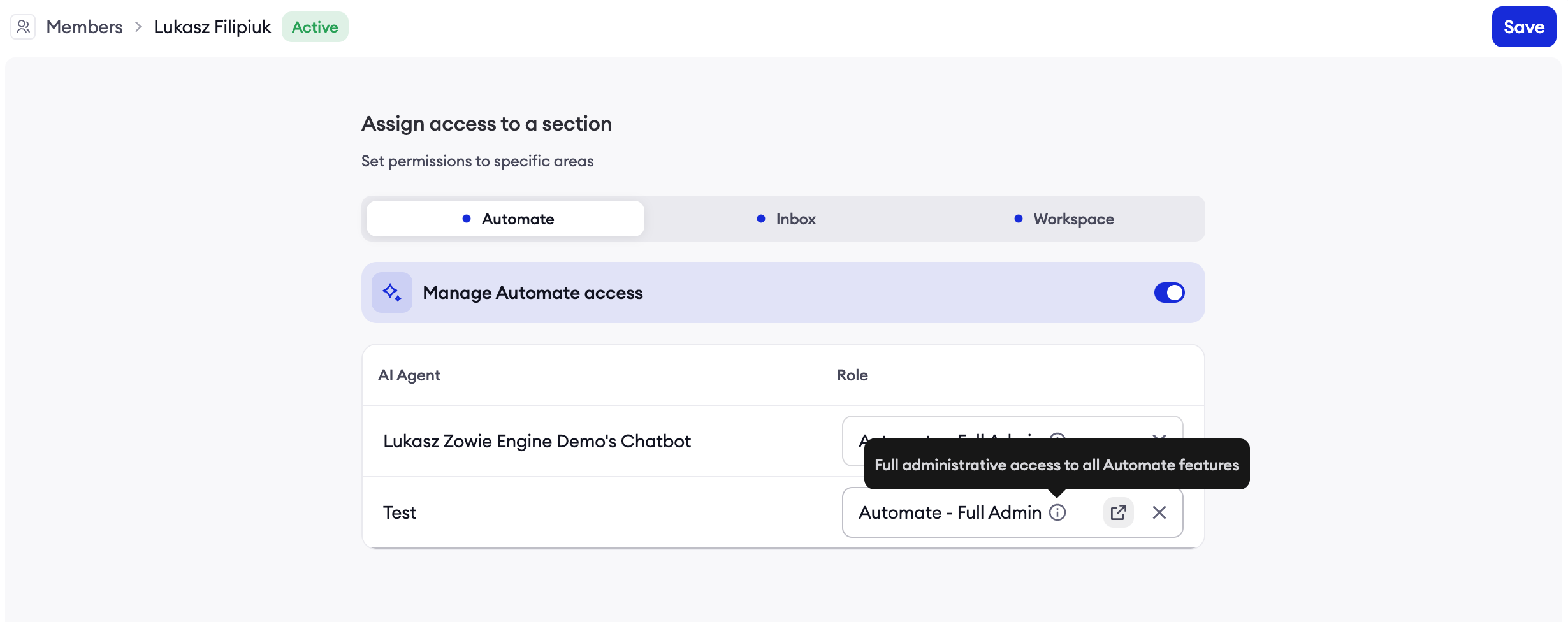
Users can have different roles for each AI Agent. To assign:
- Navigate to Team > Members
- Click on a team member to edit their profile
- In the AI Agent Access section:
- Ensure the Automate product toggle is enabled
- For each AI Agent listed, select the appropriate role
- Users can have "No role" (no access) or any AI Agent role
- Click Save
Assigning Roles During AI Agent Creation
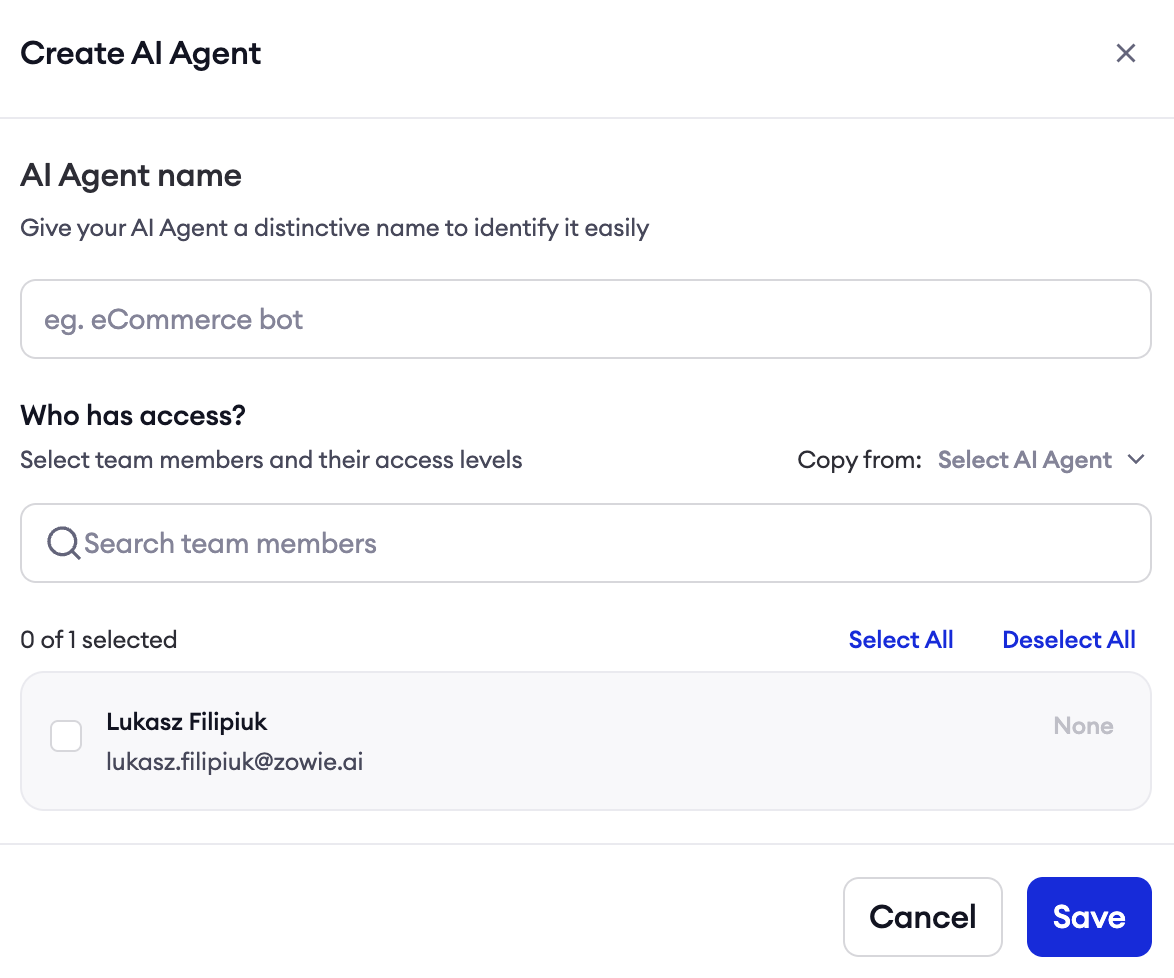
When creating a new AI Agent:
- After configuring the basic settings, you'll see a Who has access? section
- All users with Automate access are listed
- Assign roles to determine who can access the new AI Agent
Predefined Roles
Zowie provides predefined Super Admin roles for both role types. These roles grant full access and cannot be modified or deleted.
Workspace - Super Admin
| Role Name | Description | Permissions |
|---|---|---|
| Workspace - Full Admin | Full access to all workspace features | All Workspace permissions |
This role grants complete control over the whole Workspace.
Automate - Super Admin
| Role Name | Description | Permissions |
|---|---|---|
| Automate - Fill Admin | Full control over the AI Agent | All AI Agent permissions |
This role grants complete control over the whole AI Agent.
Workspace Permissions Reference
Workspace permissions are organized into categories. Here is a complete reference of all available permissions:
Team Management
Control who can manage your organization's users and roles.
| Permission | Description |
|---|---|
| View Members | View the list of team members and their details |
| Invite Member | Invite new users to join the workspace |
| Update Member | Modify existing member details and role assignments |
| Delete Member | Remove users from the workspace |
| View Roles | View available roles and their permissions |
| Create Role | Create new custom roles |
| Update Role | Modify existing role names, descriptions, and permissions |
| Delete Role | Remove unused roles from the system |
Availability
Control access to working hours and out-of-office settings that determine when your AI Agents are active.
| Permission | Description |
|---|---|
| View Working Hours | View configured working hours schedules |
| Create Working Hours | Create new working hours schedules |
| Update Working Hours | Modify existing working hours |
| Delete Working Hours | Remove working hours schedules |
| View Out of Office | View out-of-office periods and holidays |
| Create Out of Office | Create new out-of-office periods |
| Update Out of Office | Modify existing out-of-office settings |
| Delete Out of Office | Remove out-of-office periods |
Customer Segmentation
Control access to customer properties and segments used for personalizing AI Agent behavior.
| Permission | Description |
|---|---|
| View Properties | View customer property definitions |
| Create Properties | Define new customer properties |
| Update Properties | Modify existing property definitions |
| Delete Properties | Remove property definitions |
| View Segments | View customer segment definitions |
| Create Segments | Create new customer segments |
| Update Segments | Modify existing segment rules |
| Delete Segments | Remove segment definitions |
Integrations
Control who can connect and manage third-party integrations.
| Permission | Description |
|---|---|
| View Integrations | View connected integrations and their status |
| Create Integration | Connect new third-party integrations |
| Update Integration | Modify integration configuration |
| Delete Integration | Disconnect integrations |
AI Agent Management
Control who can create, modify, and delete AI Agents at the workspace level.
| Permission | Description |
|---|---|
| Create AI Agent | Create new AI Agents in the workspace |
| Update AI Agent | Modify AI Agent basic settings (name, etc.) |
| Delete AI Agent | Archive AI Agents |
Billing
Control access to billing and subscription information.
| Permission | Description |
|---|---|
| View Billing | View billing section |
Workspace Settings
Control access to global workspace configuration.
| Permission | Description |
|---|---|
| View Settings | View workspace configuration and settings |
| Modify Settings | Change workspace settings |
AI Agent (Automate) Permissions Reference
AI Agent permissions control what users can do within each specific AI Agent. These are assigned per AI Agent, allowing granular control over who can modify which bot.
Start Configuration
Control access to the AI Agent's initial greeting and configuration.
| Permission | Description |
|---|---|
| View Start | View the start/greeting configuration |
| Update Start | Modify greeting messages and initial agent behavio |
Regional Settings & Localization
Control access to language settings, regions, and glossary.
| Permission | Description |
|---|---|
| View Localization | View regional settings, language configurations, and glossary |
| Create Localization | Add new regions or glossary entries |
| Update Localization | Modify regional settings and glossary terms |
| Delete Localization | Remove regions or glossary entries |
Processes
Control access to Decision Engine Processes
| Permission | Description |
|---|---|
| View Processes | View process definitions and workflow diagrams |
| Create Process | Build new automation processes |
| Update Process | Modify existing process logic and flows |
| Delete Process | Remove processes from the AI Agent |
[SCREENSHOT: Process permissions section in the AI Agent Role Form]
Data Types
Control access to custom data type definitions used in Processes.
| Permission | Description |
|---|---|
| View Data Types | View data type definitions and schemas |
| Create Data Type | Define new custom data types |
| Update Data Type | Modify existing data type schemas |
| Delete Data Type | Remove data type definitions |
Variables
Control access to variables used across Processes.
| Permission | Description |
|---|---|
| View Variables | View variable definitions and values |
| Create Variable | Create new variables |
| Update Variable | Modify variable values and configurations |
Channels
Control access to communication channel configurations.
| Permission | Description |
|---|---|
| Zowie Chat | Manage Zowie's native chat widget (Widget, Embedded, Standalone, Mobile SDK) |
| Other Channels | Manage third-party channels (Messenger, Instagram, WhatsApp, Zendesk, Intercom, Viber, etc.) |
Testing
Control access to Testing page.
| Permission | Description |
|---|---|
| View Testing | View test cases and results |
| Create Testing | Create new test scenarios |
| Update Testing | Modify existing test cases |
| Delete Testing | Remove test scenarios |
Versioning & Version Values
Control access to version-specific variables that can differ between staging and production.
| Permission | Description |
|---|---|
| View Version Values | View version-specific variable configurations |
| Create Version Value | Create new version-specific values |
| Update Version Value | Modify version-specific configurations |
| Delete Version Value | Remove version-specific values |
Staging & Deployment
Control access to the staging environment and production deployment.
| Permission | Description |
|---|---|
| View Versions | View available versions in staging |
| View Changelog | View deployment history and changelogs |
| Create Version | Create new versions in staging |
| Delete Version | Remove versions from staging |
| Publish Version | Deploy versions to production |
Personality - Persona
Control access to the AI Agent's personality and tone configuration.
| Permission | Description |
|---|---|
| View Persona | View the AI Agent's personality settings |
| Update Persona | Modify personality, tone, and voice settings |
Personality - Guidances
Control access to specific behavioral guidelines for the AI Agent.
| Permission | Description |
|---|---|
| View Guidances | View guidance rules and instructions |
| Create Guidance | Add new behavioral guidelines |
| Update Guidance | Modify existing guidance rules |
| Delete Guidance | Remove guidance rules |
Knowledge
Control access to the AI Agent's knowledge base.
| Permission | Description |
|---|---|
| View Knowledge | View knowledge base content and sources |
| Create Knowledge | Add new knowledge sources or entries |
| Update Knowledge | Modify existing knowledge content |
| Delete Knowledge | Remove knowledge sources or entries |
Routing
Control access to intent routing
| Permission | Description |
|---|---|
| View Routing | View routing rules and intent configurations |
| Create Routing | Create new routing rules |
| Update Routing | Modify existing routing logic |
| Delete Routing | Remove routing rules |
Transfers & Handovers
Control access to handover rules that transfer conversations to human agents.
| Permission | Description |
|---|---|
| View Transfers | View handover configurations and rules |
| Create Transfer | Create new handover rules |
| Update Transfer | Modify existing handover configurations |
| Delete Transfer | Remove handover rules |
Surveys
Control access to pre-chat and post-chat survey configurations.
| Permission | Description |
|---|---|
| View Surveys | View survey configurations |
| Create Survey | Create new surveys |
| Update Survey | Modify existing survey questions and logic |
| Delete Survey | Remove surveys |
Dashboards
Control access to analytics dashboards.
| Permission | Description |
|---|---|
| Supervisor Dashboard | Access the AI Supervisor dashboard with real-time insights |
| Home Dashboard | Access the main analytics dashboard |
Supervisor
Control access to conversation monitoring and debugging tools.
| Permission | Description |
|---|---|
| View Transcripts | View conversation transcripts and history |
| View Audit Logs | Access detailed audit logs for debugging |
| View API Headers | View API request/response headers (sensitive data) |
Plugins
Control access to plugin management and configuration.
| Permission | Description |
|---|---|
| Manage Plugins | Enable, disable, and configure plugins (Privacy Compliance, A/B Testing, Proactive Chats, etc.) |
Updated 11 months ago