
Gorgias live chat transfer
Zowie can transfer chat from the AI Agent to a human agent workin in Gorgias.
Configure Gorgias settings
Step 1
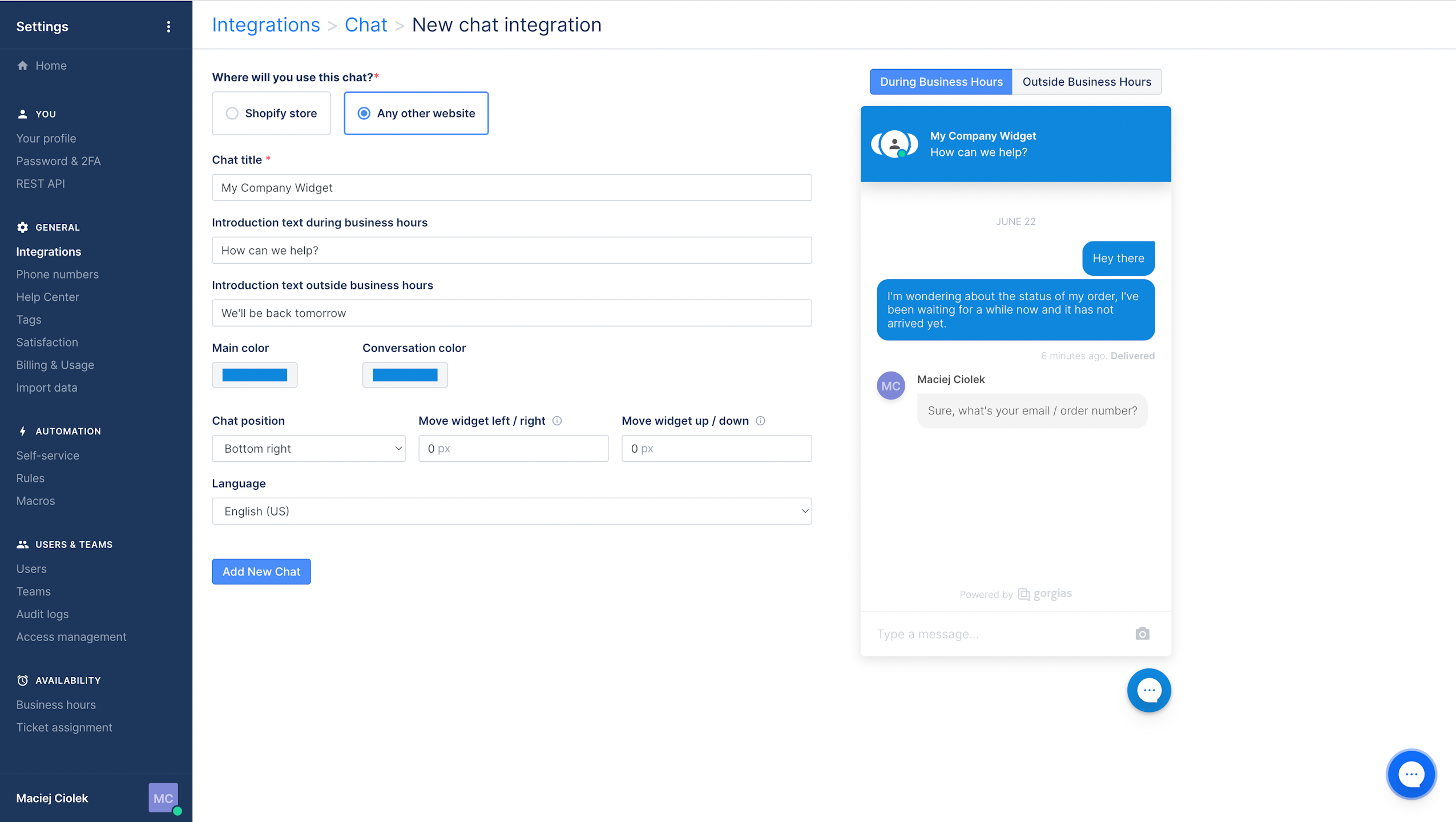
- Login to you Gorgias account, and go to Settings -> Integrations -> Chat.
- Click "+ Add New" in the top right corner to create a dedicated chat widget for Zowie.
- At the next screen select "Any other website":
- Click "Add New Chat".
Step 2
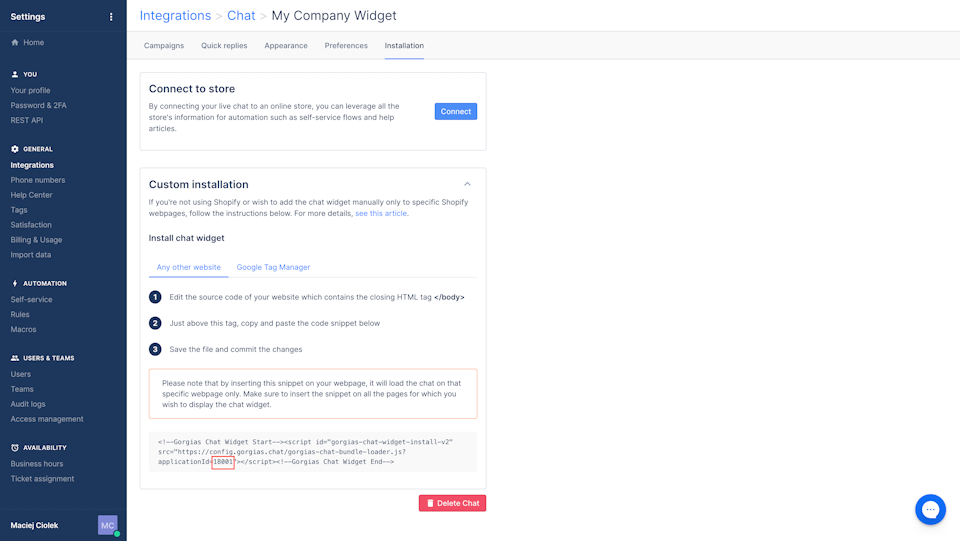
Go to "Installation" and copy "applicationId" from the place marked on the screenshot below, which you will use at the next steps.
Configure Zowie settings
Step 1
Generate Zowie Chat Widget snippet according to Widget manual.
Step 2
Add following line to Zowie Widget code, where you should replace APPLICATION_ID with value you copied in the previous step.
Code for New Widget
ZowieWidget.init("INSTANCE_ID", {

gorgiasApplicationId: "APPLICATION_ID",

});
Code for Legacy Widget
Zowie.init({

gorgiasApplicationId: "APPLICATION_ID",

});
Step 3
Head over to "Transfers" and select handover you wish to redirect to Gorgias.
Go to Routing and select to location for the preferred platform and choose "ID." In value space write gorgias as value.
Step 4
Install the updated Zowie Widget snippet at your website.
Updated about 1 year ago
Did this page help you?