
Aircall
Zowie offers robust integration with Aircall, enabling Customer Service teams to streamline communication, enhance efficiency, and deliver seamless customer experiences by bridging gaps between voice interactions and automated support.
About
This integration is designed for ecommerce brands using Aircall and Zowie. It empowers ecommerce businesses to streamline customer communication by connecting voice interactions with automated support workflows, provide agents with full context of customer interactions, and ensure seamless collaboration between teams. With this integration, support teams can handle voice calls more efficiently while maintaining a comprehensive view of customer activities across channels. This integration allows customer support agents to handle calls at Inbox via Aircall integration.
Features
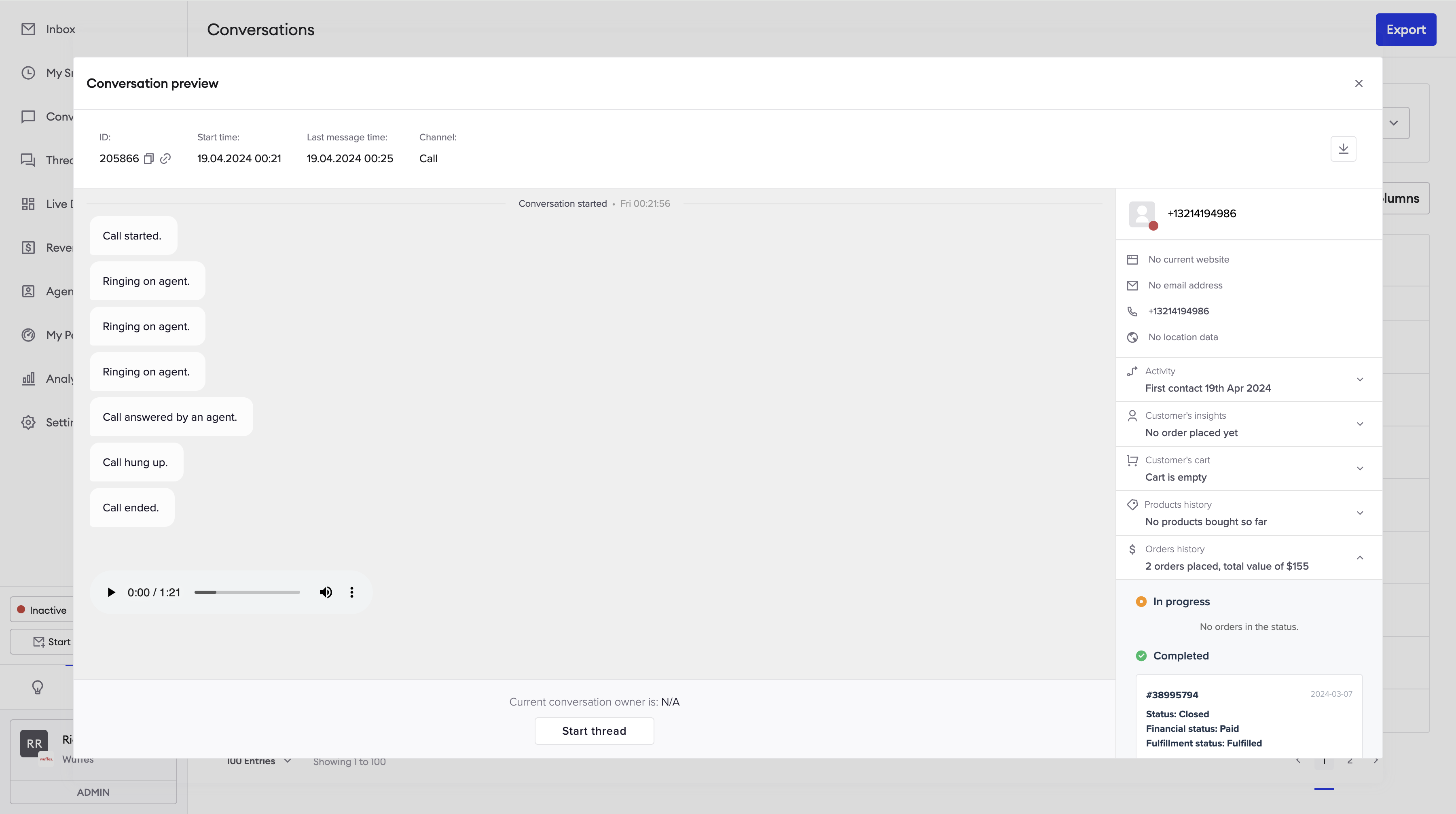
- Conversation exists at Inbox for each phone number that called including following events:
- Call started.
- Call hung up.
- Call ended (including recording if agent answered).
- Ringing on agent.
- Call answered by an agent.
- Voicemail left (including recording)
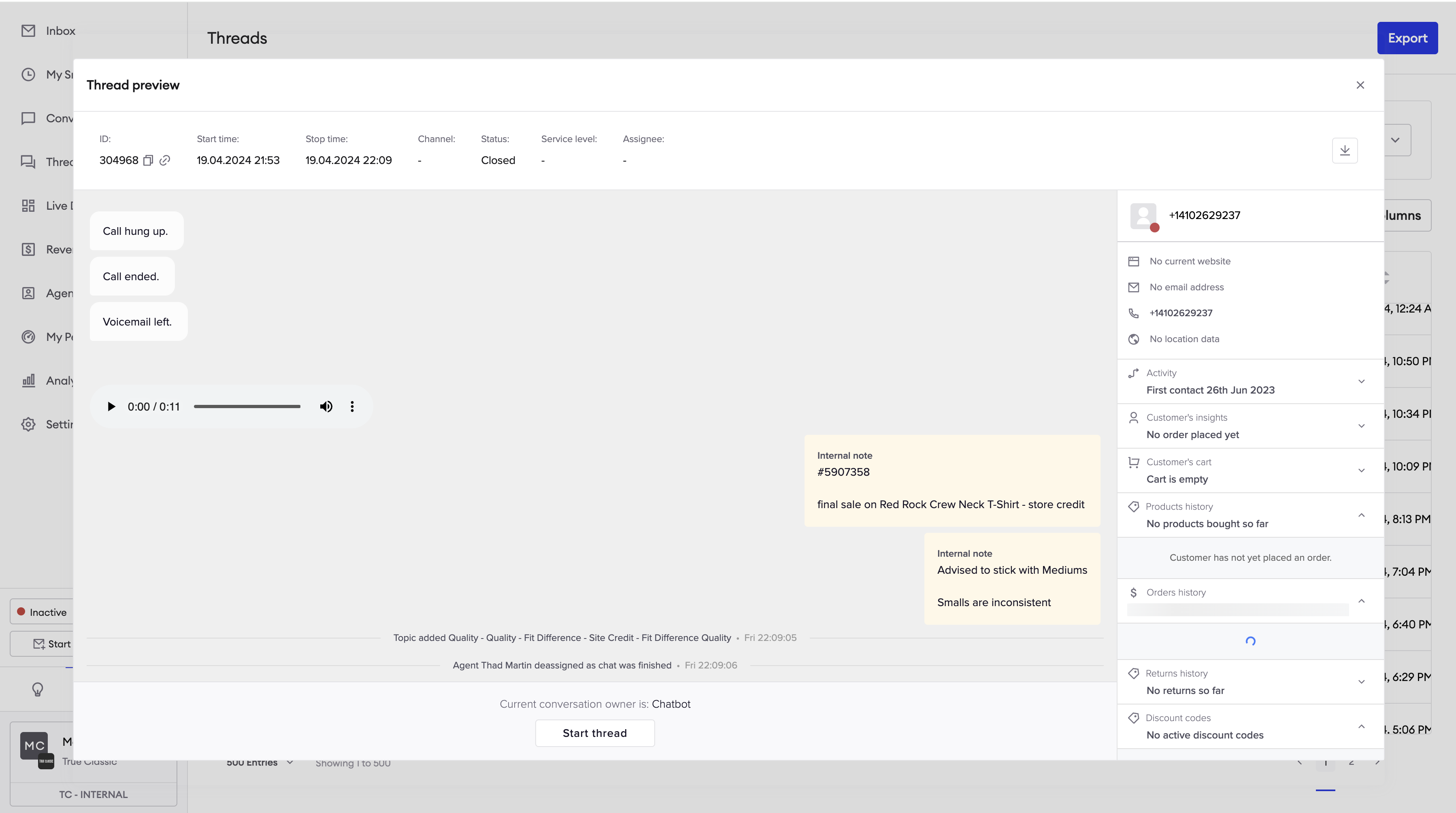
- Thread exists (if configured) for each phone call at Inbox.
- Agent can manually assign a thread to themselves from Threads view.
- Agent can leave notes and close a thread.
Please note that calls are assigned to agents according to routing configured at Aircall. Zowie automatic assignment based profile is not yet supported.
Prerequisites
Customers must meet the following requirements in order to set up this integration:
- Zowie Inbox is used.
- Aircall is used.
- Agents must have Aircall application installed on their desktop.
Configuration
- Login to Zowie and go to Workspace -> Integrations -> Aircall.
- Click the “Connect” button that will start the process of integration.
- You will be redirected to the Aircall panel, where you will be asked to select your account and grant Zowie access to your data.
- Once you approve access, you will be redirected back to Zowie where you can finish configuration.
- Provide the name of integration and select the features you would like to enable for your Aircall integration.
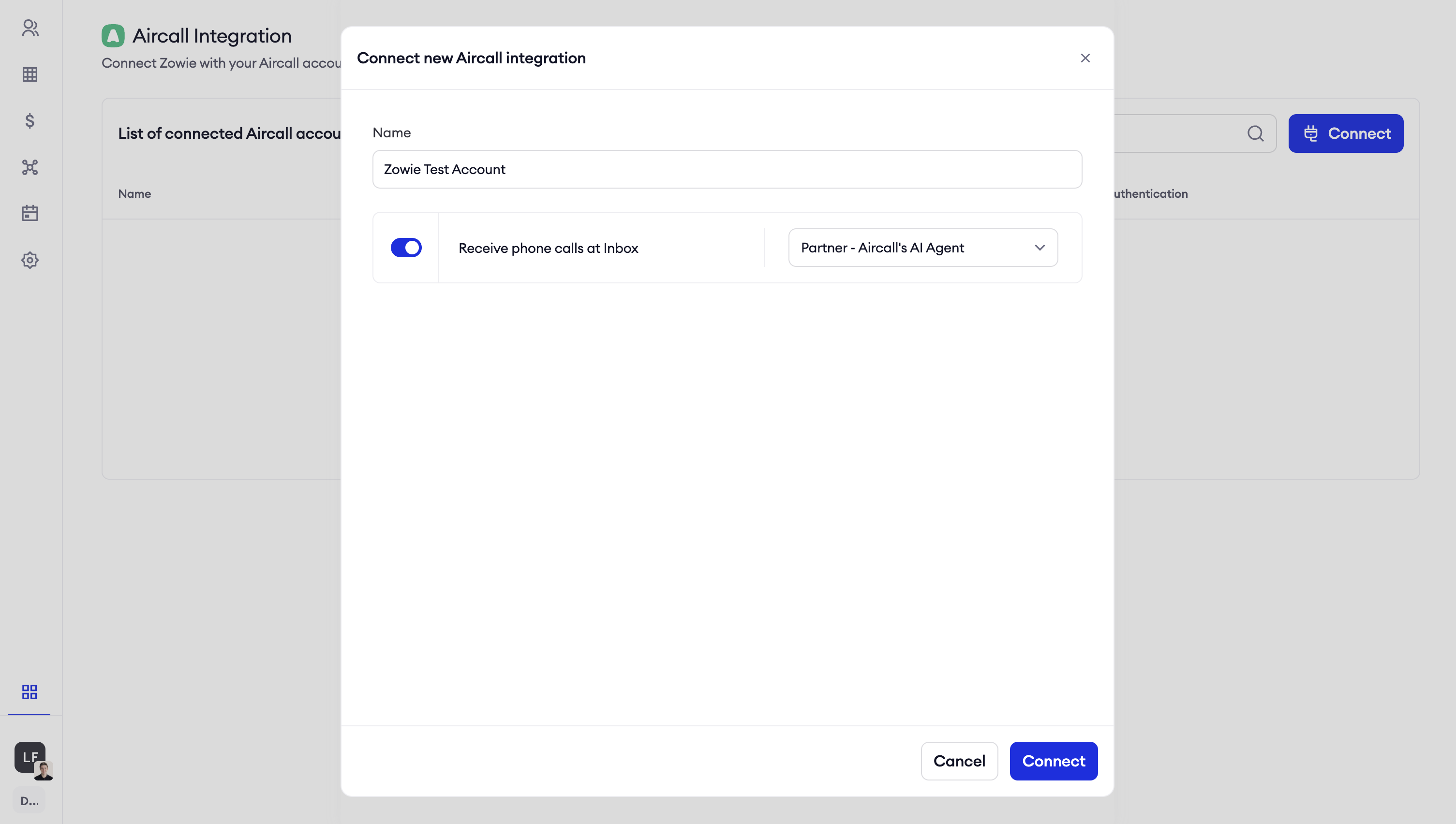
Features
Conversation exists at Inbox for each phone number that called
Thread exists (if configured) for each phone call at Inbox
Each phone call will go through configured AI Agent. If a handover is configured for “Welcome message” or “Don’t understand” it will create a Thread at Inbox and assign a thread to configured in handover (via metadata) queue.
End of activity for such AI Agent needs to be setup to an empty “No reply” automation.
It’s not recommended to use Zowie profiles for phone call queues, as automatic assignment will work seperately to assignment logic at Aircall.
Updated over 1 year ago