
Klaviyo
Zowie offers robust integration with Klaviyo that removes gaps in Marketing and Customer Service teams experience
About
This integration is built for ecommerce brands who are using Klaviyo and Zowie. It aims to help ecommerce to grow their subscribers list, stay in touch with customers who replied to their marketing campaigns, offer agents full context of marketing activities that happened on account and even allow your marketing team to pause marketing activities to customers who have active open tickets with your support.
Use cases
- Customers can subscribe to marketing automation (Email/SMS) messages following a successful chatbot experience.
- Agents using Inbox can see customers’ subscription status and subscribe/unsubscribe customer.
- Agents using Inbox can see the list of discount/promotional codes in Klaviyo and deploy them in conversations with customers to increase conversions.
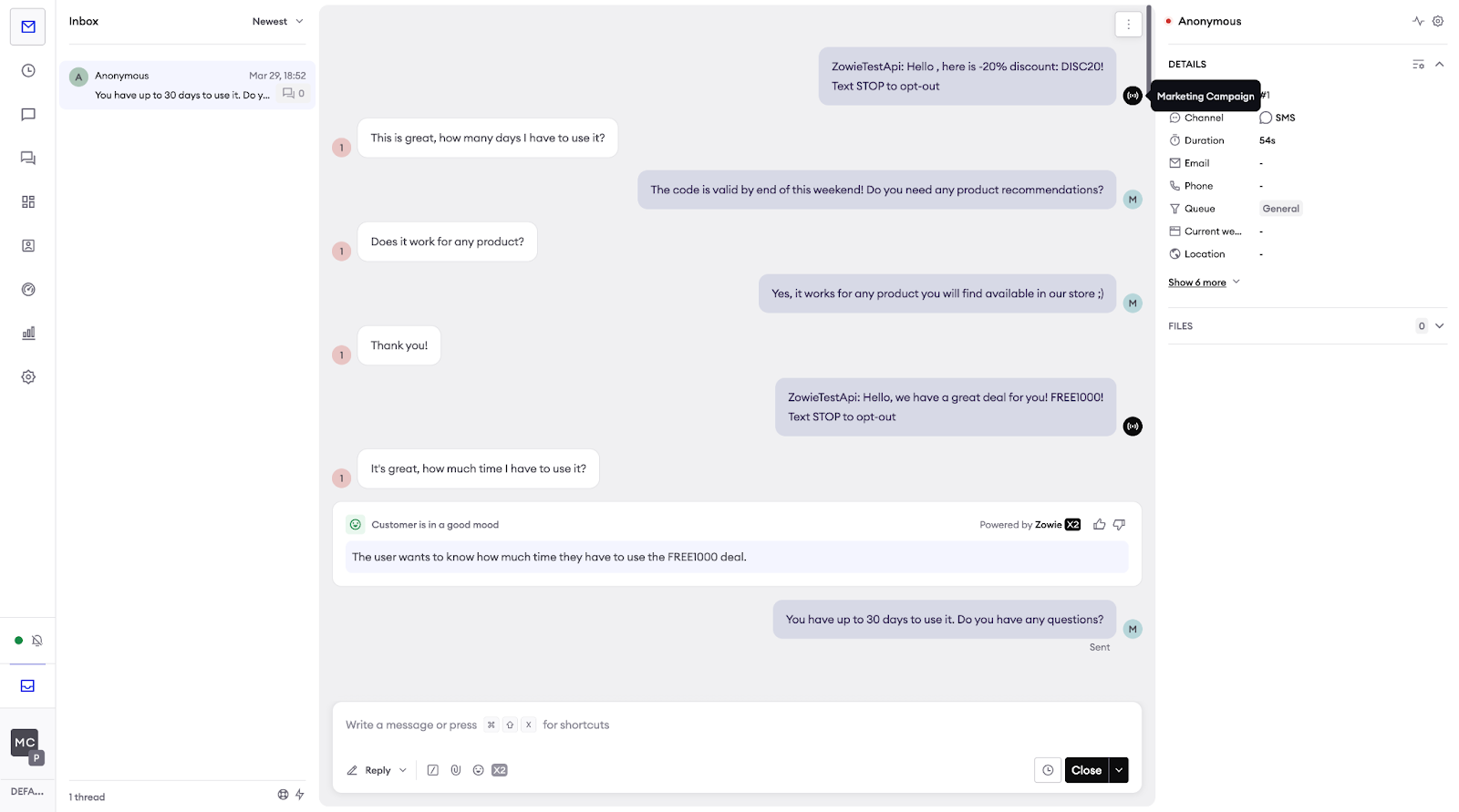
- Agents using Inbox can receive and reply to messages sent through Klaviyo SMS.
- Agents have access to all marketing SMS messages sent prior contact with support.
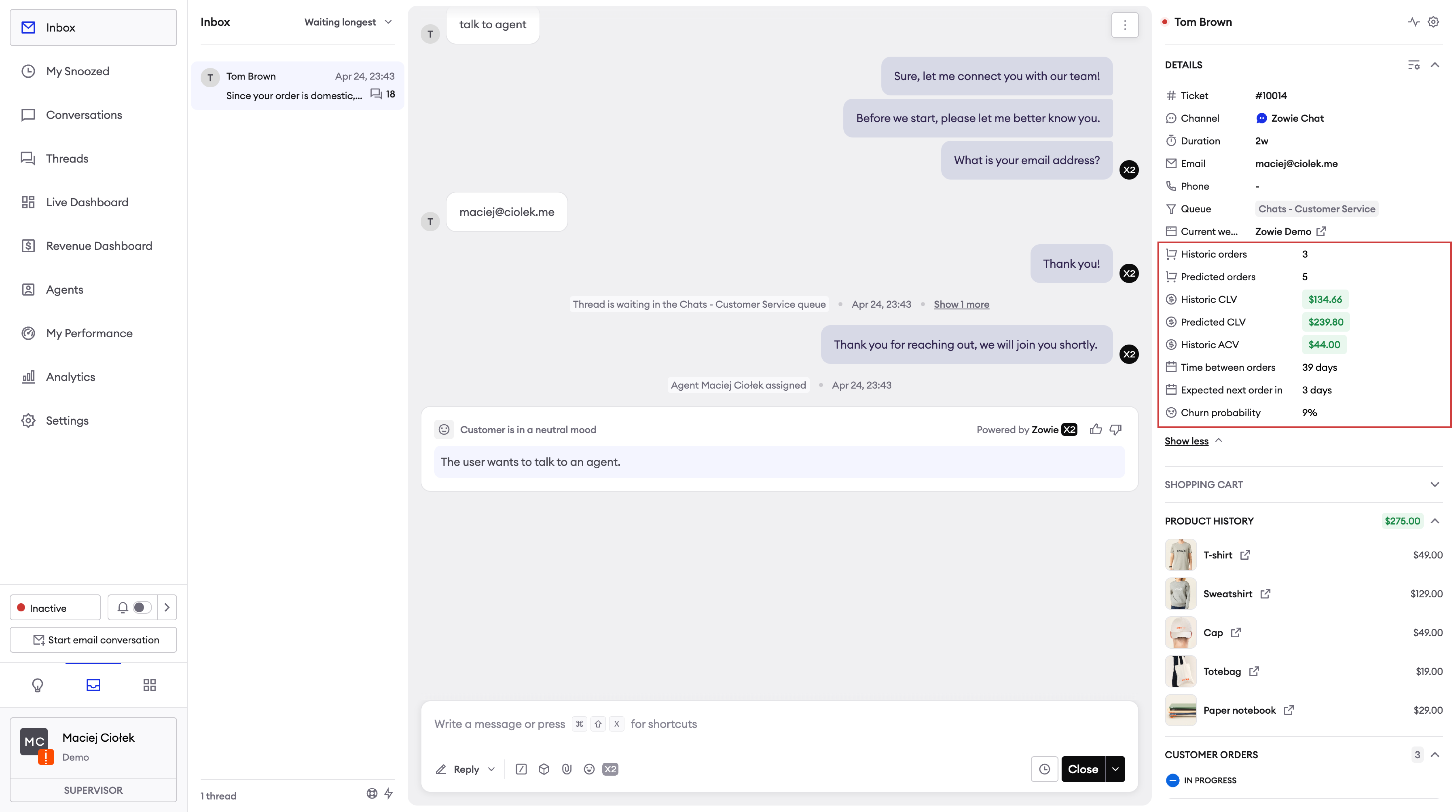
- Agents can use data from Klaviyo’s predictive analytics to get insights on customer buying behavior.
- Marketers can use events and profile attributes to exclude customers engaged with support from ongoing campaigns.
Configuration
- Login to Zowie and go to Workspace -> Integrations -> Klaviyo.
- Click the “Connect” button that will start the process of integration.
- You will be redirected to the Klaviyo panel, where you will be asked to select your account and grant Zowie access to your data.
- Once you approve access, you will be redirected back to Zowie where you can finish configuration.
- Provide the name of integration and select the features you would like to enable for your Klaviyo integration.
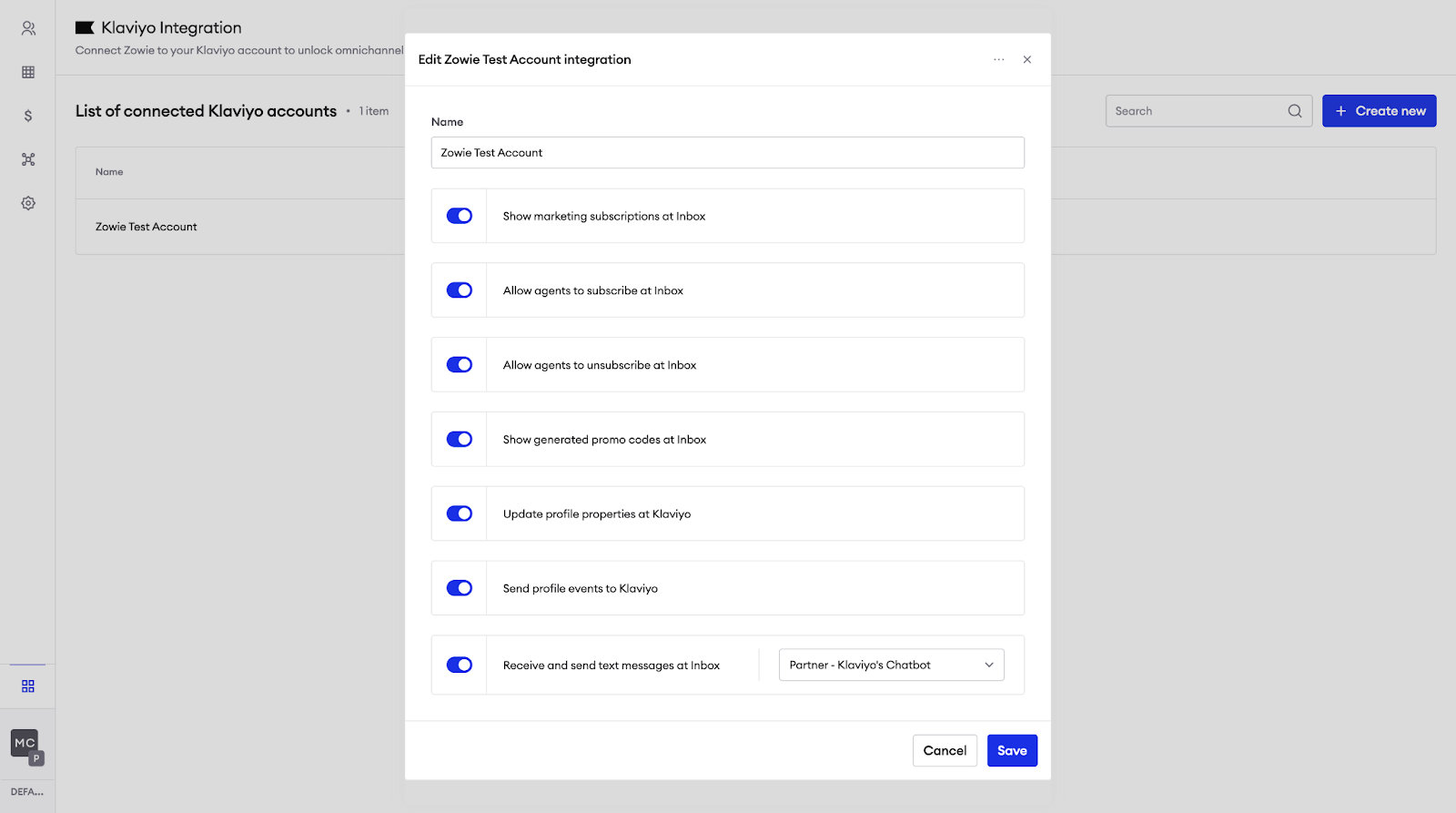
| Feature | Description |
|---|---|
| Show marketing subscriptions at Inbox | Agent can see status of marketing subscription at Inbox’s sidebar. |
| Allow agents to subscribe at Inbox | Agent can click a button to subscribe customer at Inbox’s sidebar. |
| Allow agents to unsubscribe at Inbox | Agent can click a button to unsubsribe customer at Inbox’s sidebar. |
| Show generated promo codes at Inbox | Agent can see list of promotional codes (discounts) sent to customer as part of Klaviyo marketing campaigs. |
| Update profile properties at Klaviyo | Zowie updates properties of a customer’s profile at Klaviyo. |
| Send profile events to Klaviyo | Zowie pushes events to customer’s profile at Klaviyo. |
| Receive and send text messages at Inbox | Any customer reply on SMS channel will be routed to Zowie, so agent can receive them in Inbox. |
| Collect subscribers with Chatbot | Module is added to selected chatbots that can be used to ask customers to subscribe during chatbot conversation. |
For Receive and send text messages at Inbox you need to select Chatbot. It’s recommended to have a dedicated Chatbot without any automations enabled for SMS channel. You should configure handover for Welcome message and Don’t underststand to transfer SMS conversations straight to Inbox. You should configure No reply module for End of activity to avoid sending any messages when conversation is moved from Inbox to Chatbot.
Features
Subscribe Customers Using Chatbot
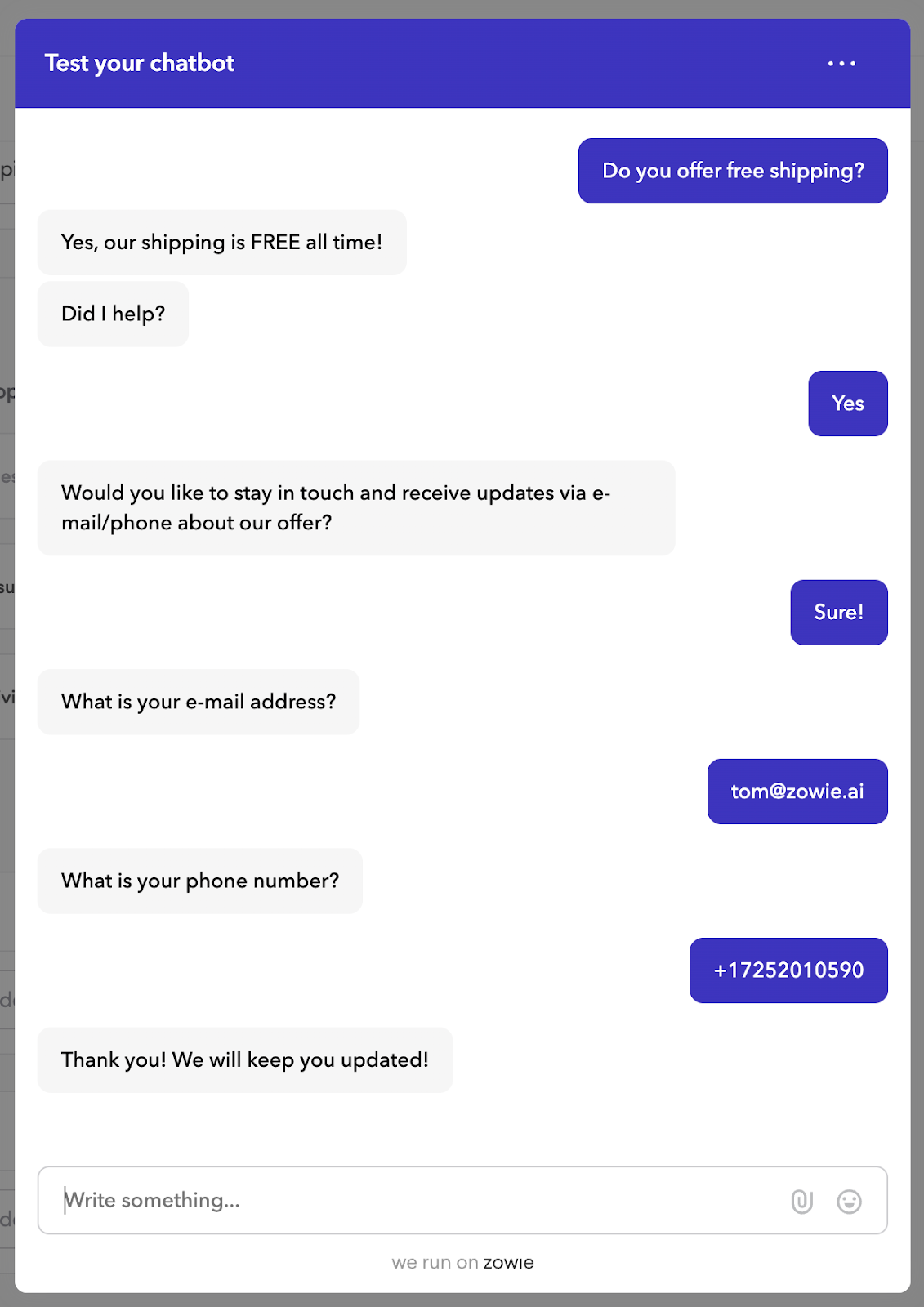
After the integration is connected, you can use the “Marketing Subscriptions” module to collect marketing subscribers for an email or a SMS channel during chatbot conversation. We recommend to use this module whenever customer shared positive feedback (eg. when automation was helpful).
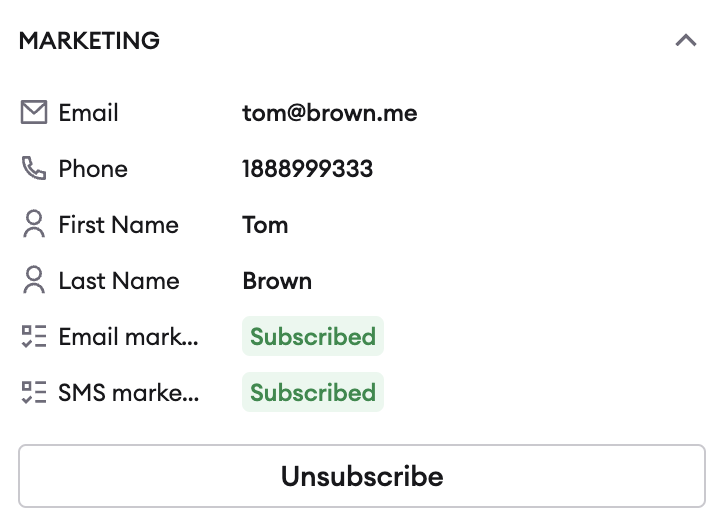
Agent can see subscription status and subscribe/unsubscribe
After the integration is connected, agents can check the current subscription status of the customer and modify it by subscribing/unsubscribing them.
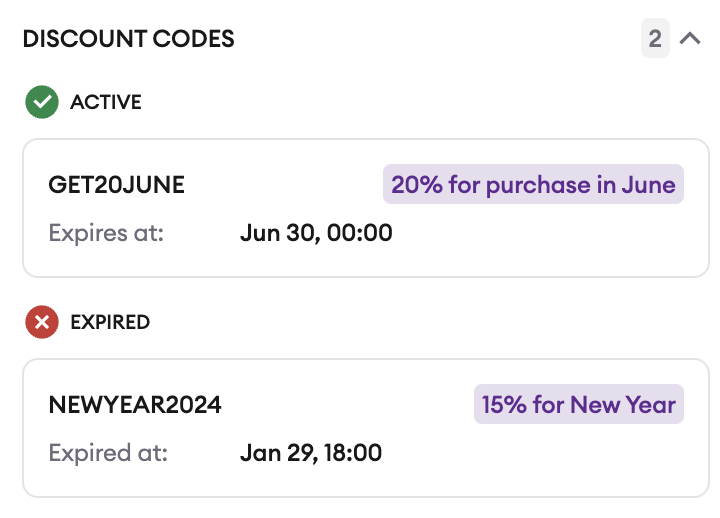
Agent can access promotional codes send with Klaviyo
After the integration is connected, agents can access promotional/coupon send from Klaviyo and check their current status:
Agent Receives/Sends SMS
After the integration is connected, agents can send and receive SMS messages powered by Klaviyo including marketing messages sent prior to escalation to support.
Agent can access Klaviyo’s Predictive Analysis
Agents can easily access historic and predicted Customer Lifetime Value including Churn Risk Prediction and even Average Time Between Orders.
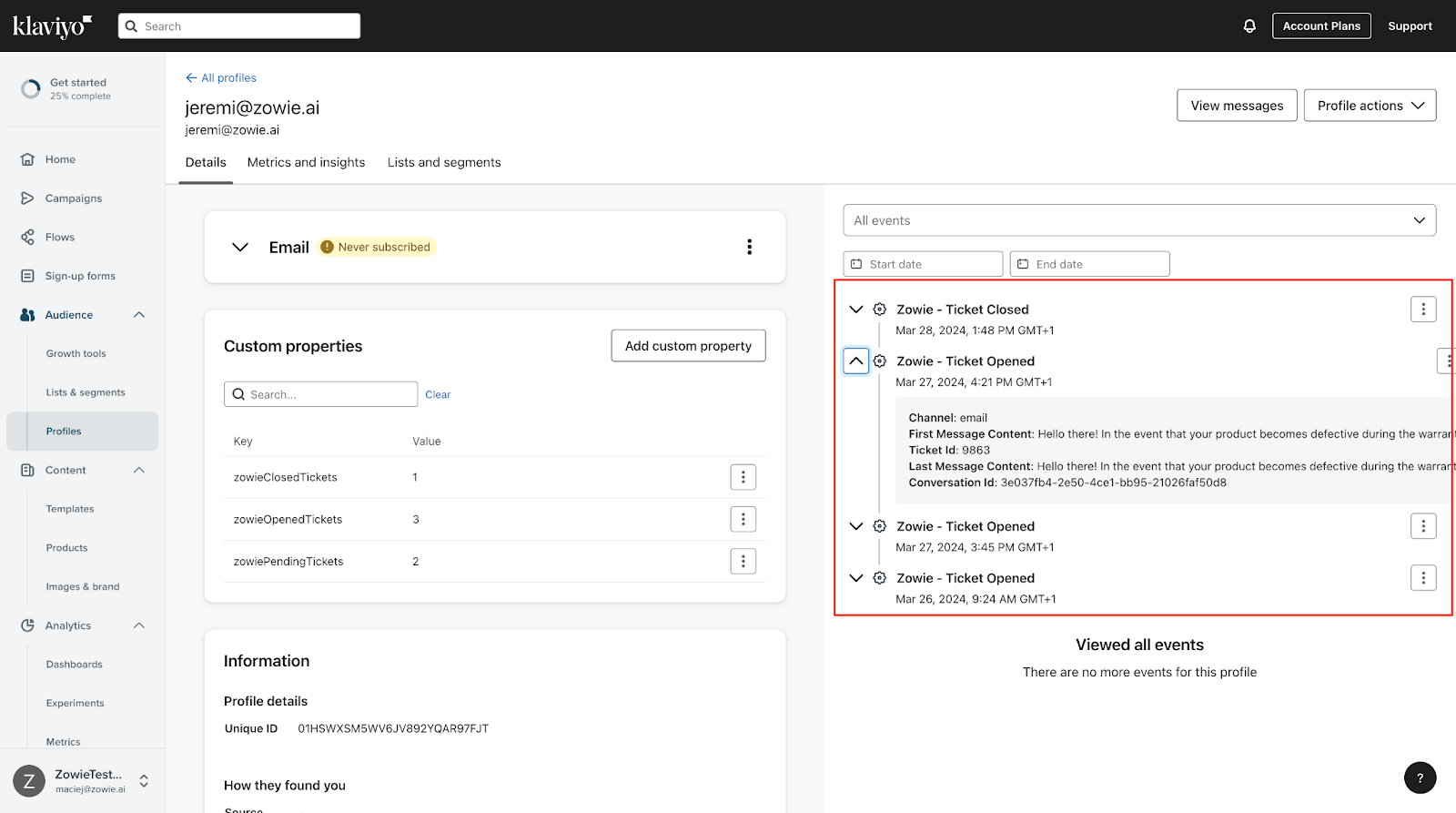
Marketer can use events and profile properties to exclude customers from marketing activities
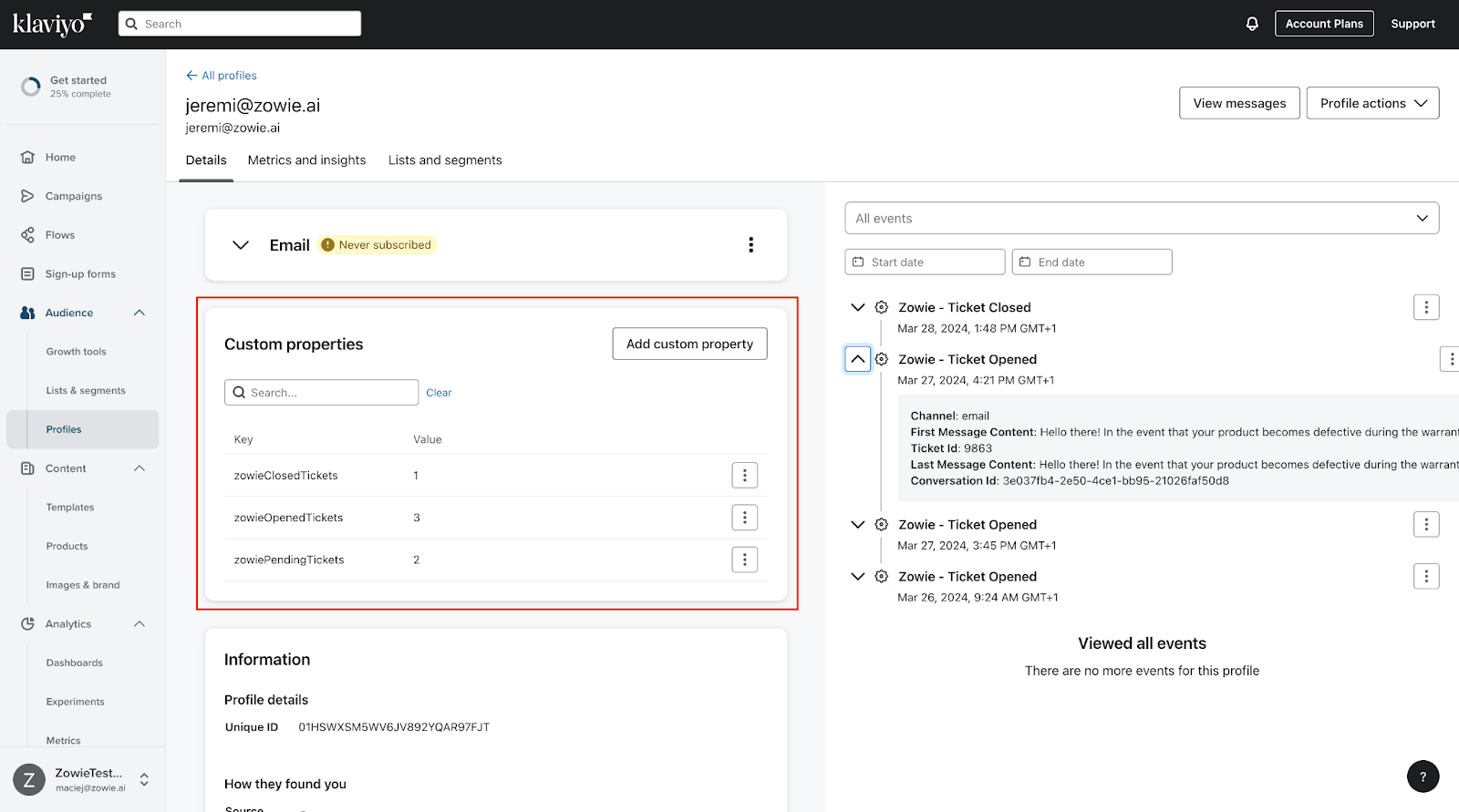
Whenever a ticket is created, updated or closed at Zowie we will send custom events to Klaviyo to update profile with below attributes. These attributes can be used by administrators to eg. exclude customers with open tickets from ongoing marketing campaigns.
Profile events at Klaviyo
For Zowie - Ticket Opened event:
| Property | Description |
|---|---|
| ticketId | ID of Zowie ticket |
| conversationId | ID of Zowie conversation |
| channel | Channel |
| firstMessageContent | Content of first message in a ticket. |
| lastMessageContent | Content of last message in a ticket. |
For Zowie - Ticket Closed event:
| Property | Description |
|---|---|
| ticketId | ID of Zowie ticket |
| conversationId | ID of Zowie conversation |
| channel | Channel |
| firstMessageContent | Content of first message in a ticket. |
| lastMessageContent | Content of last message in a ticket. |
Profile properties at Klaviyo
| Property | Description |
|---|---|
| zowieOpenedTickets | Number of total tickets opened by a customer at Zowie. |
| zowieClosedTickets | Number of total tickets closed for a customer at Zowie. |
| zowiePendingTickets | Number of tickets pending (awaiting for solution) at Zowie. |
Updated over 1 year ago