
Referrals
What is the Referrals Module?
Referral links enable directing users to predefined parts of the chatbot.
Why use Referrals?
Track the performance of a specific campaign, source, or segment! This plugin allows you not only to track the results of a specific chatbot scenario but also to personalize the welcome message. From personalized click-to-Messenger links to targeted chatbot scenarios, you will always address the right audience. Moreover, referrals can be used to trigger chatbot widget on your website.
How to access Referrals?
To access the Referrals Module, navigate to Modules > Referrals from the navigation bar.
Important:To use click-to-Messenger links the chatbot must be connected to Messenger.
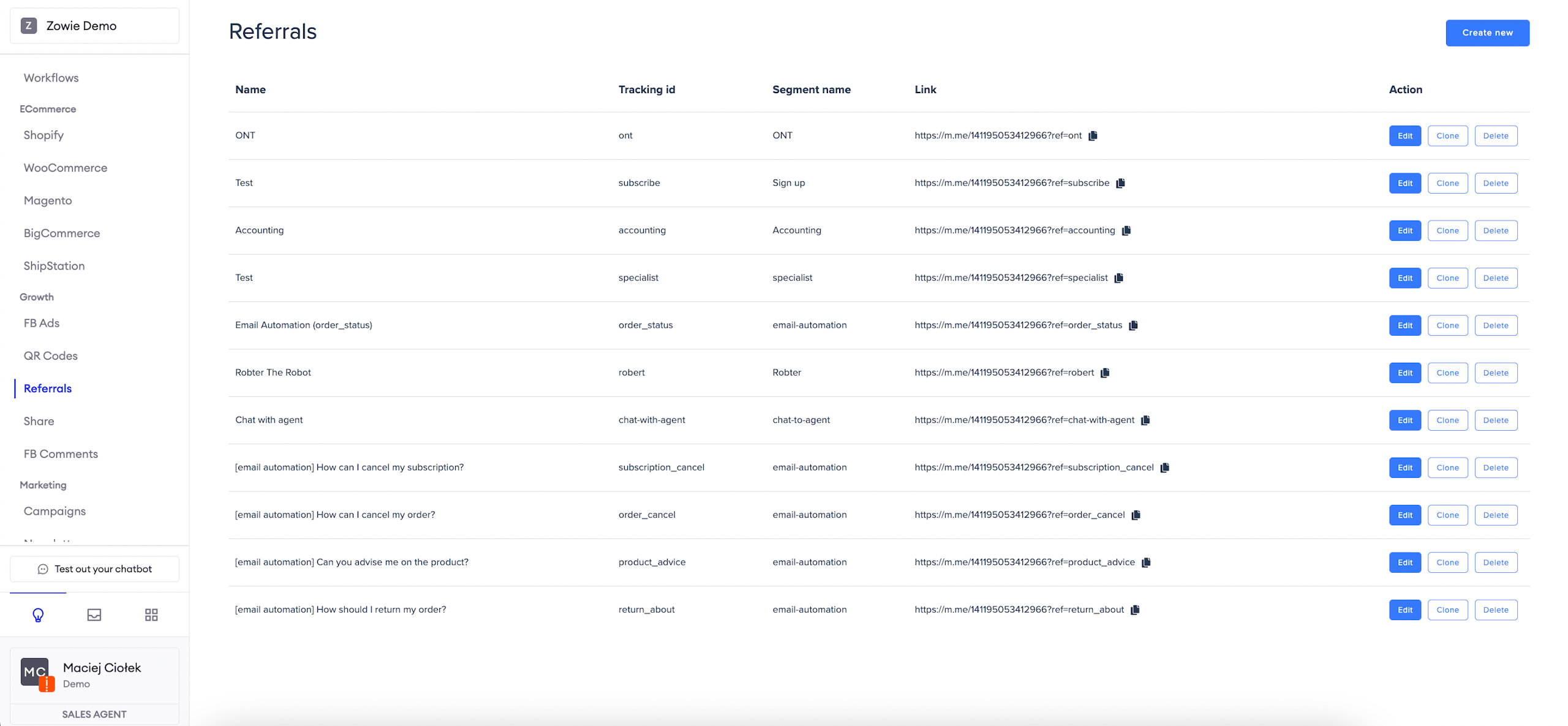
Basic configuration
First, provide a tracking parameter value — an additional parameter that tracks users who entered the chatbot through the referral link. It's a unique identifier that gets passed around (e.g., in a link) to identify which referral to trigger.
Since it's unique, you can't have two referrals with the same tracking param. Then, specify the answer type; it can be either:
Respond with message - allows you to configure a text message for users entering the bot.
Go to module - redirects users entering the bot to a previously configured module instance.
Finally, specify the segment name (i.e., the name of the user group who entered the bot via this link). It will be available later as a targetable segment for modules like the Broadcast Module.
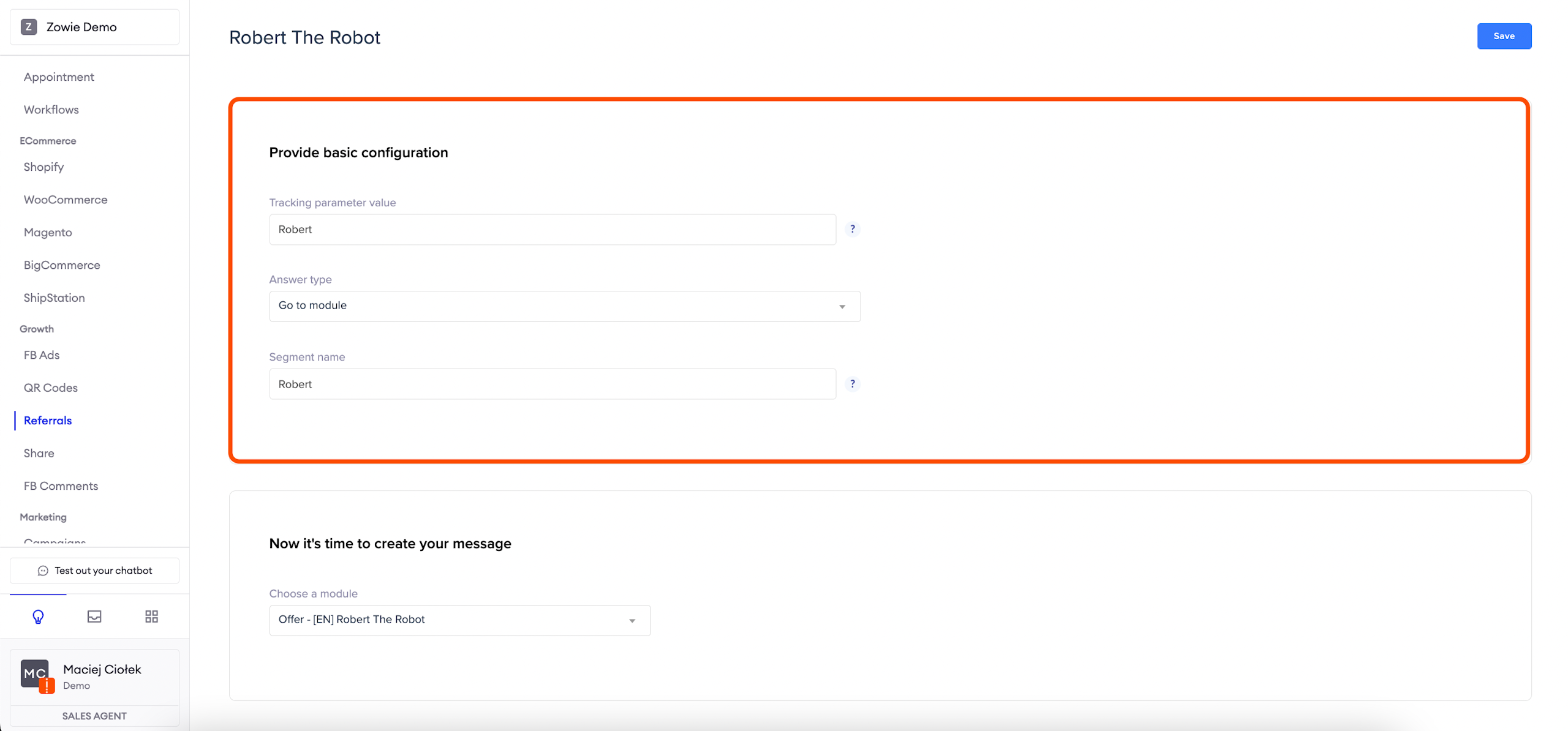
Menu configuration
Depending on what you chose in the _Answer type _field above, you will see one of the following menus:
Respond with message - If you pick this option, you will be able to use Creator to configure the content sent to users who enter the chatbot via the referral link.
Go to module - In case of redirection to a previously set up module, you will be asked to choose which module instance is the point of entry for users entering the bot via the referral.
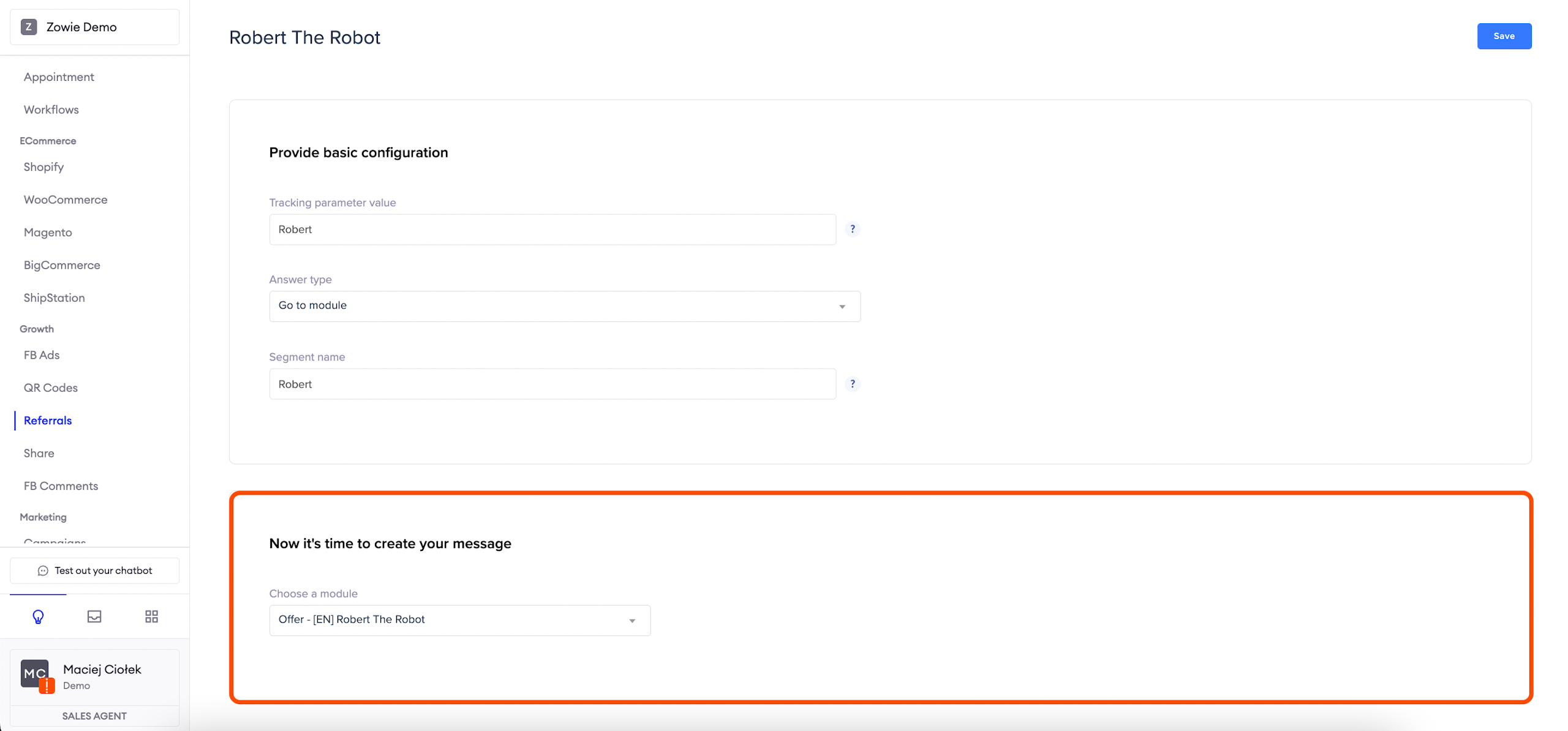
Messenger referral link
When you save the module, the referral link appears under Modules > Referral and is ready to be copied.
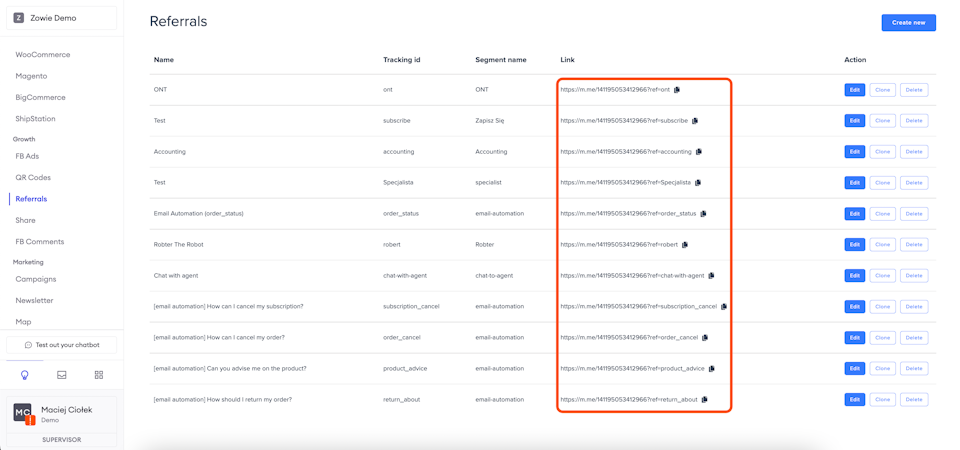
Widget referral link
If your chatbot is running on Zowie Chat, then you can use Zowie Chat API to send referrals directly to the widget. You can learn more about how in the Automate section -> Zowie Installation -> Zowie Chat API
Updated over 1 year ago