
Post Chat Survey
What is the Post Chat Survey?
The Post Chat Survey is a global mechanism used to collect feedback & satisfaction information after a user chats with an agent.
Why use the Post Chat Survey?
This tool allows your users to rate the quality of the customer service they have just received so that you can manage the performance of your support team. It is displayed after the conversation with an agent and offers the following kinds of questions:
- Net Promoter Score (NPS);
- Customer Satisfaction Score (CSAT);
- Single choice;
- Text.
How to access the Post Chat Survey?
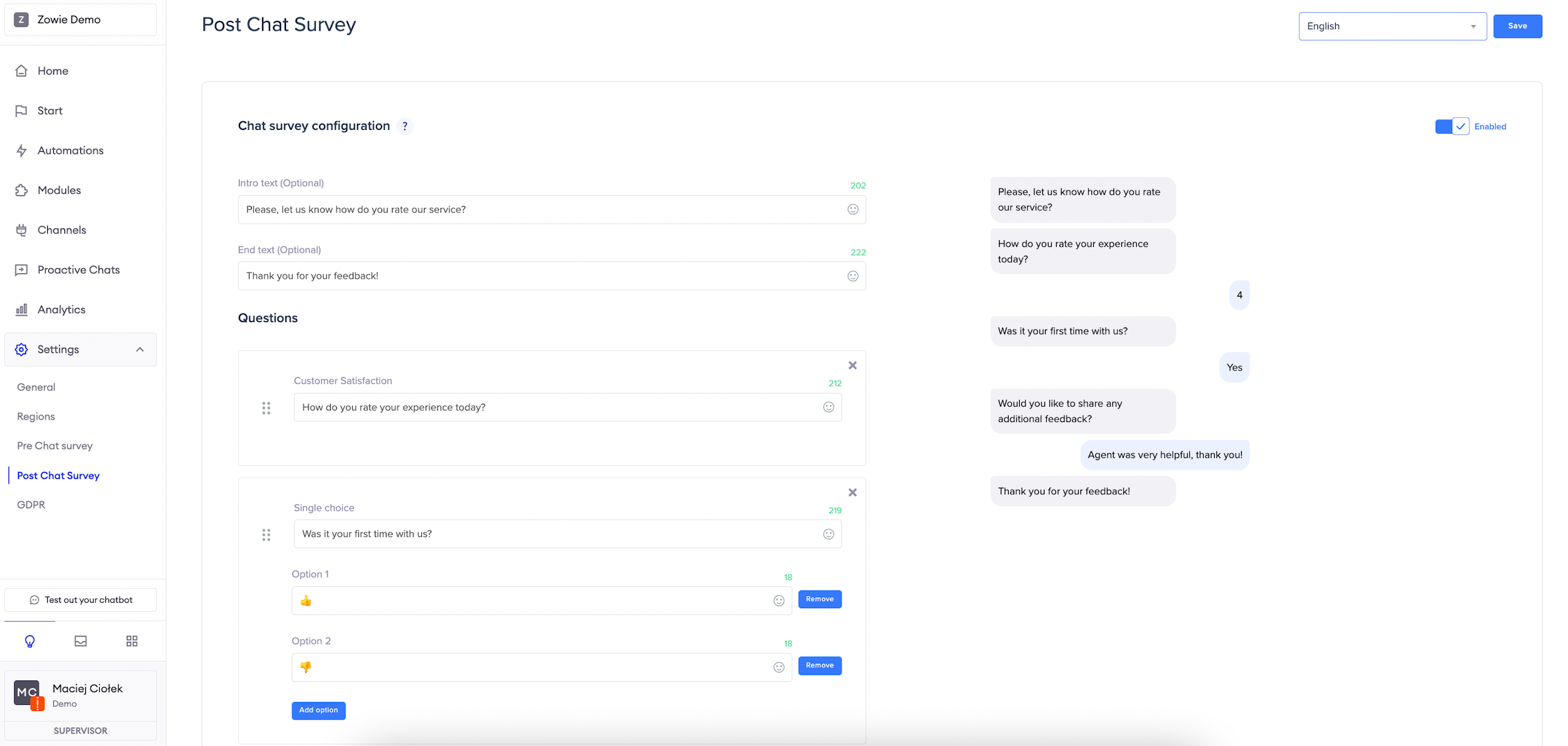
To access Post Chat Survey, click _Settings > Post Chat Survey _from the main navigation panel.
Enabling the Post Chat Survey
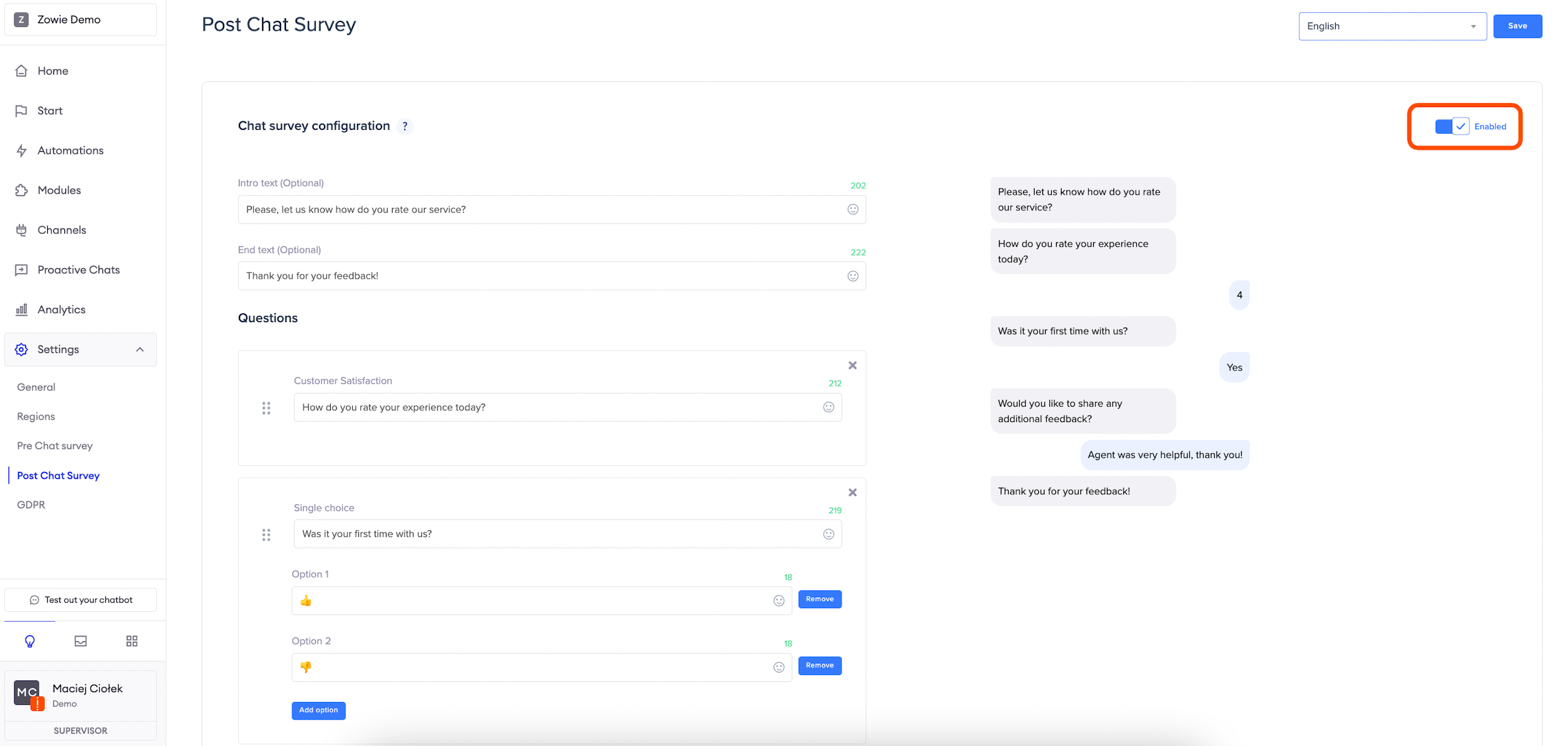
Click the button in the top right corner to enable the Survey. In the next steps, simply fill out the necessary fields.
Remember:You need to configure the Post Chat Survey separately for each region if you want to show versions in different languages.
Intro & end text
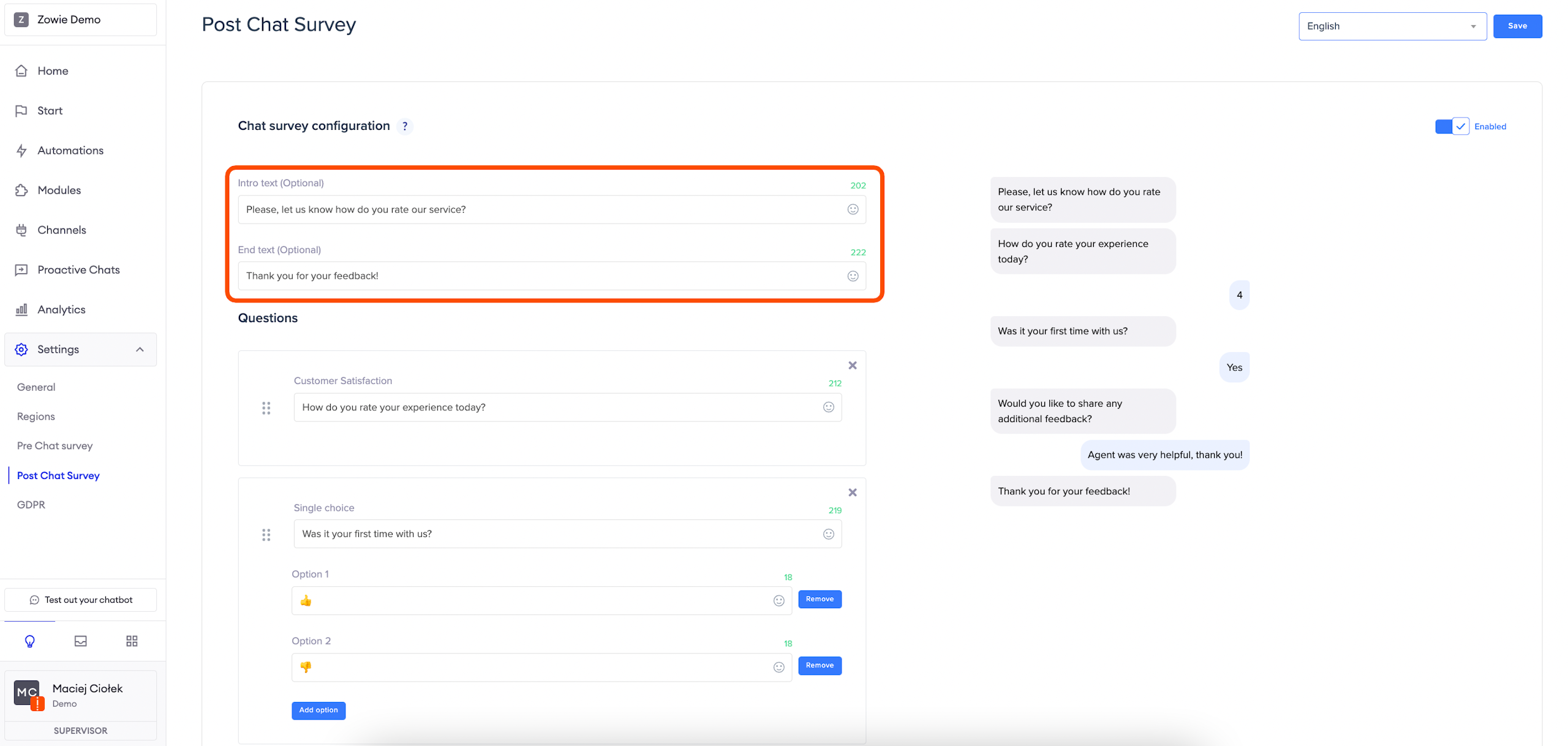
_Intro text: _this allows you to give your customers some context before the chatbot asks questions from the survey—it has a limit of 250 characters.
_End text: _this is displayed right after the last answer.
Questions
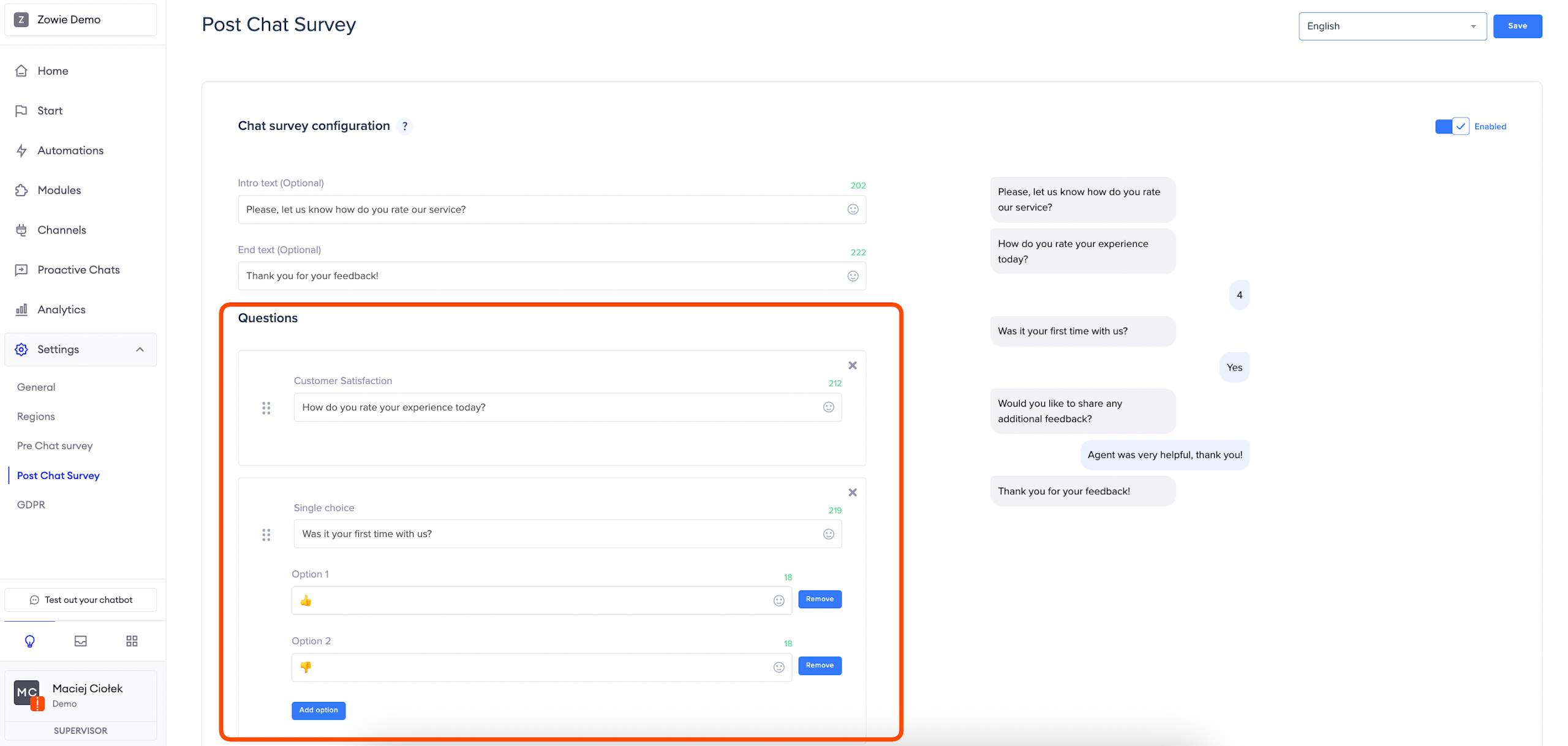
You can choose different question types:
- Customer satisfaction: the user is asked to rate the Agent on a scale of 1 to 5.
- Net Promoter Score: the user is asked how likely they are to recommend using customer service on a scale of 0 to 10.
- Single-choice: the user selects from a list of pre-defined options—it is recommended for yes/no questions.
- Text: the user will be able to write a short text—it is recommended for gathering free feedback.
AttentionAll available text fields have a limit of 250 characters (except single-choice answers, which have a limit of 20 characters) and support emojis.
Placement
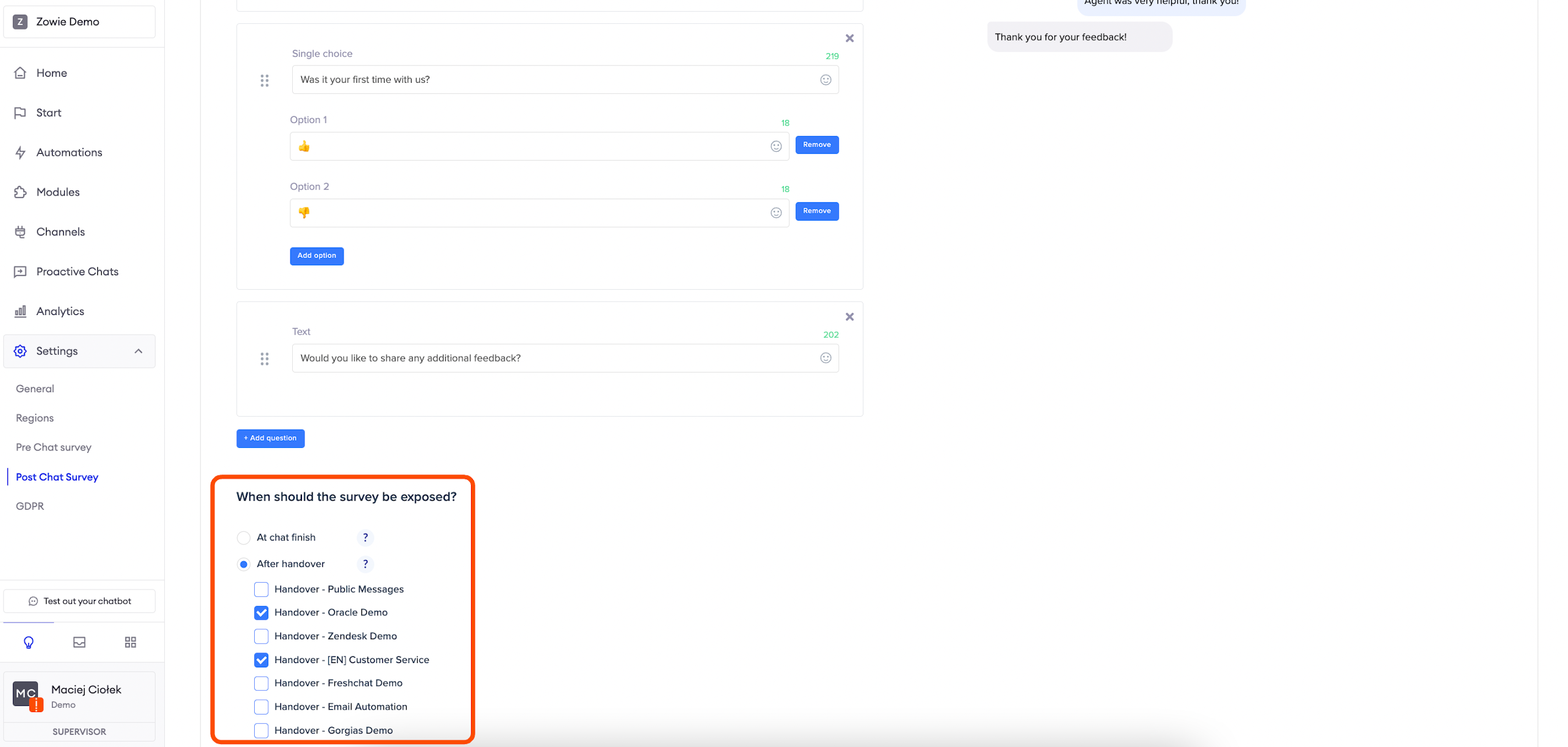
In the next step, define when users should see the Post Chat survey:
- At chat finish: the survey is displayed after each chat with any Agent.
- After handover: the survey is displayed after each chat within selected handovers.
Updated over 1 year ago