
Test Out Your Chatbot
What is Test out your chatbot?
It gives you a way to test all the configurations and scenarios of your chatbot without needing to interact with the live bot.
Why use Test out your chatbot?
It's helpful to test scenarios using this feature as it is embedded in the Zowie application and lets you quickly iterate on the configuration of the bot, especially before going live with Zowie on your website or other channels.
How to access Test out your chatbot?
To access it, simply click Test out your chatbot in the bottom left corner of the Zowie platform.
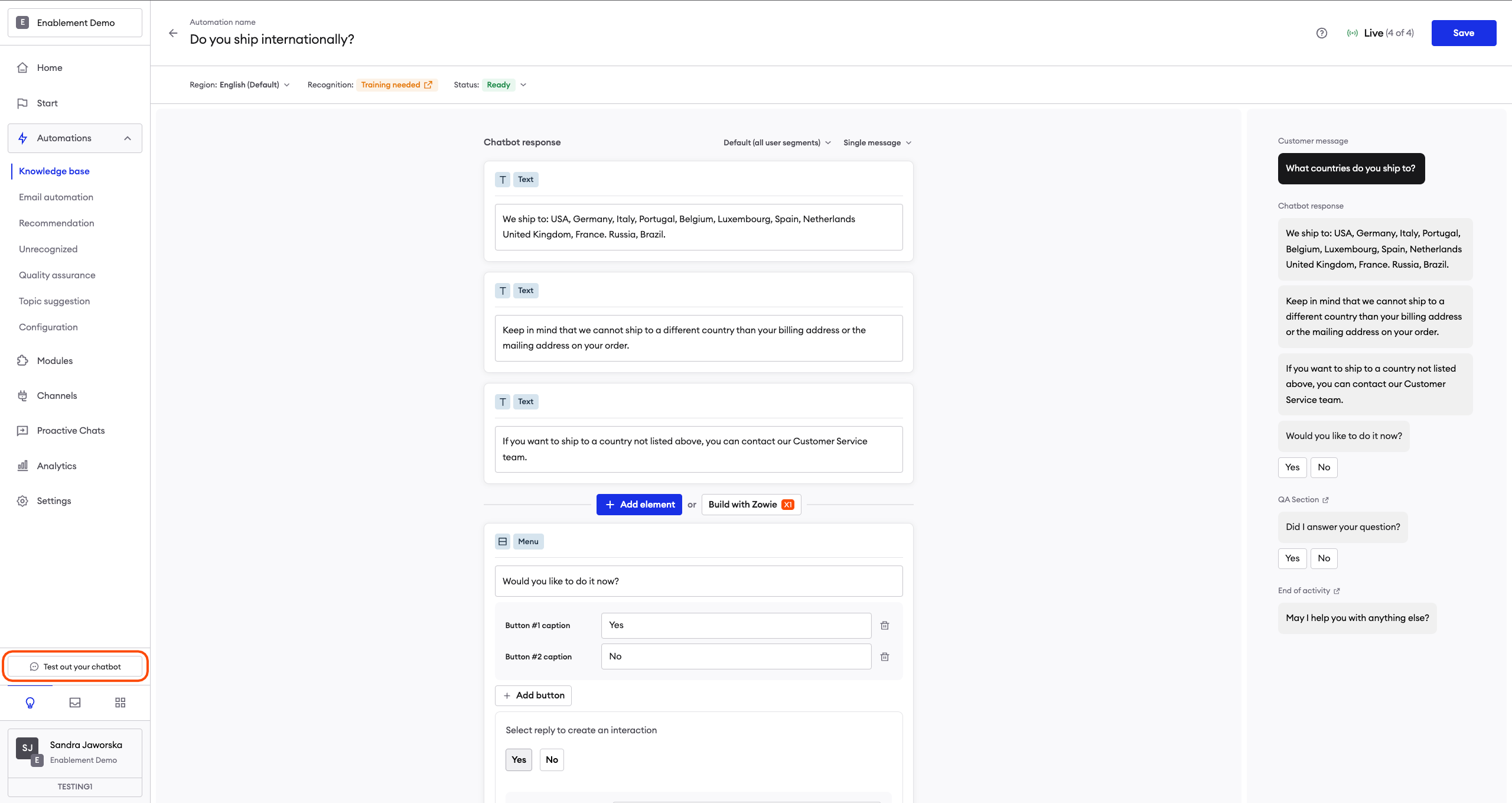
Using "Test out your chatbot"
In order to check how the chatbot responds and if the outcome of the configuration is satisfying, write down your question in the chat window to begin the interaction.
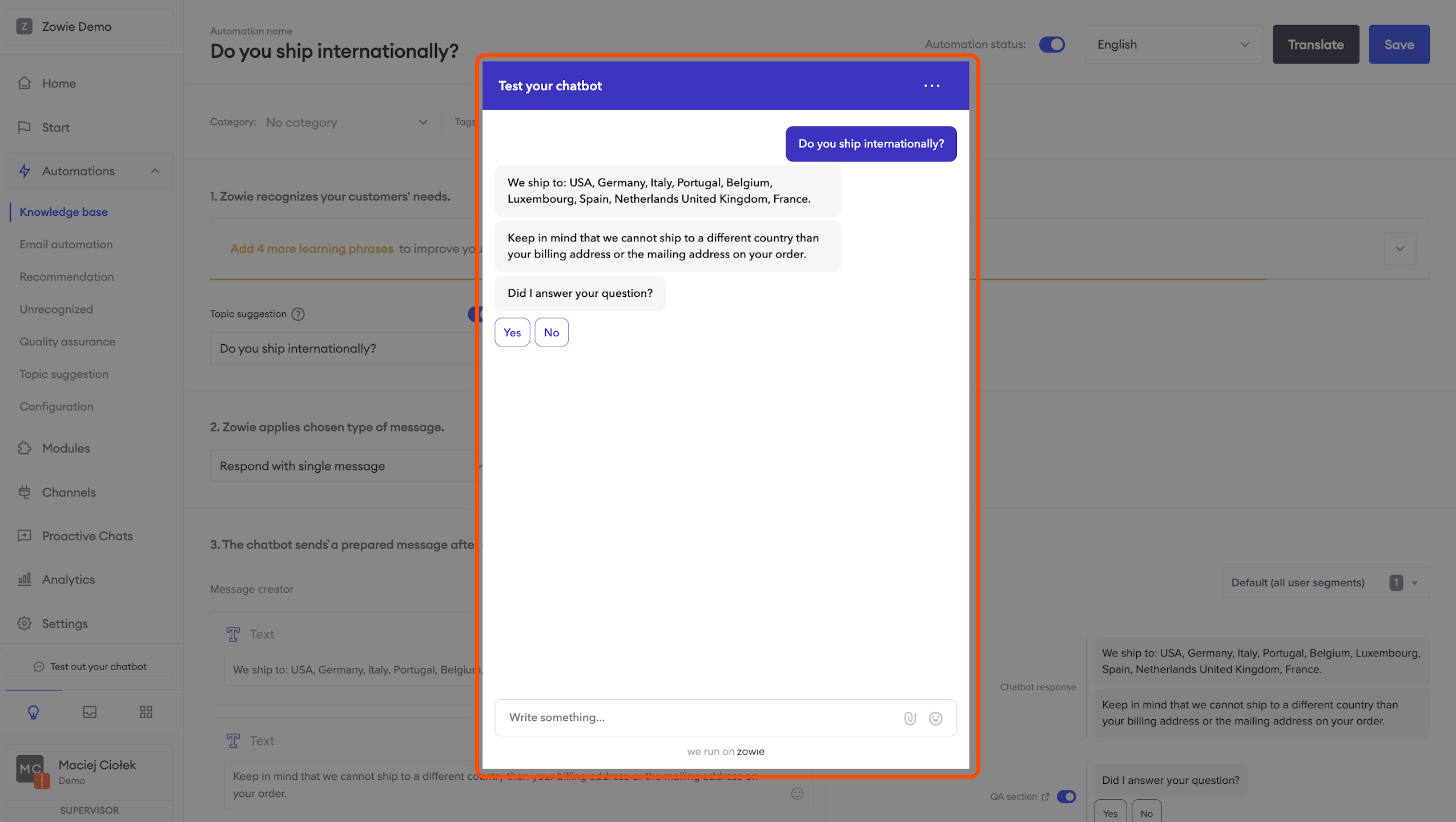
Managing the chat window options
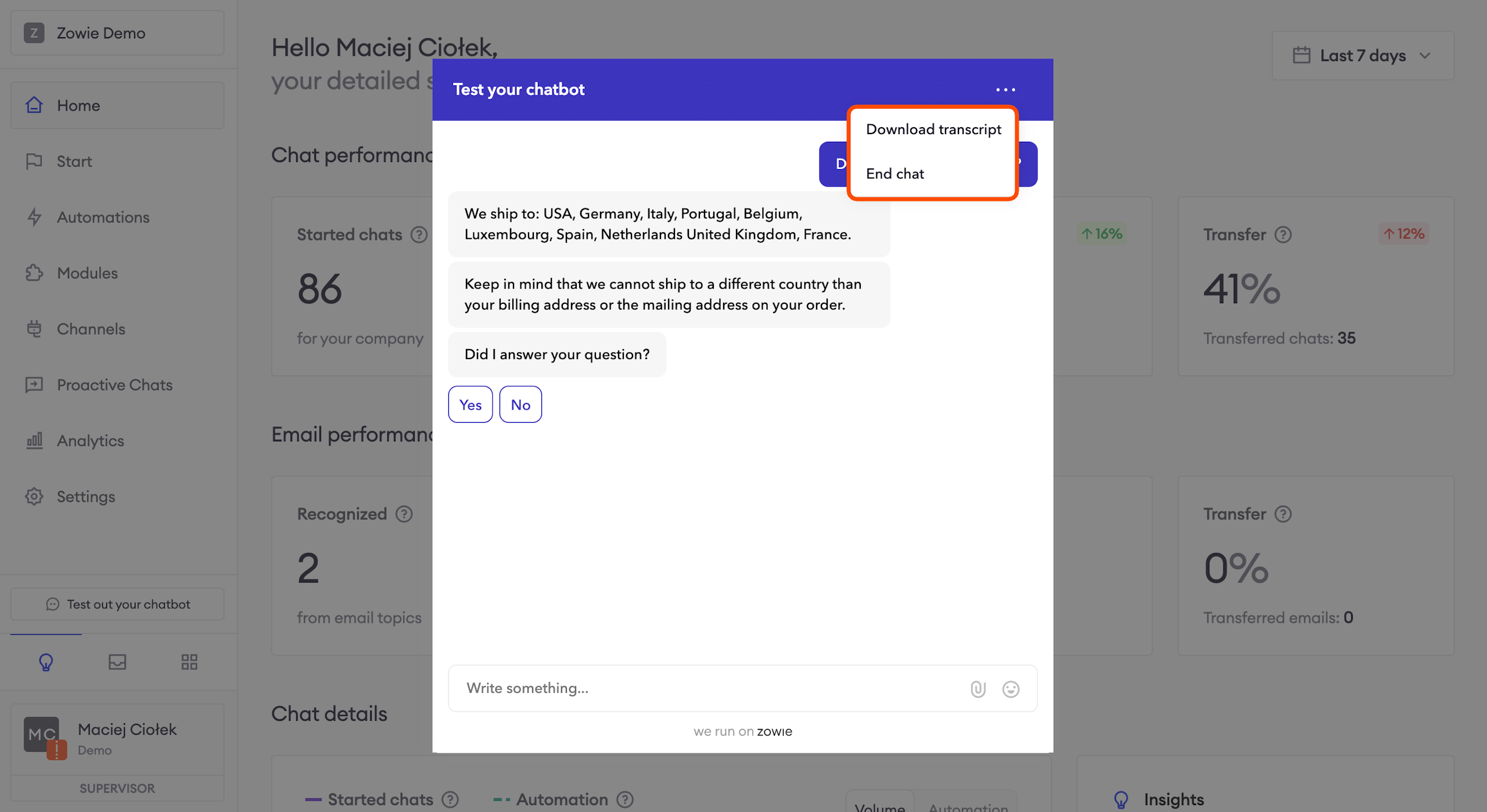
To reset the conversation and start over, click the three dots in the top right corner of the chat window and click the "End conversation" button. Now you can start over!
To download the transcript of the chat click the "Download chat" button. It will open the transcript in a separate tab.
Updated over 1 year ago