
Connecting Handover to Zendesk
Zowie can hand over chat from a chatbot to an agent at Zendesk Chat. Below is a short manual on how to configure Zowie and Zendesk to work together.
ImportantIf you’re using Zendesk for live chats, but still want to have our Zowie widget and use all of its functionalities, we can easily arrange it. What is very important here, you need to use either Zendesk Sunshine Conversations or the Zendesk Enterprise License. Any lower license won’t work.
Connecting Handover to Zendesk
To connect the handover to Zendesk, please follow these steps:
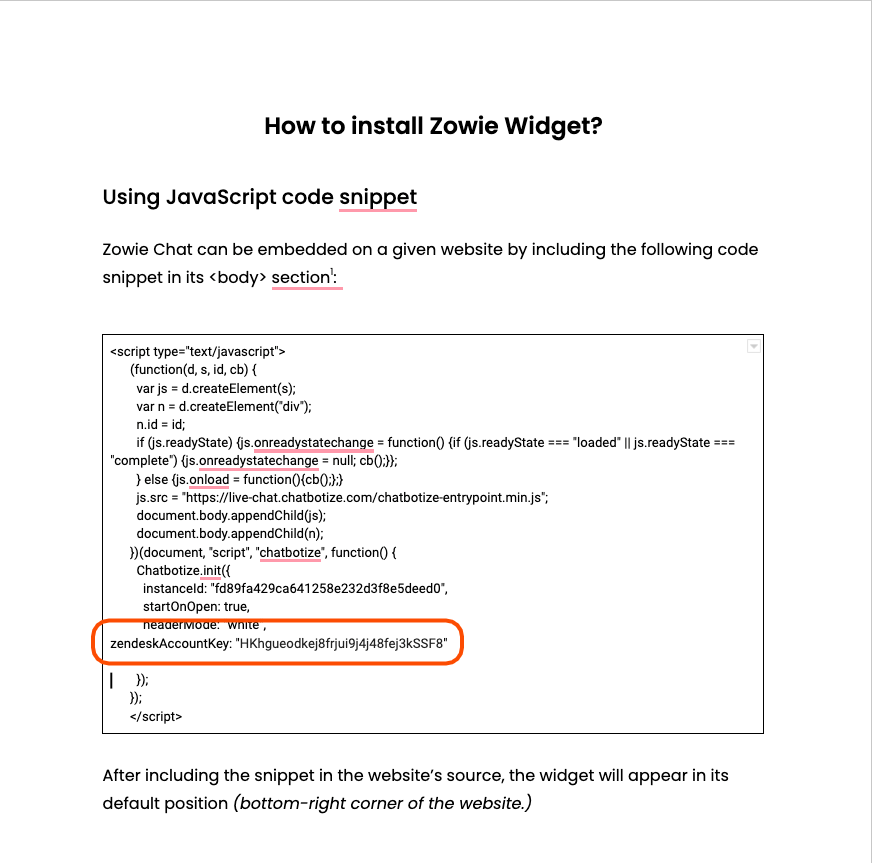
- Zowie will need Zendesk Account Key, which can be found in your Zendesk Chat console (or click above).
- We add it to the widget code, which will be sent to you right before going live. The code looks like this:
Creating Handover
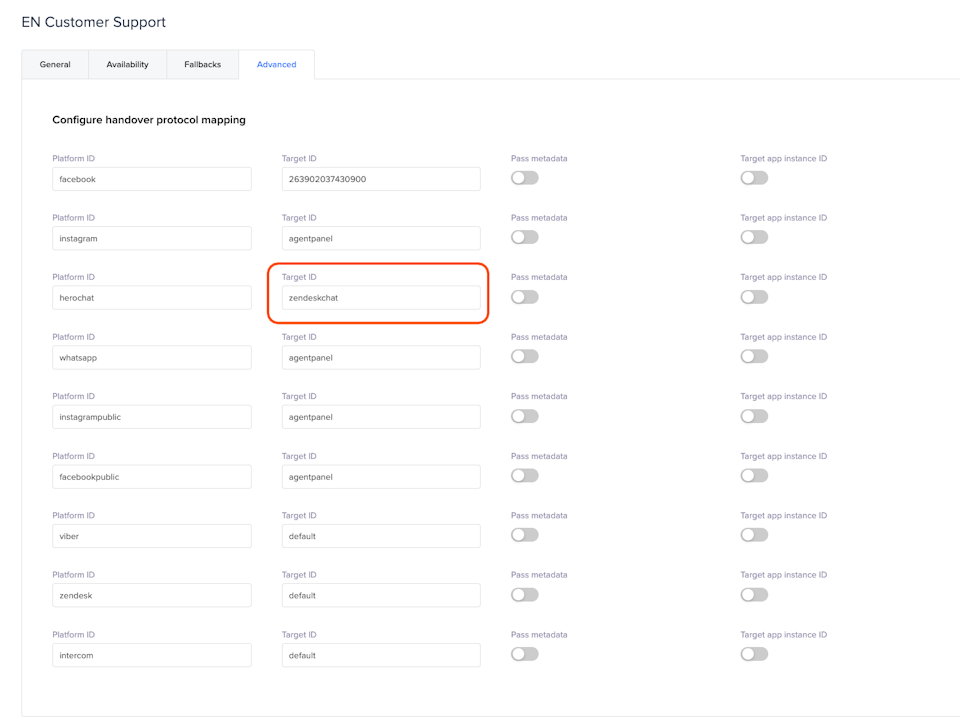
- Additionally, it’s needed to configure a handover. Please go to Modules → Handovers and choose one.
- Go to Advanced, find Platform ID called ‘herochat’. Change there ‘agentpanel’ to zendeskchat.
Handover Routing
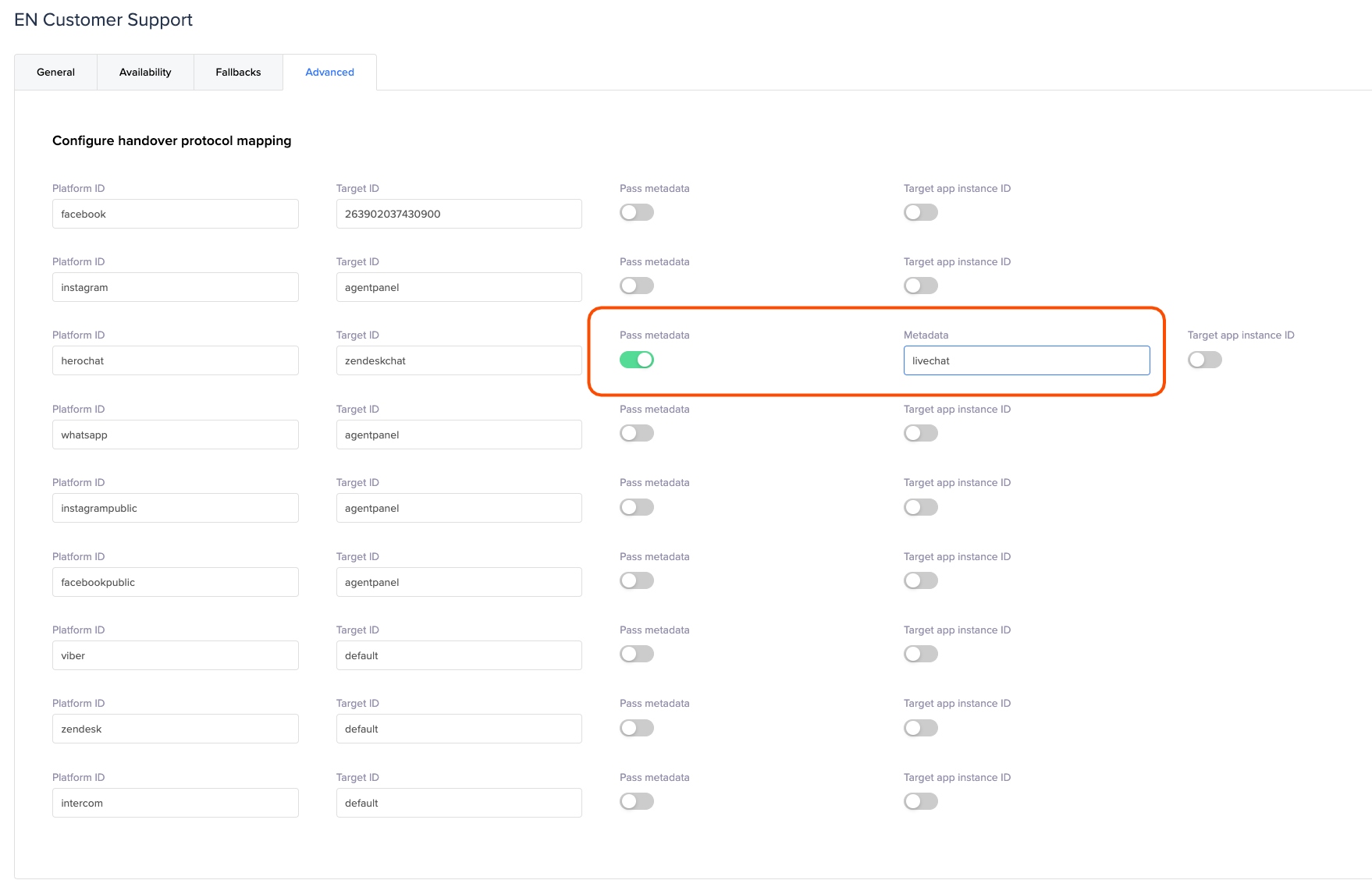
- Enable ‘pass metadata’ and add the name of the department, where handover should go in Zendesk.
Fully Configured!
Now your Handover is connected to Zendesk Chat, you can go ahead and test to see the connection.
Updated over 1 year ago
Did this page help you?