
Agents' section
What is the Agents section?
The Agents section is a dashboard that only admin users can access and where you can monitor the activity of your agents.
Why use the Agents section?
In the Agents section you will find all of the users that accepted the invitation to the platform. You can search for them by their name, groups they are in, statuses and last activity time.
How to access the Agents section?
In order to find Agents section, please go to Inbox > Agents.
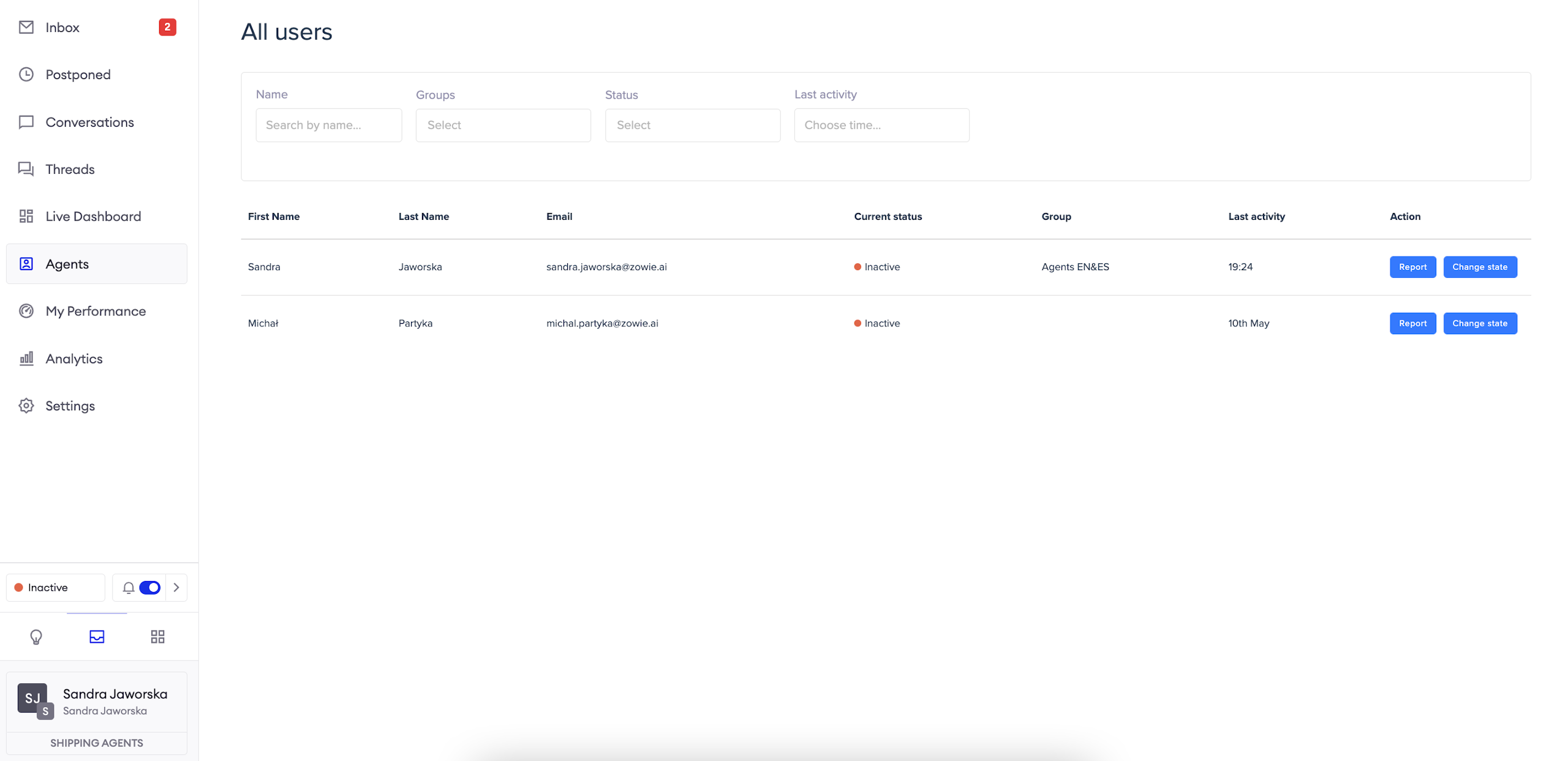
View the list of agents
You can filter the list by agent's names, groups they belong to, statuses they're currently in and their last activity time.
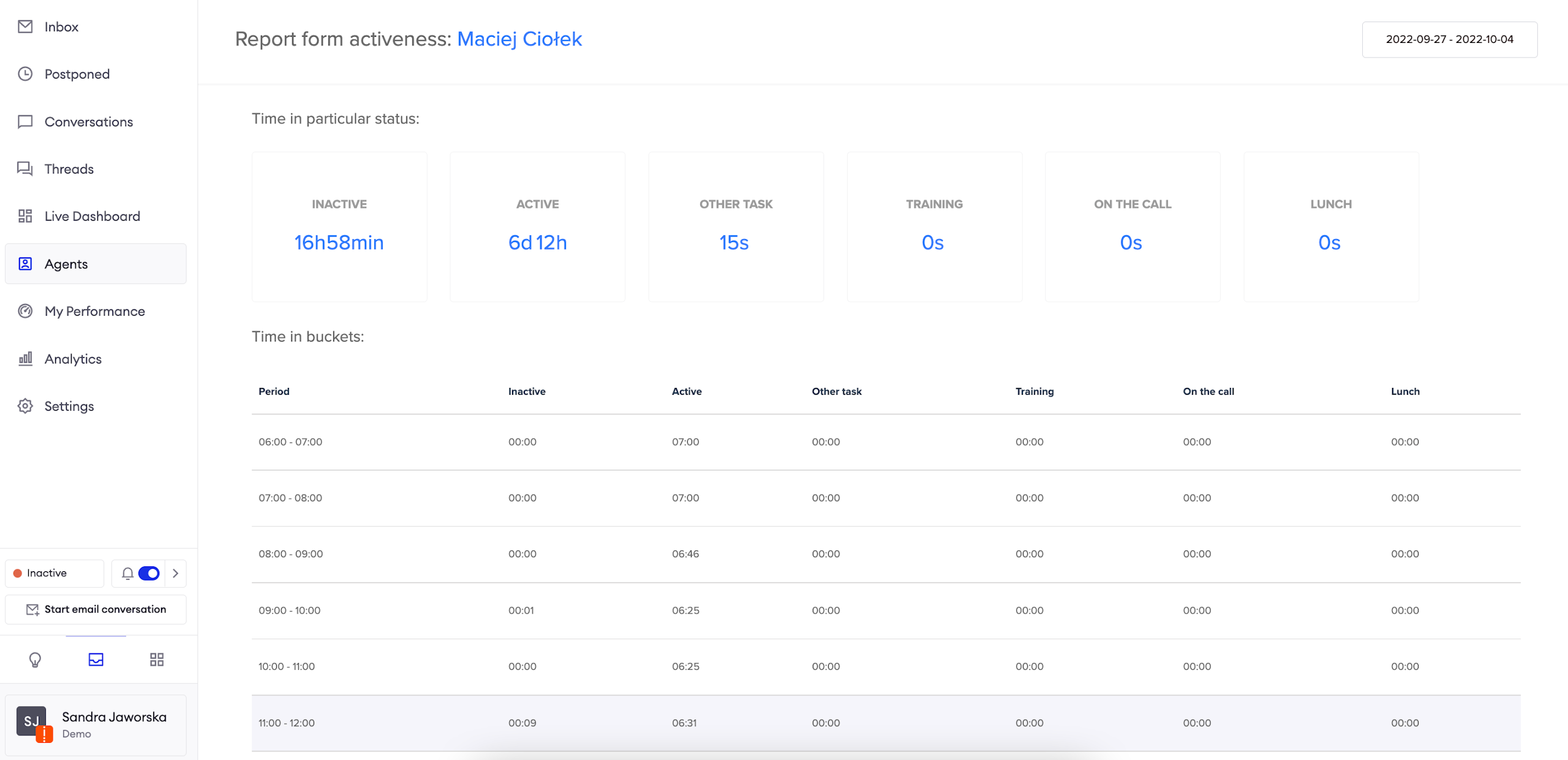
Report
The report allows you to choose a timeframe of interest and see agent's Time in particular status _during that period. TheTime in buckets_ report allows you to see the exact time when the agent changed statuses.
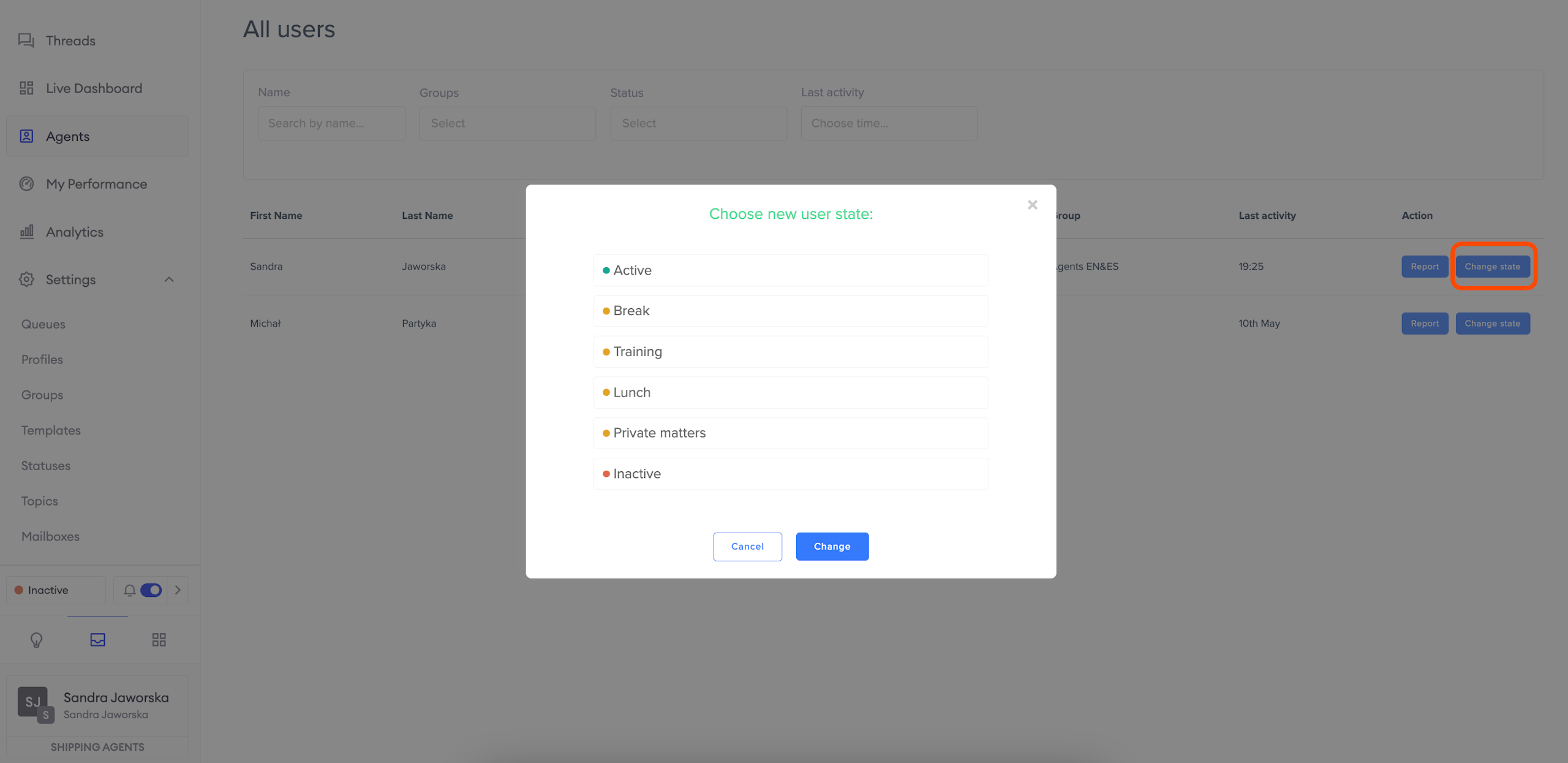
Change agent's status
Change state allows you to change agent's status immediately.
Updated over 1 year ago