
Ecommerce Modules Configuration
What are Ecommerce Modules?
Zowie's Ecommerce modules allow you to connect your Ecommerce platform with the chatbot via a range of out of the box integrations with common platforms.
Why use Ecommerce Modules?
Leveraging Ecommerce integration is one of the most important ways of increasing the deflection rate of your chatbot. By providing users with tailored information about order status, return status, tracking, and more, you will maximize your customer satisfaction by providing self-service and instant resolution to your customers via Zowie.
How to access Ecommerce Modules?
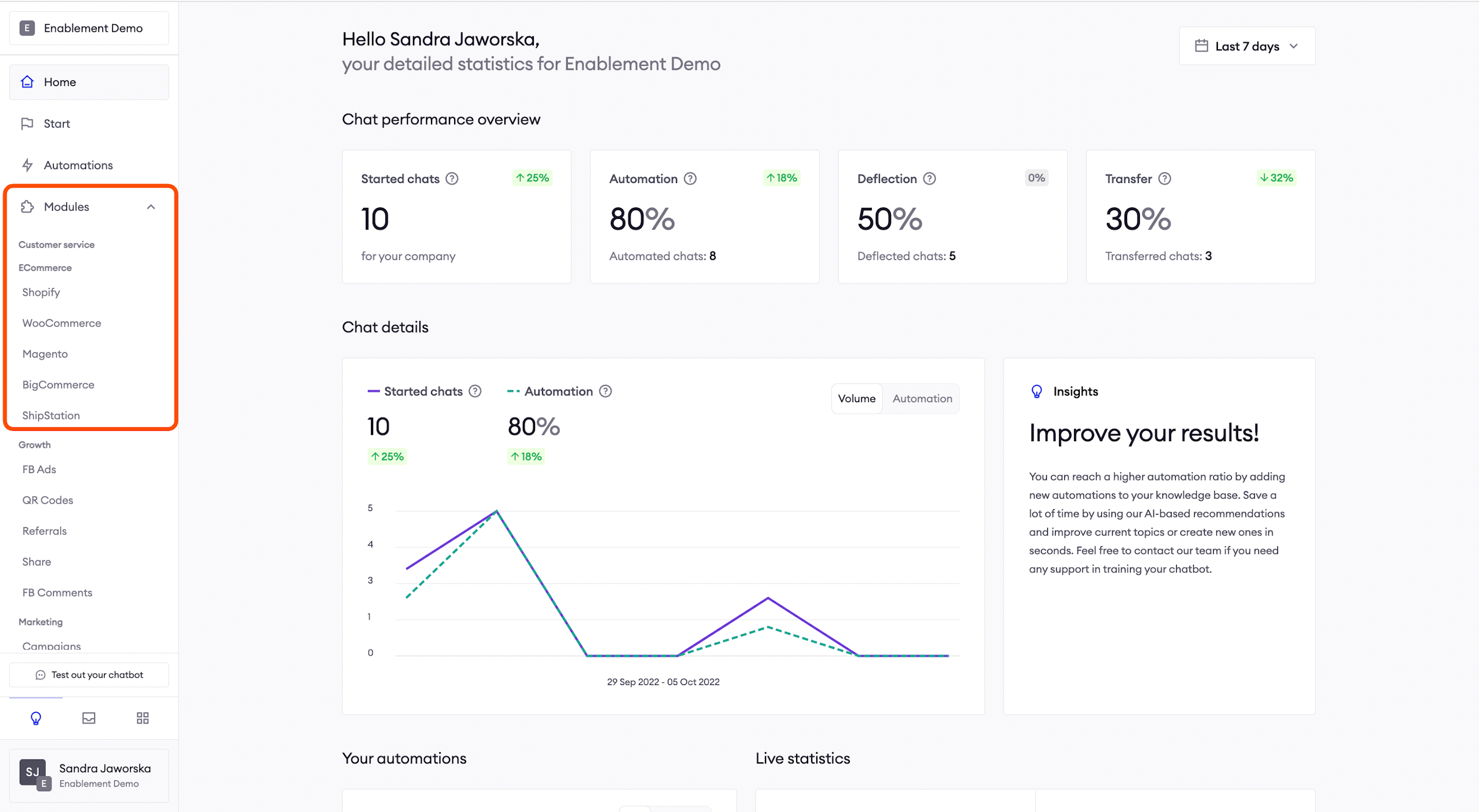
You can find the Ecommerce integrations, by selecting Modules > Ecommerce on Zowie's main navigation panel.
AttentionIn order to configure Ecommerce Modules, first, you need to integrate them with the Zowie Platform.
Shopify
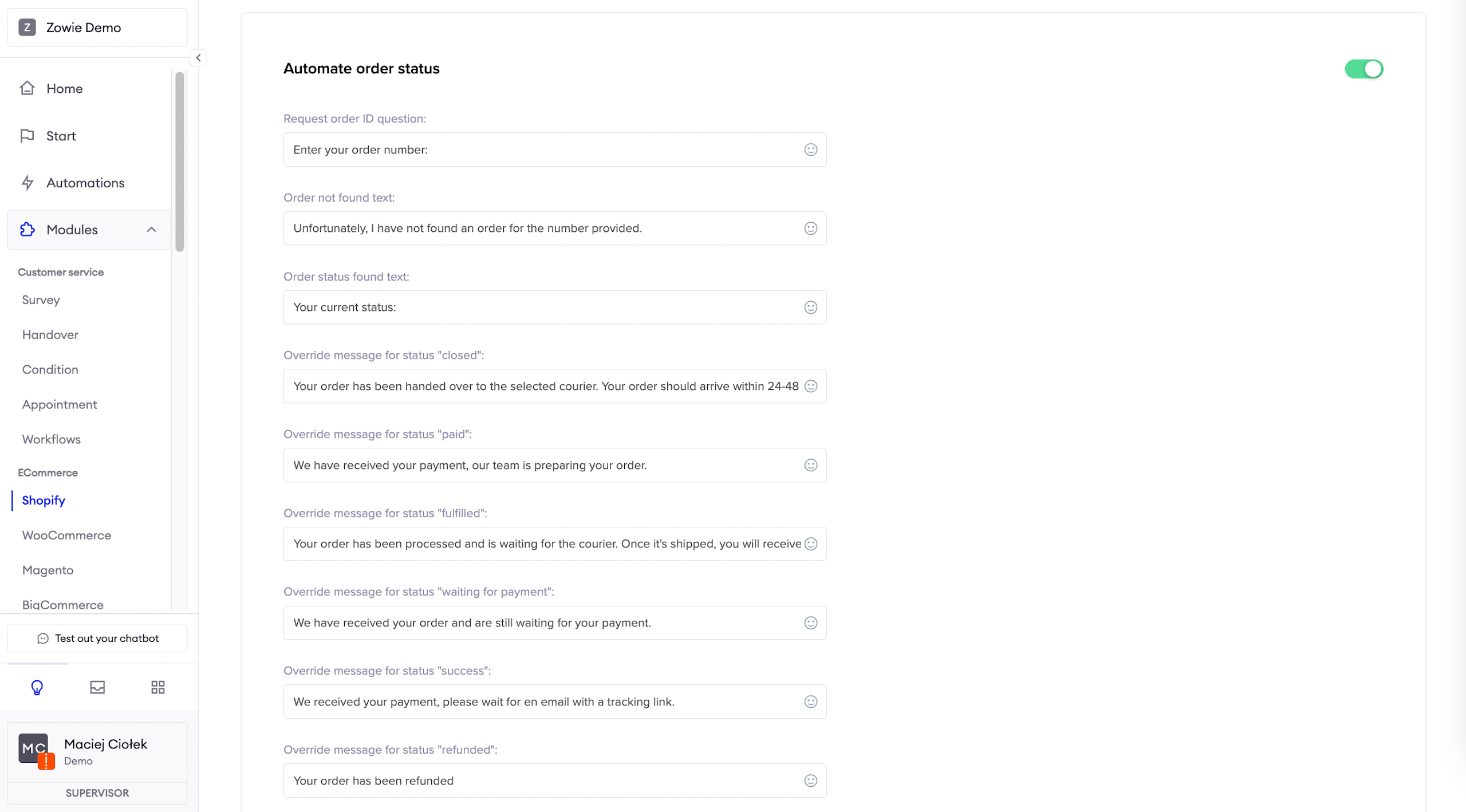
Automate order status
Here you can set up and enable the message a user receives about their current order status.
You can leave statuses from the Ecommerce platform or override them with your own wording.
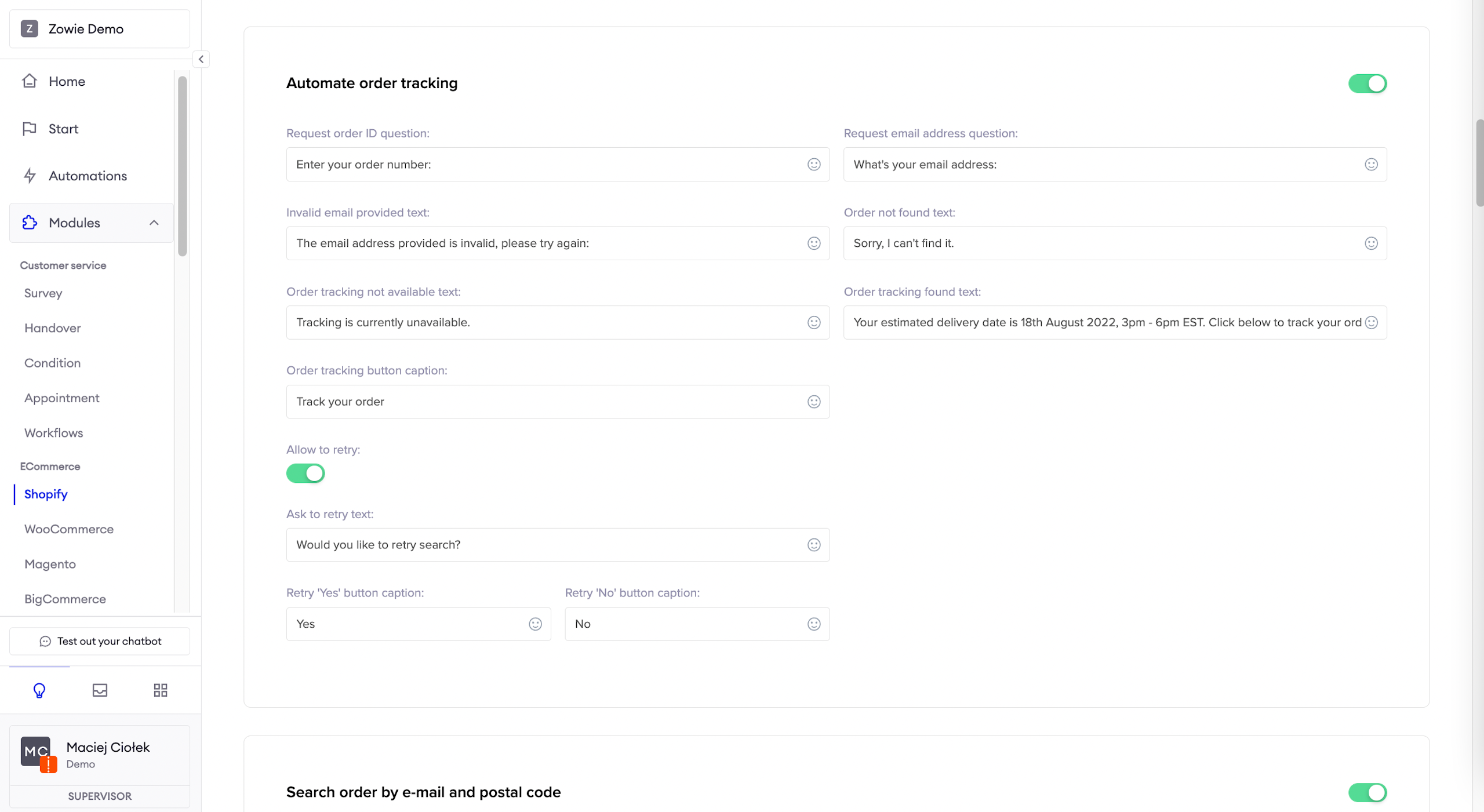
Automate order tracking
Here you can set up and enable the message a user receives about their current tracking status.
Under Allow to retry, you can set up and enable the message a user receives when the order isn't found. It allows the user to try again to find the order.
Search order by e-mail and postal code
Here you can set up and enable the message a user receives about their order status, based on their e-mail address and postal code, when they don’t know the order number.
Under Allow to retry, you can set up and enable the message a user receives when the order number isn't found. It allows the user to try again to find the order number by e-mail address and postal code.
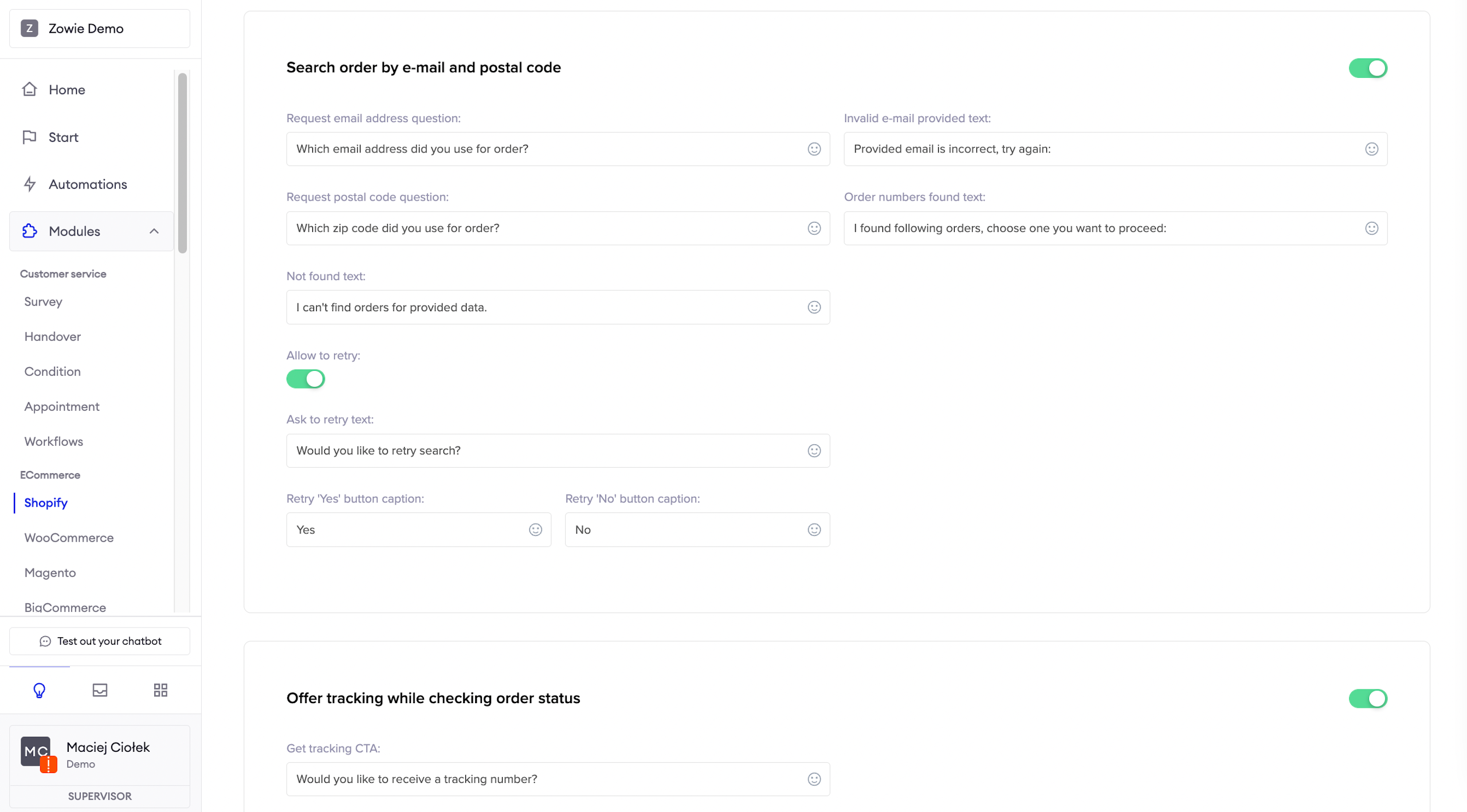
Offer tracking while checking order status
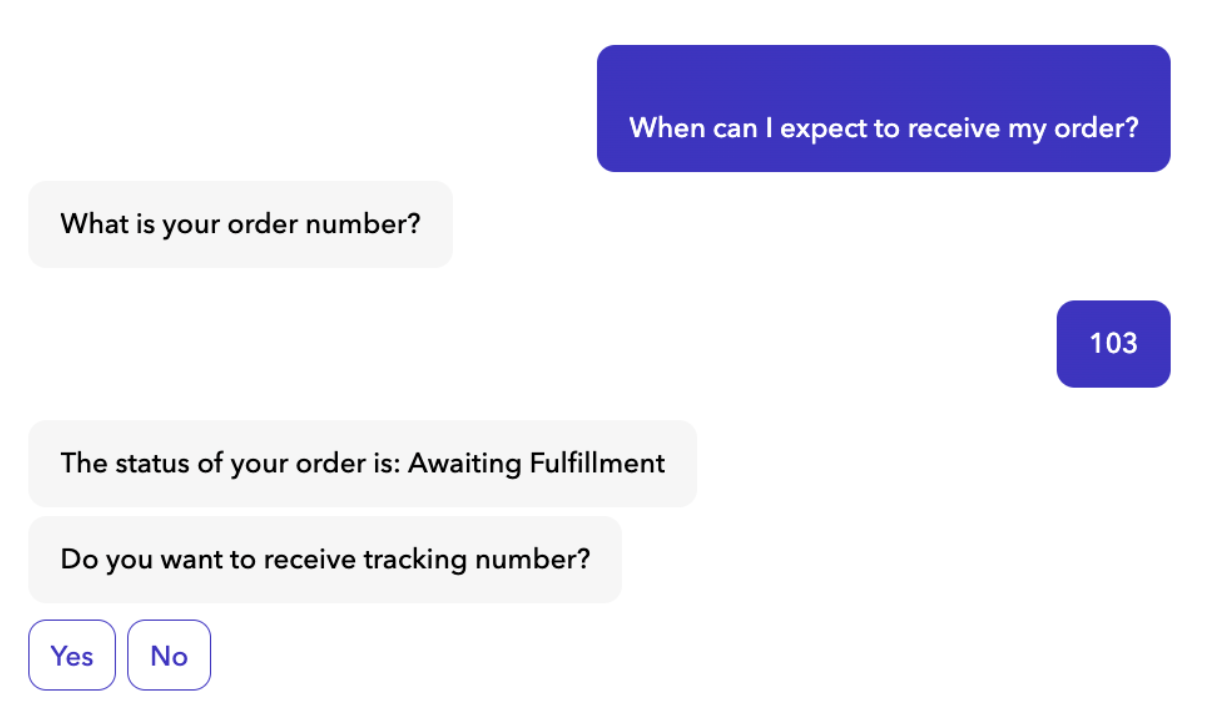
Here you can set up and enable the message user receives after they received the order status.
You can ask right away if they also want to check the current tracking status.
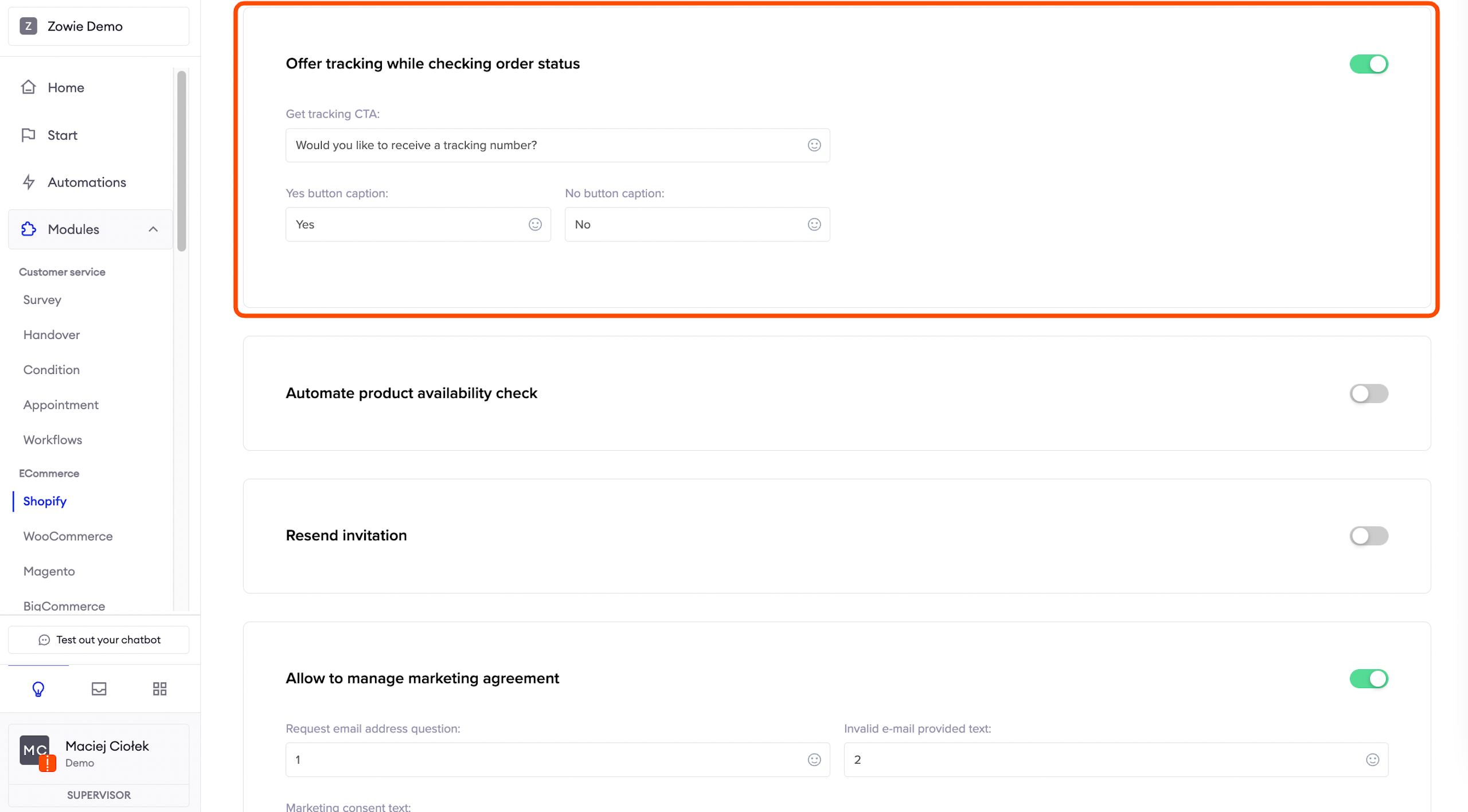
Automate product availability check
Here you can set up and enable the message users will receive when they want to check if the product they are looking for is available.
If the product is available, the user can select the “Buy now” button.
If the product is not available, user can leave their e-mail address to be notified when the product is back in stock.
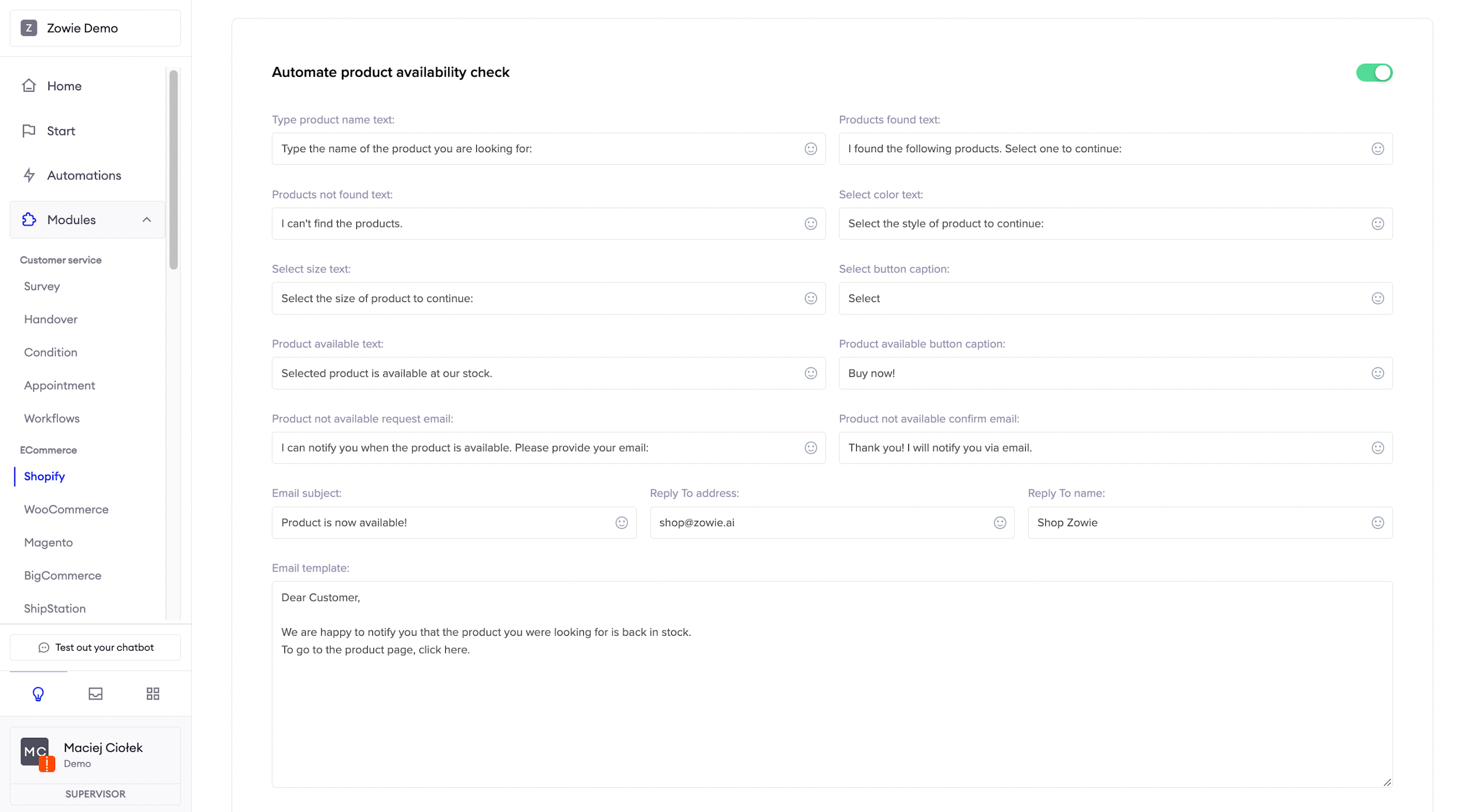
Resend invitation
Here you can set up and enable the message a user receives when they request an invitation to Shopify to be sent again.
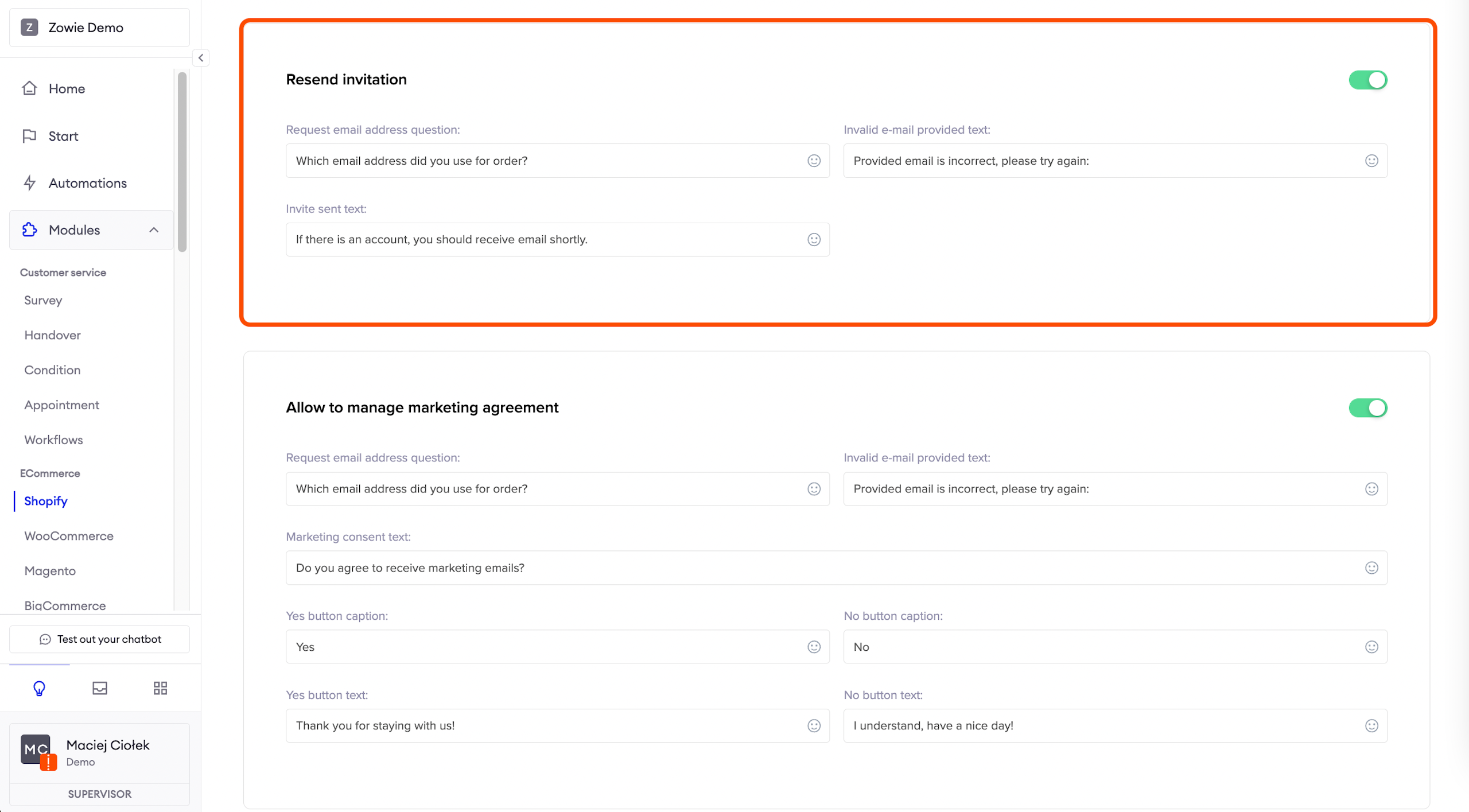
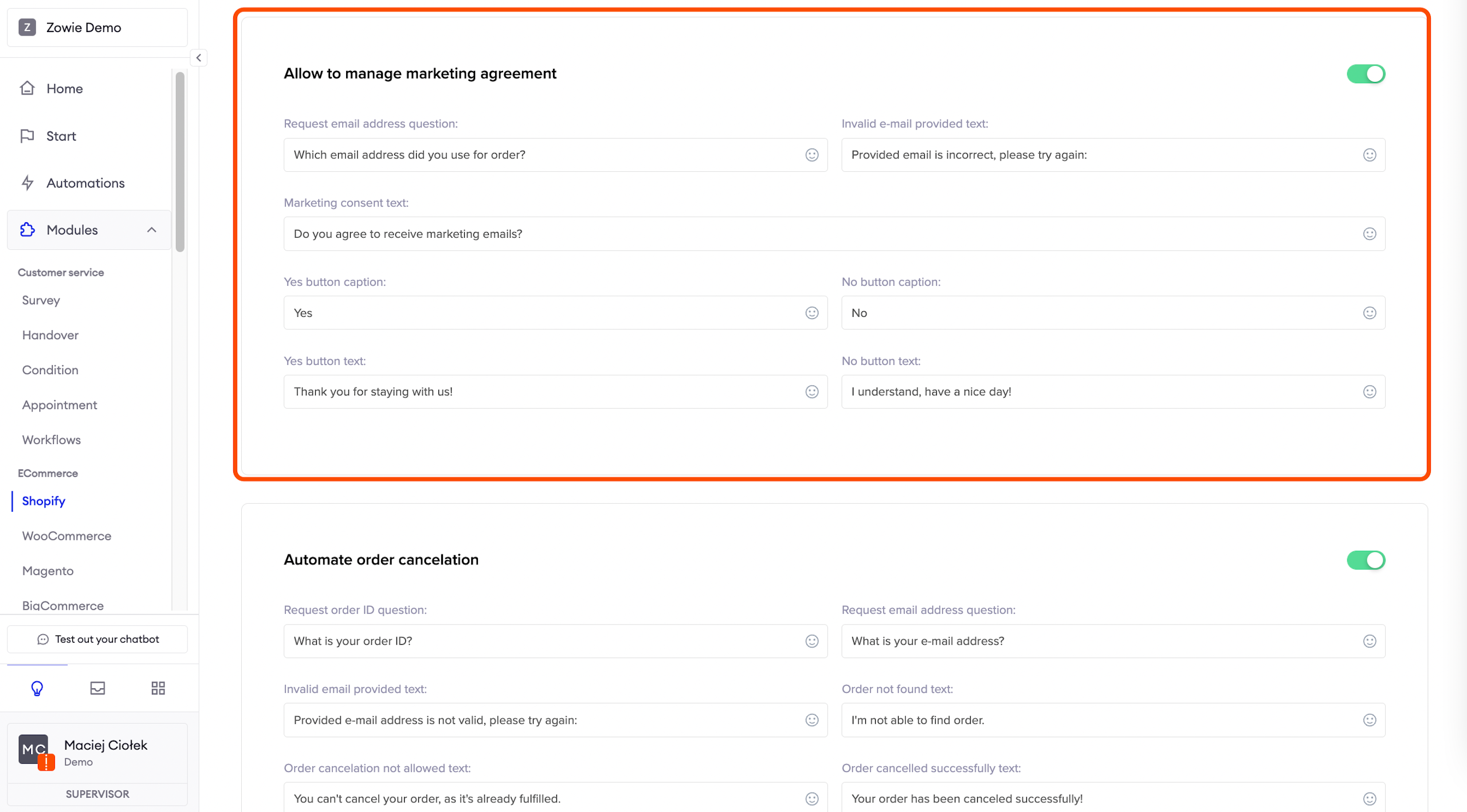
Allow to manage marketing agreement
Here you can set up and enable the message user receives to accept marketing e-mails.
Automate order cancelation
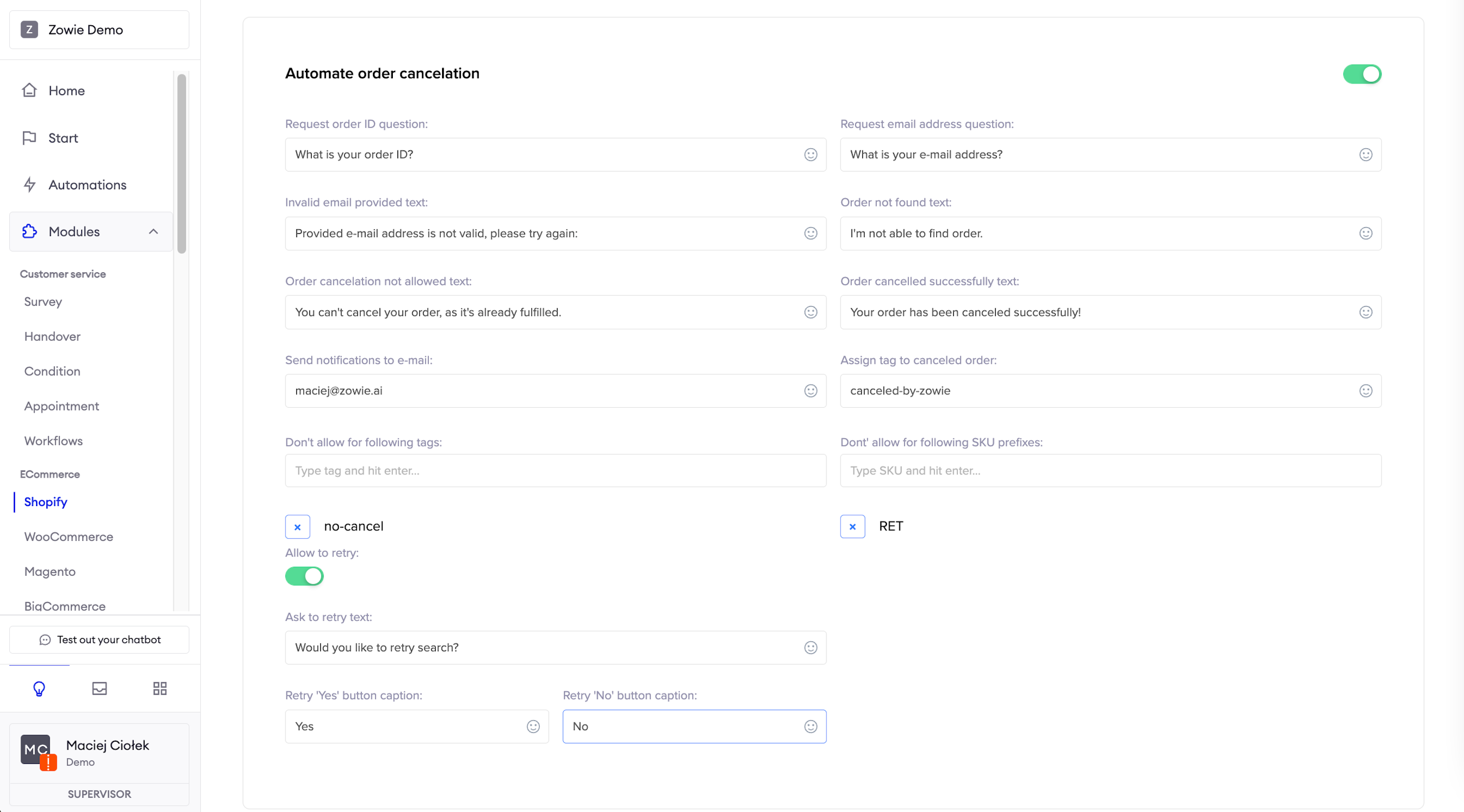
Here you can set up and enable the message a user receives to cancel the order via chatbot.
You can provide order tags or SKU prefixes for which order cancellation is not allowed.
Under Allow to retry, you can set up and enable the message a user receives when the order isn't found. It allows the user to try again to find the order and proceed with the cancellation.
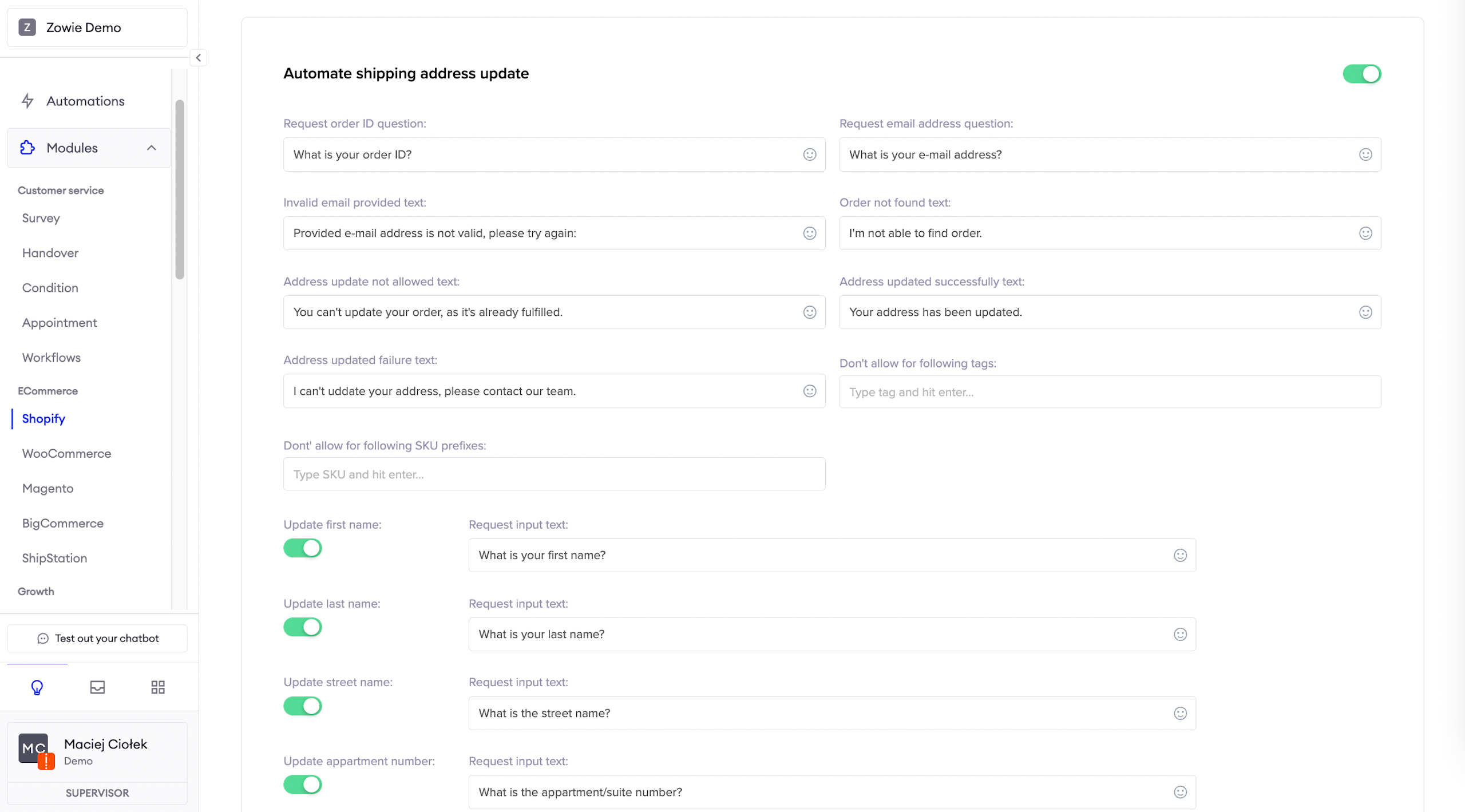
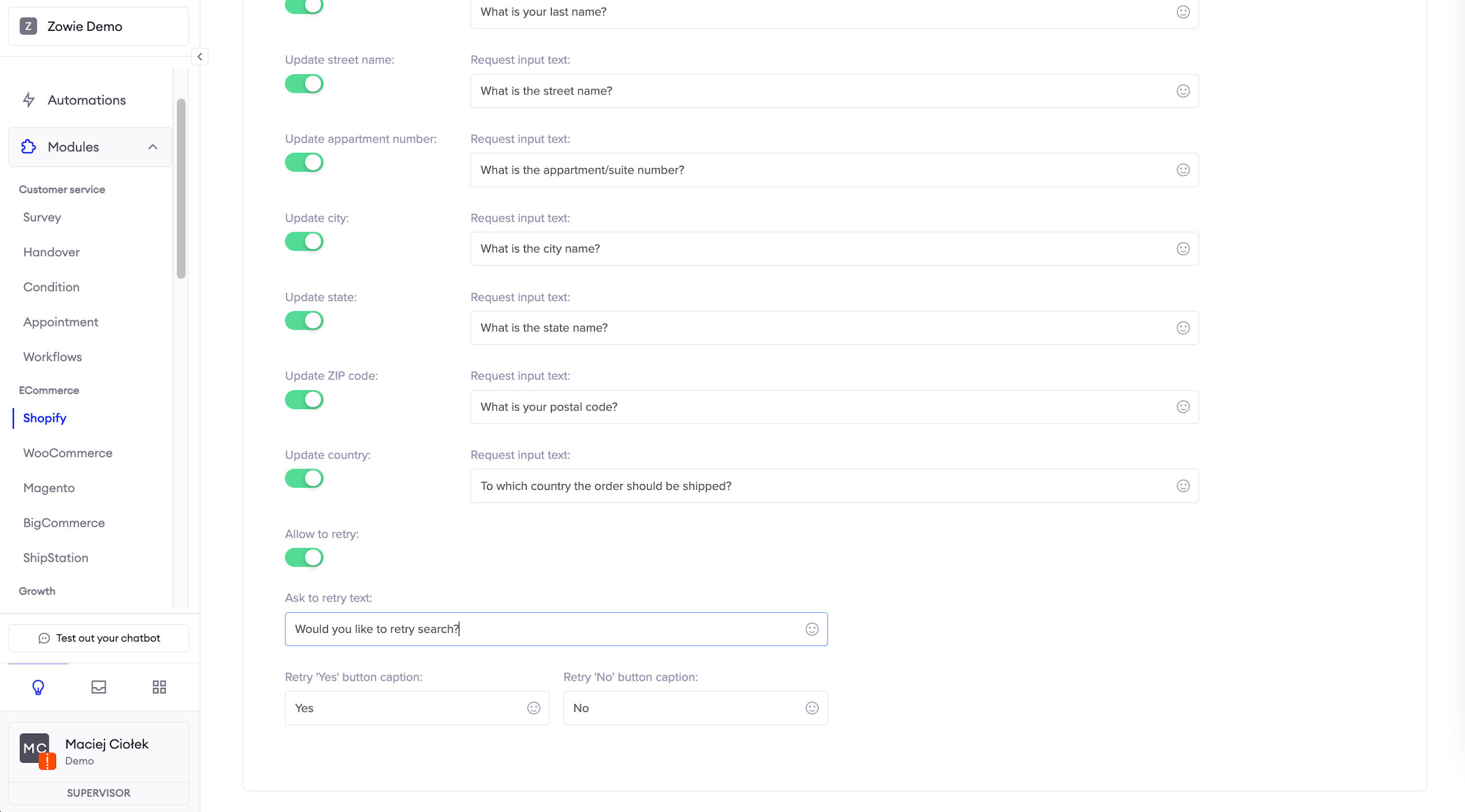
Automate shipping address update
Here you can set up and enable the message user receives to change the shipping address.
Under Allow to retry, you can set up and enable the message a user receives when the order isn't found. It allows the user to try again to find the order.
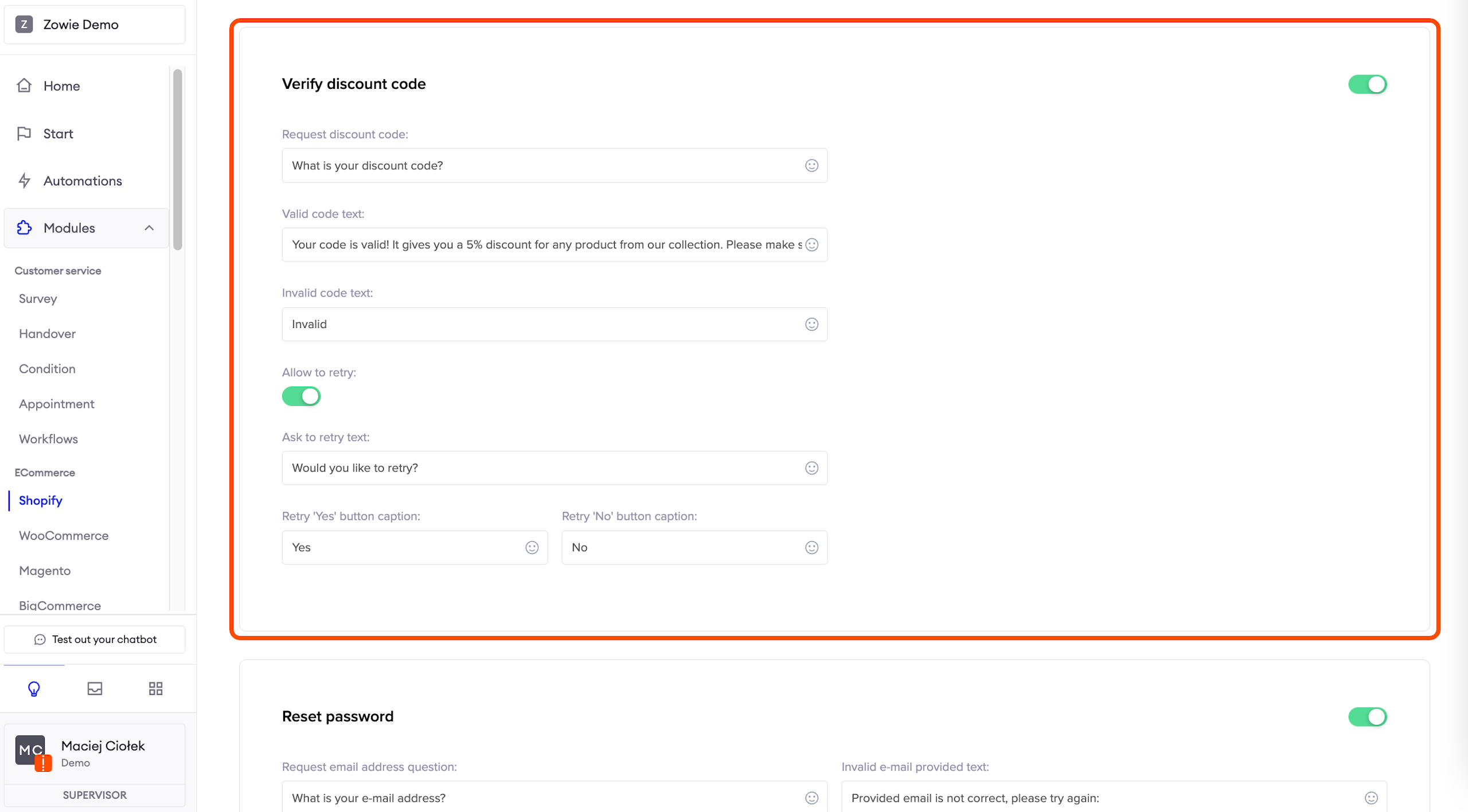
Verify discount code
Here you can set up and enable the message user will receive to check if their discount code is still valid.
Under Allow to retry, you can set up and enable the message a user receives when the order isn't found. It allows the user to try again to find the order.
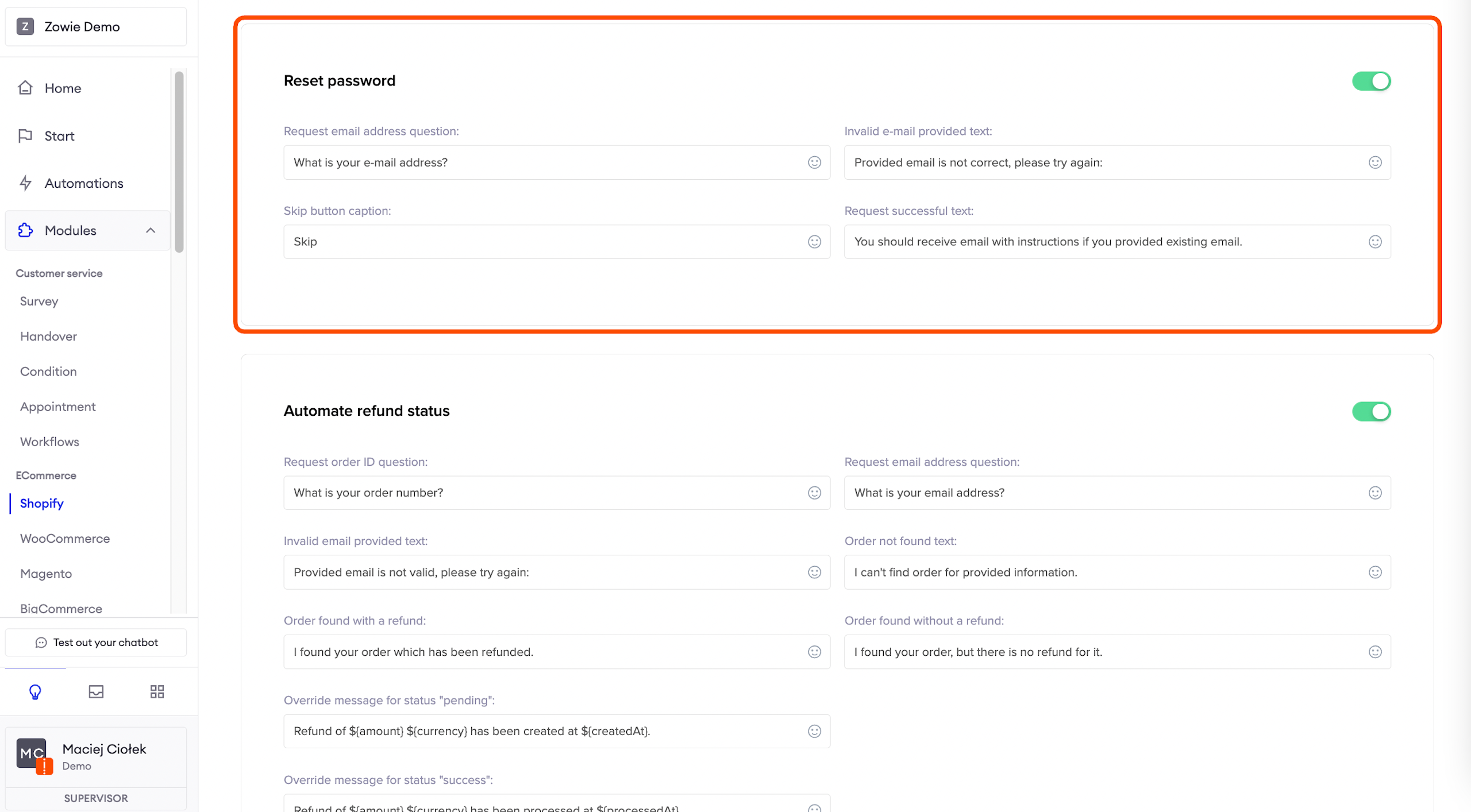
Reset password
Here you can set up and enable the message user will receive to reset the password.
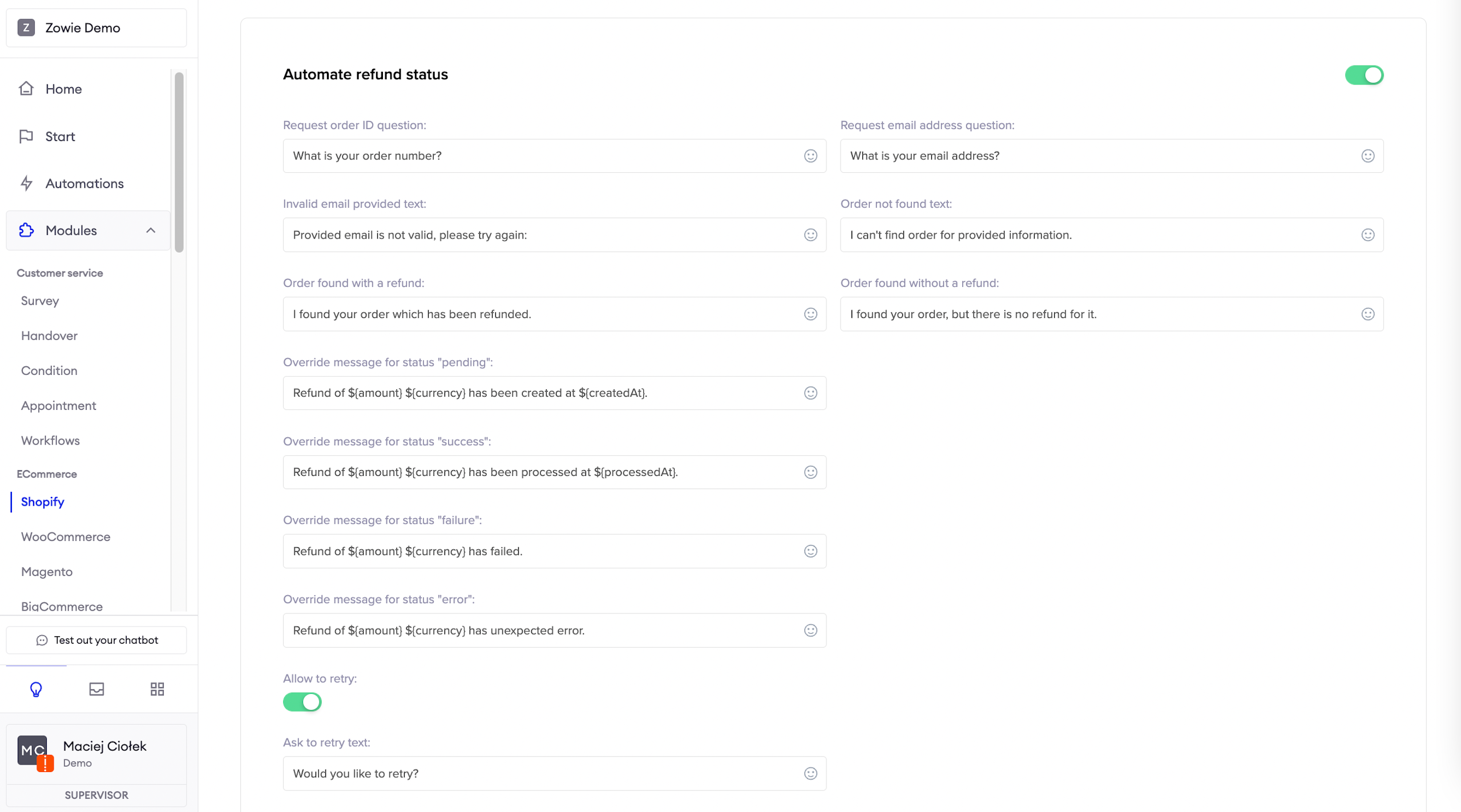
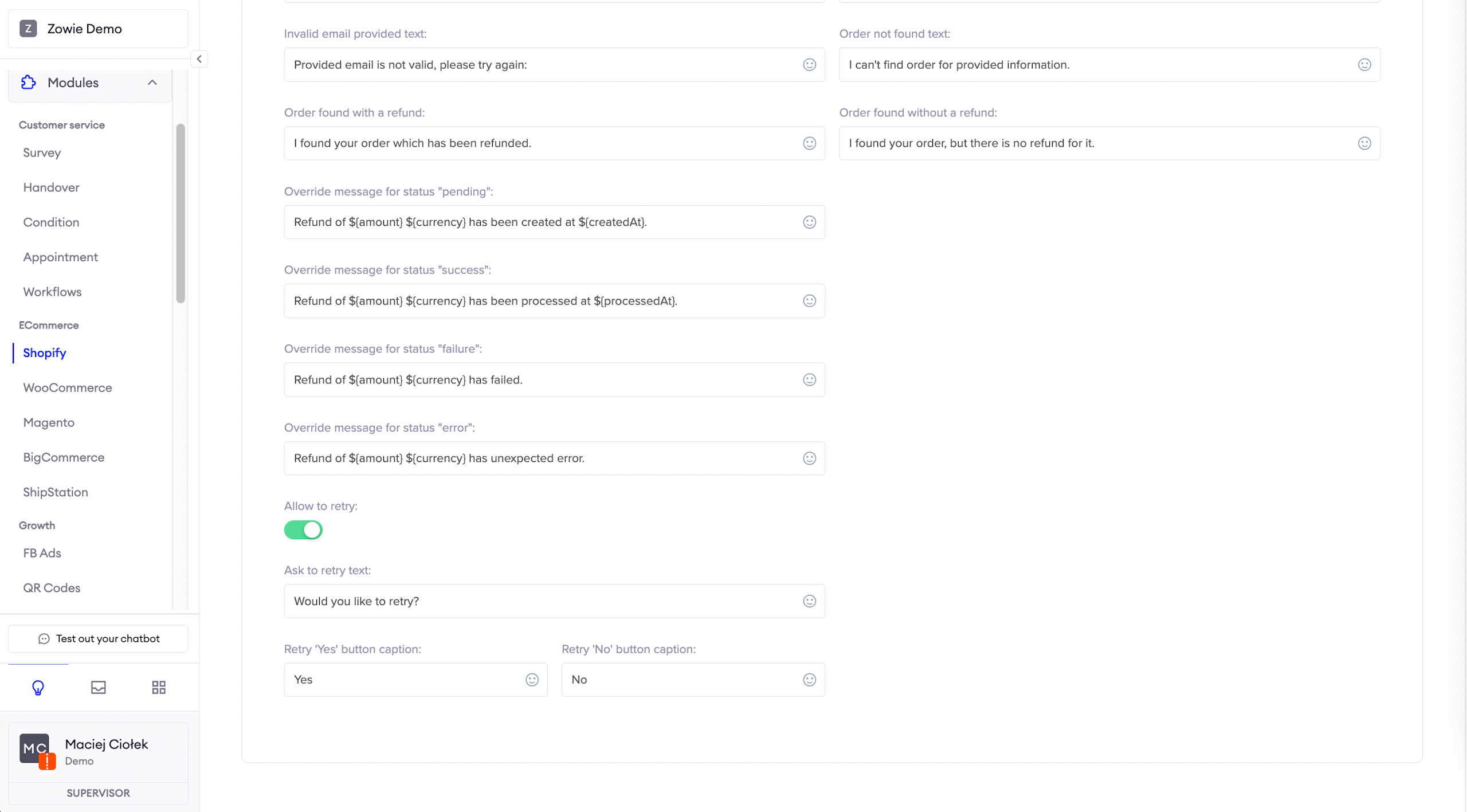
Automate refund status
Here you can set up and enable the message user will receive to check the current refund status.
Under Allow to retry, you can set up and enable the message a user receives when the order isn't found. It allows the user to try again to find the order.
WooCommerce
ImportantPlease note that currently, the WooCommerce integration is supported in one language only. You cannot integrate it with more than one region.
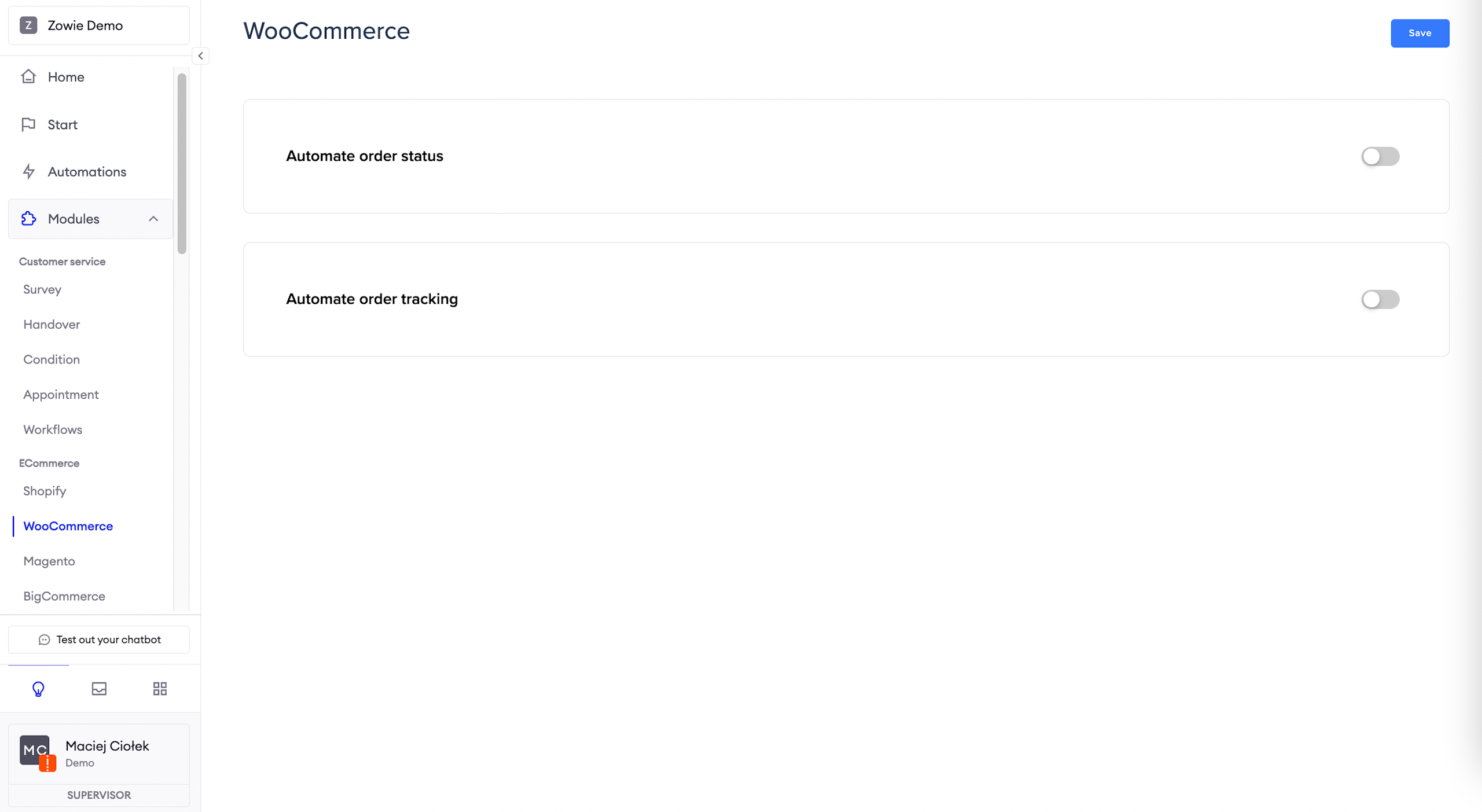
Automate order status
Here you can set up and enable the message user will receive on the current order status.
You can leave statuses from the Ecommerce platform or override them with your own wording.
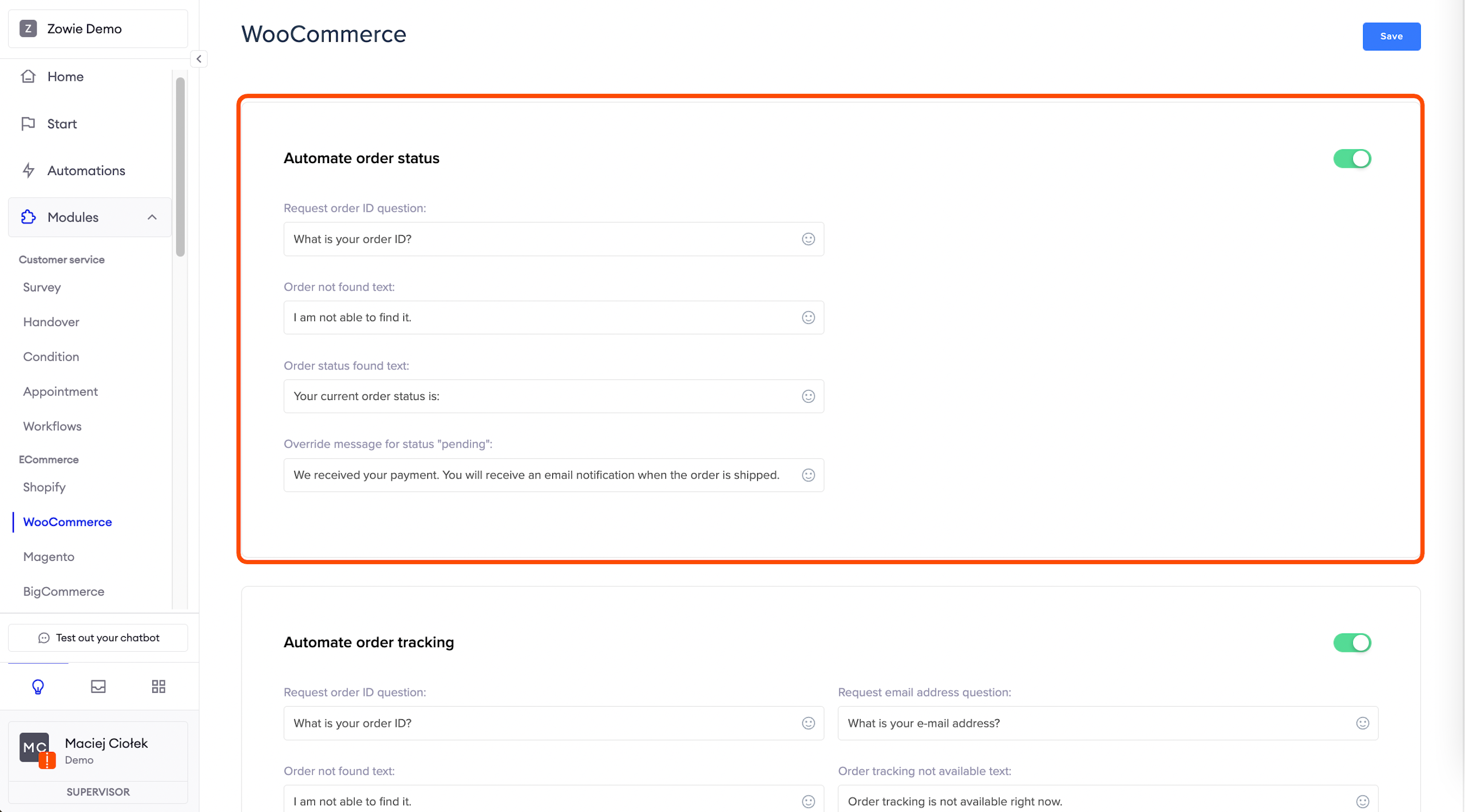
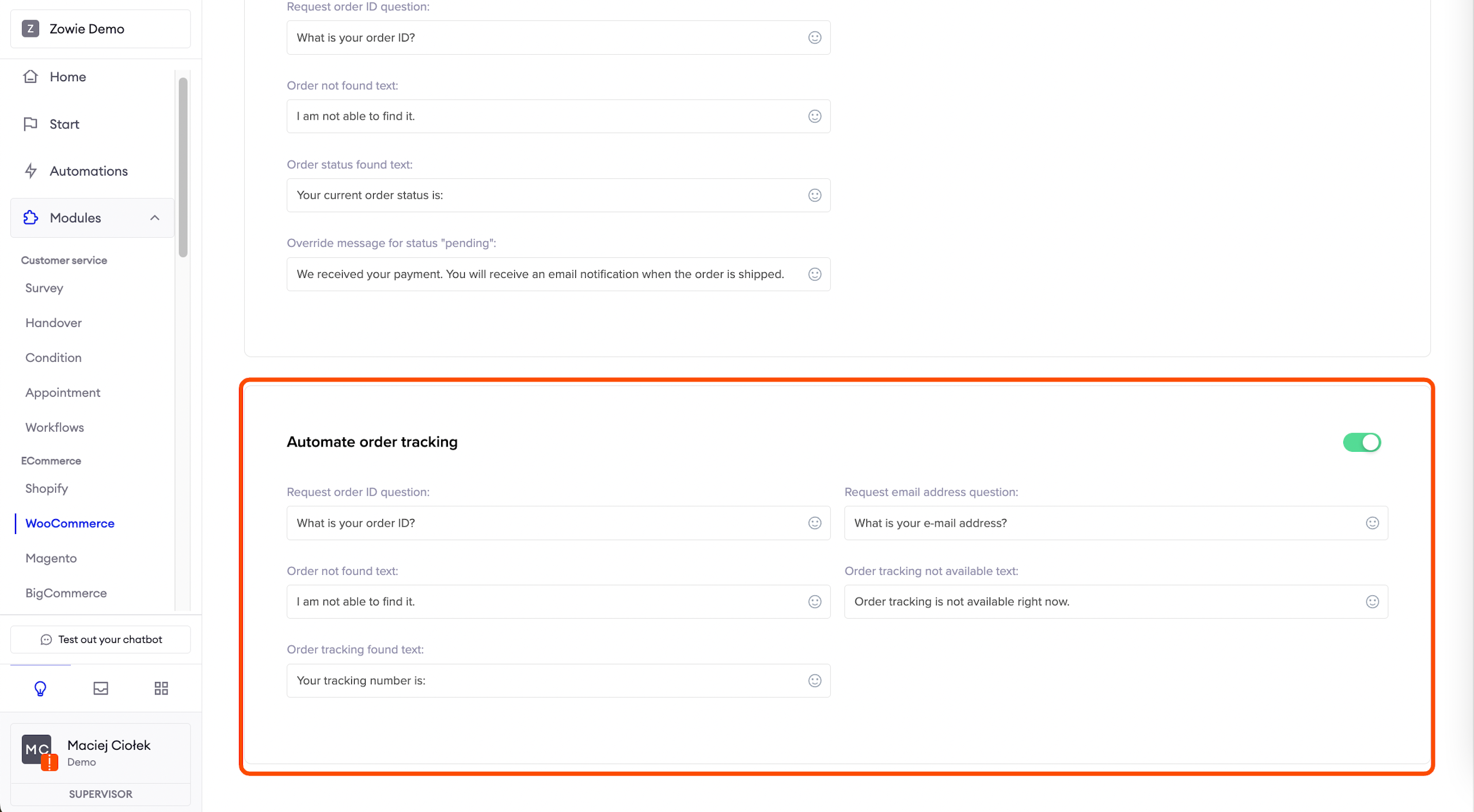
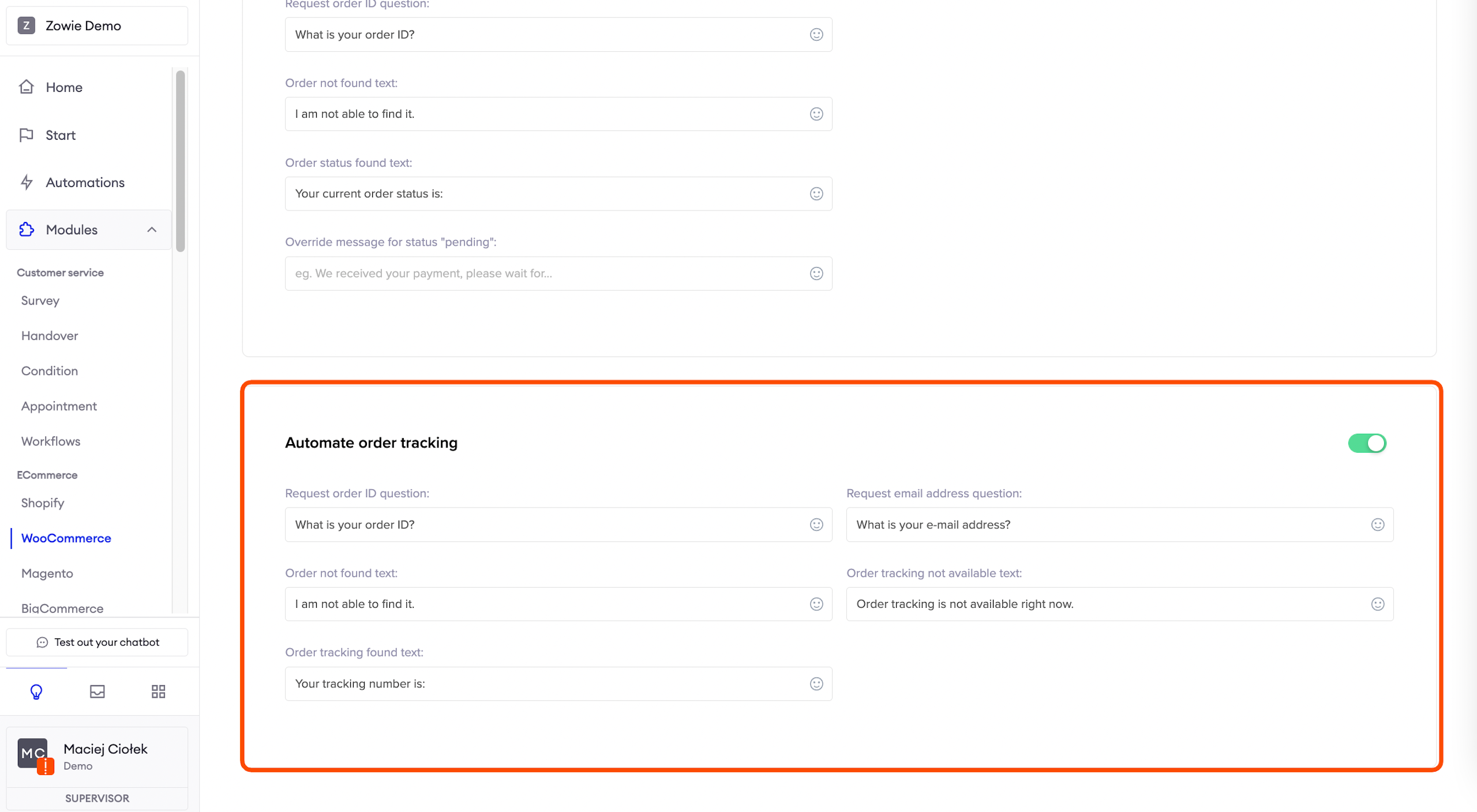
Automate order tracking
Here you can set up and enable the message user will receive on the current tracking status.
Magento
AttentionMagento integration is compatible with Regions
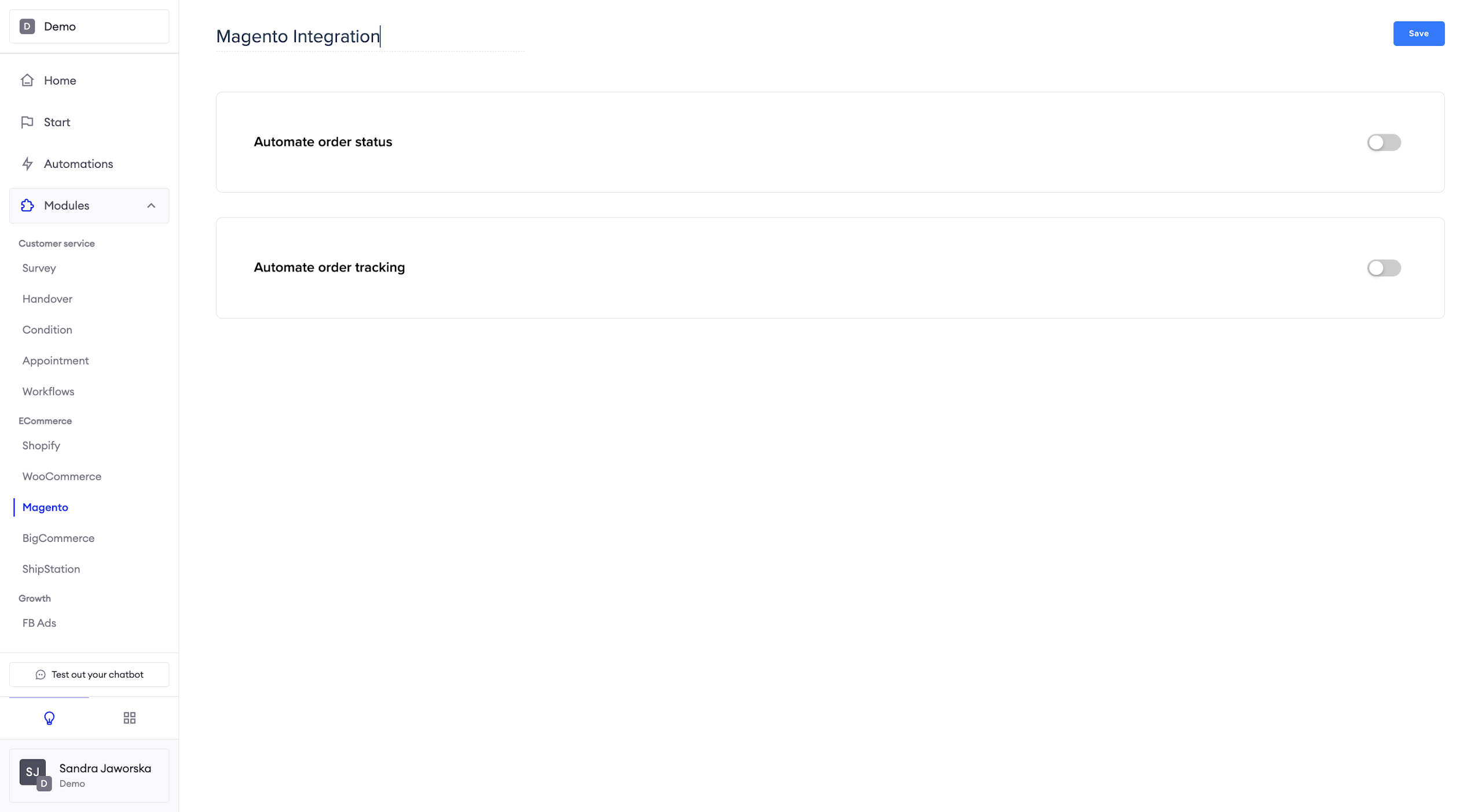
Automate order status
Here you can set up and enable the message user will receive on the current tracking status.
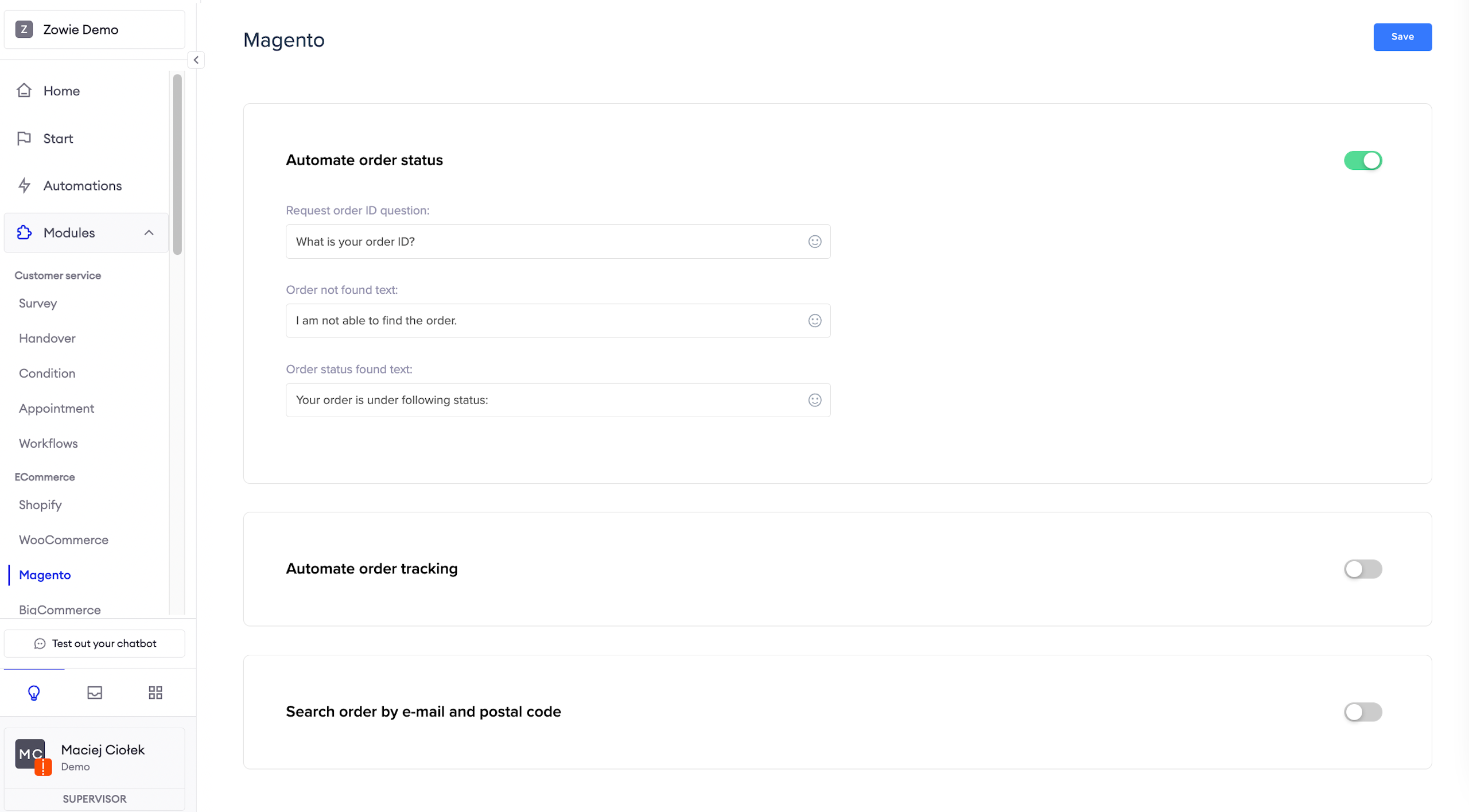
Automate order tracking
Here you can set up and enable the message user will receive on the current tracking status.
You can additionally enable require email address, so the user will only receive tracking information if the email matches the order number.
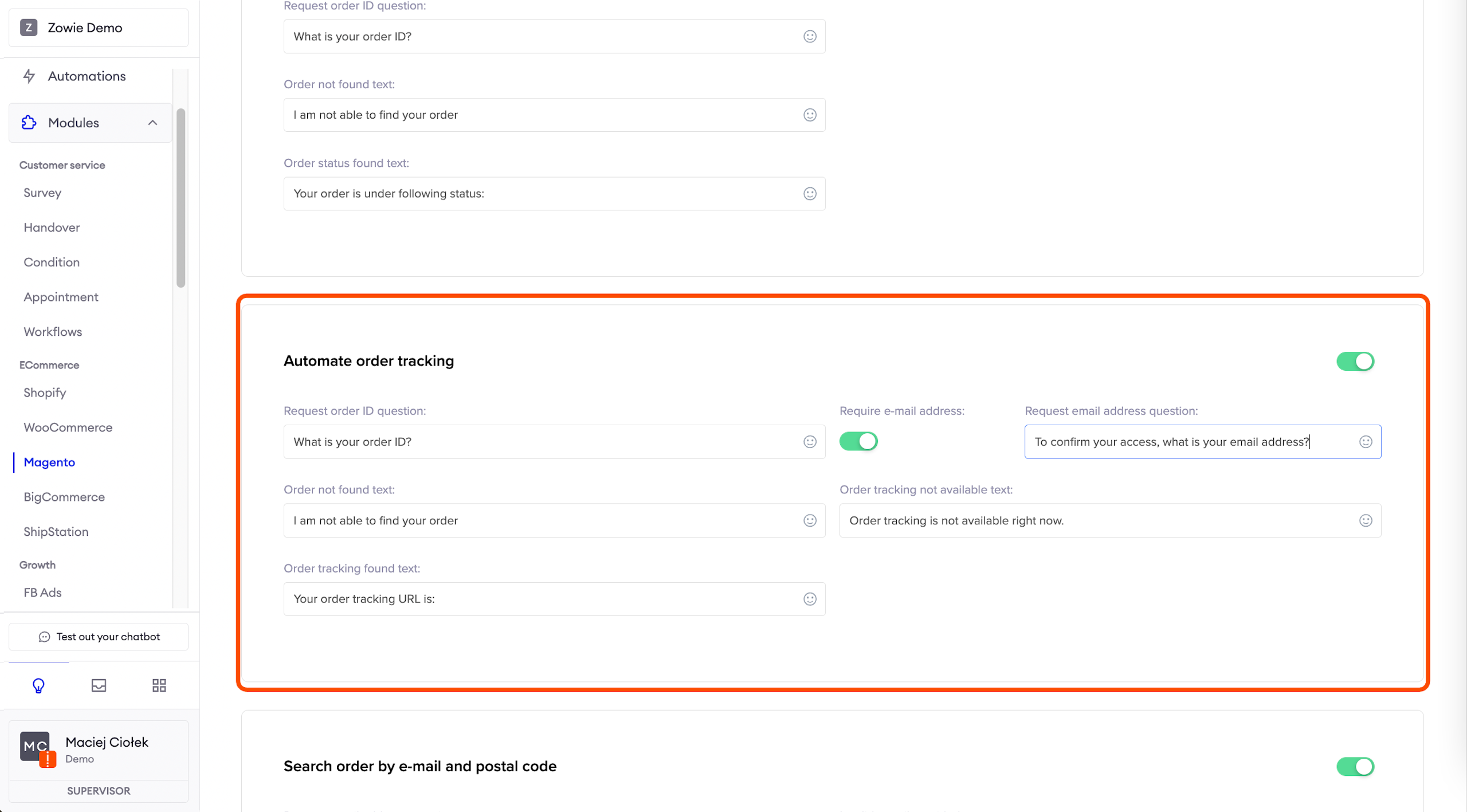
Search order by e-mail and postal code
Here you can set up and enable the message user will receive on the order status, based on their e-mail address and postal code, when they don’t know the order number.
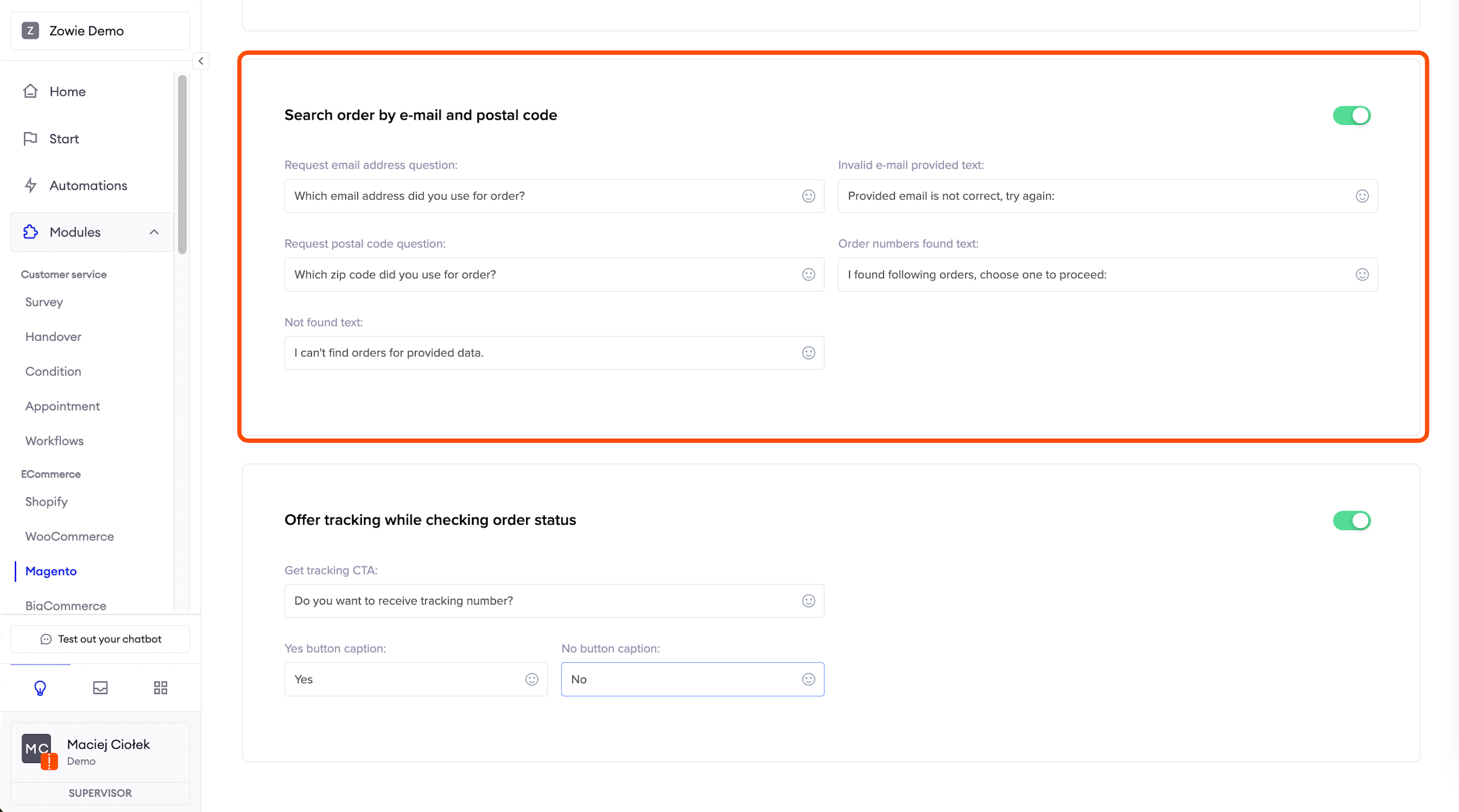
Offer tracking while checking order status
Here you can set up and enable the message user will see after they receive the order status.
You can ask right away if they also want to check the current tracking status.
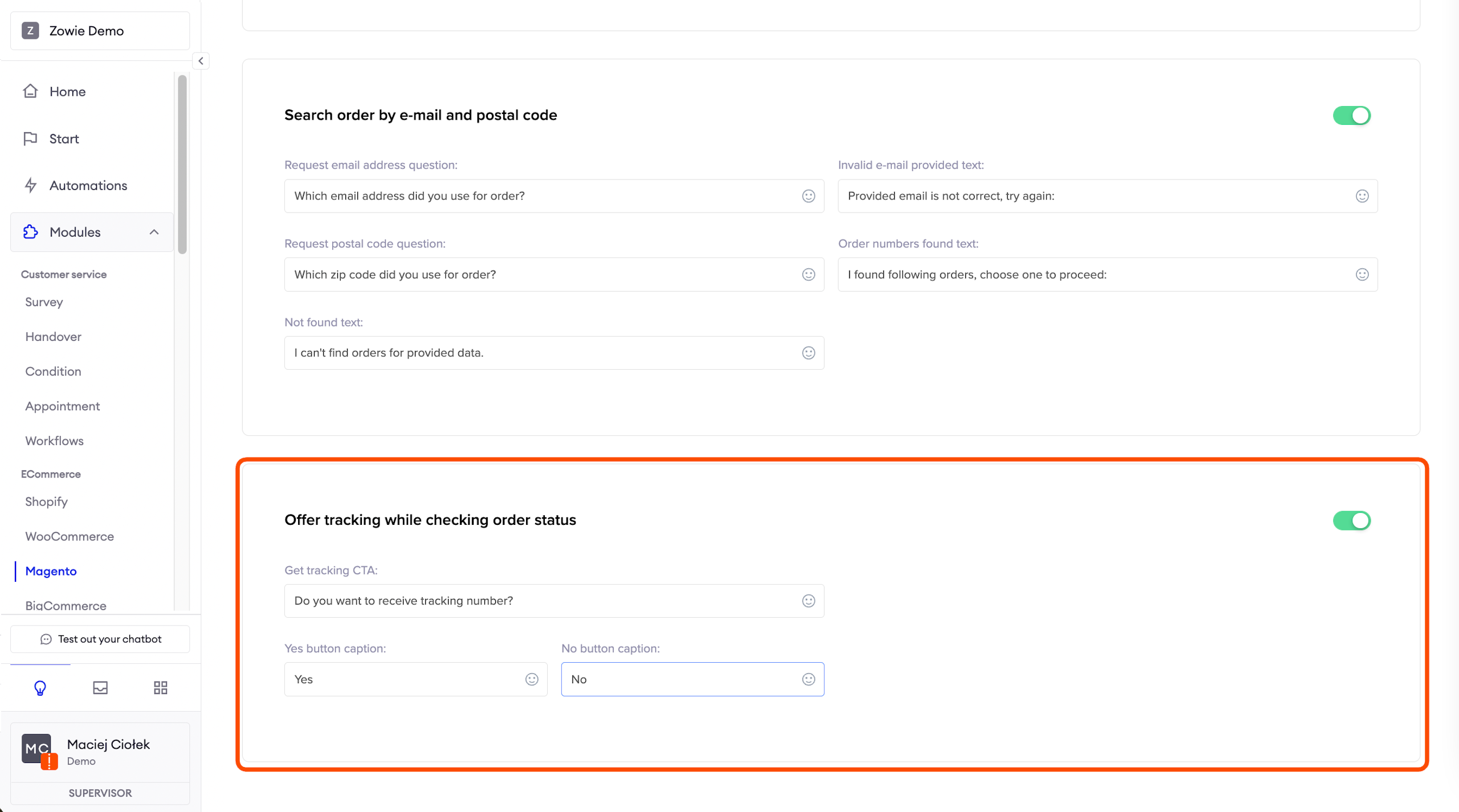
BigCommerce
ImportantPlease note that currently, the BigCommerce integration is supported in one language only. You cannot integrate it with more than one region.
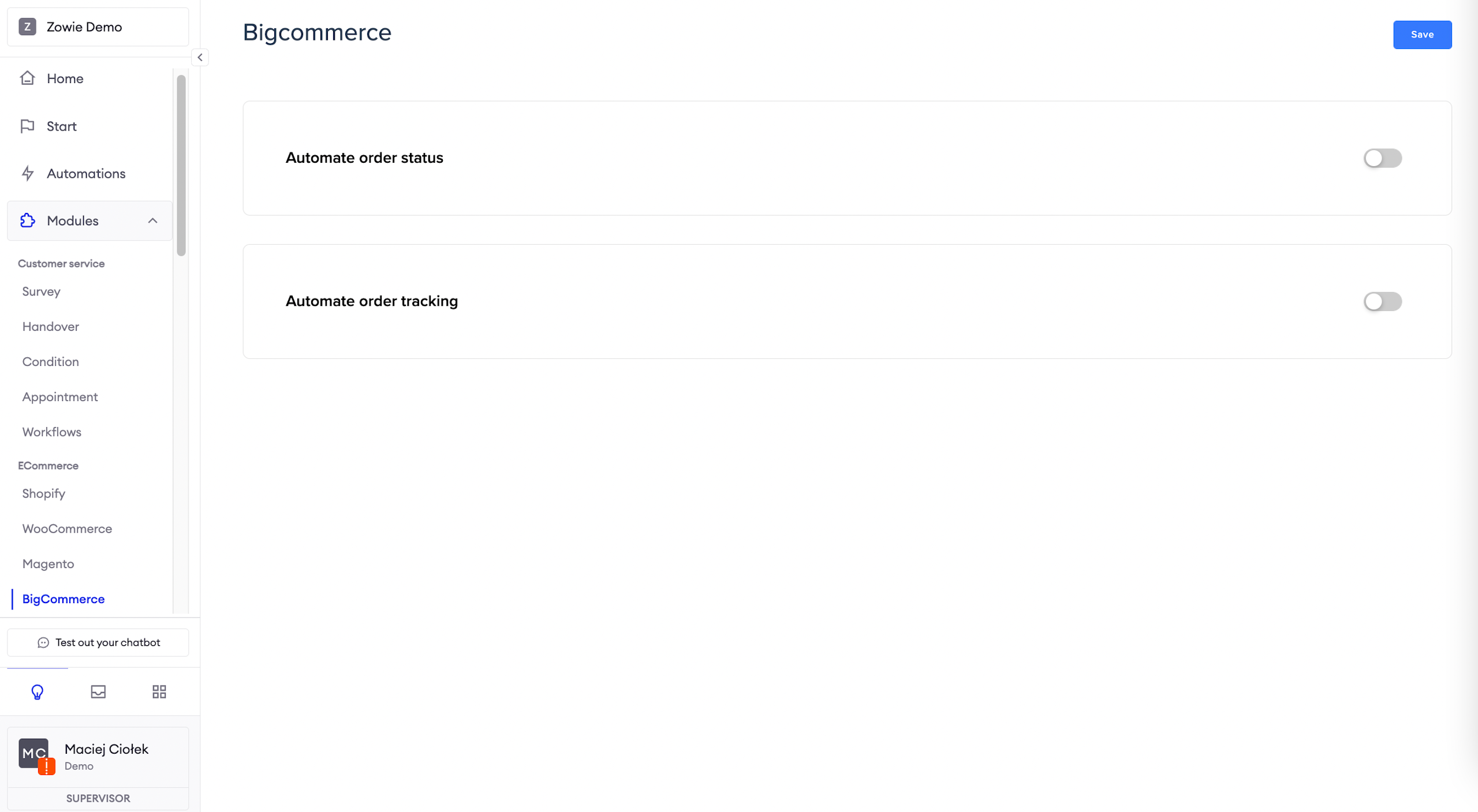
Automate order status
Here you can set up and enable the message user will receive on the current order status.
You can leave statuses from the Ecommerce platform or override them with your own wording.
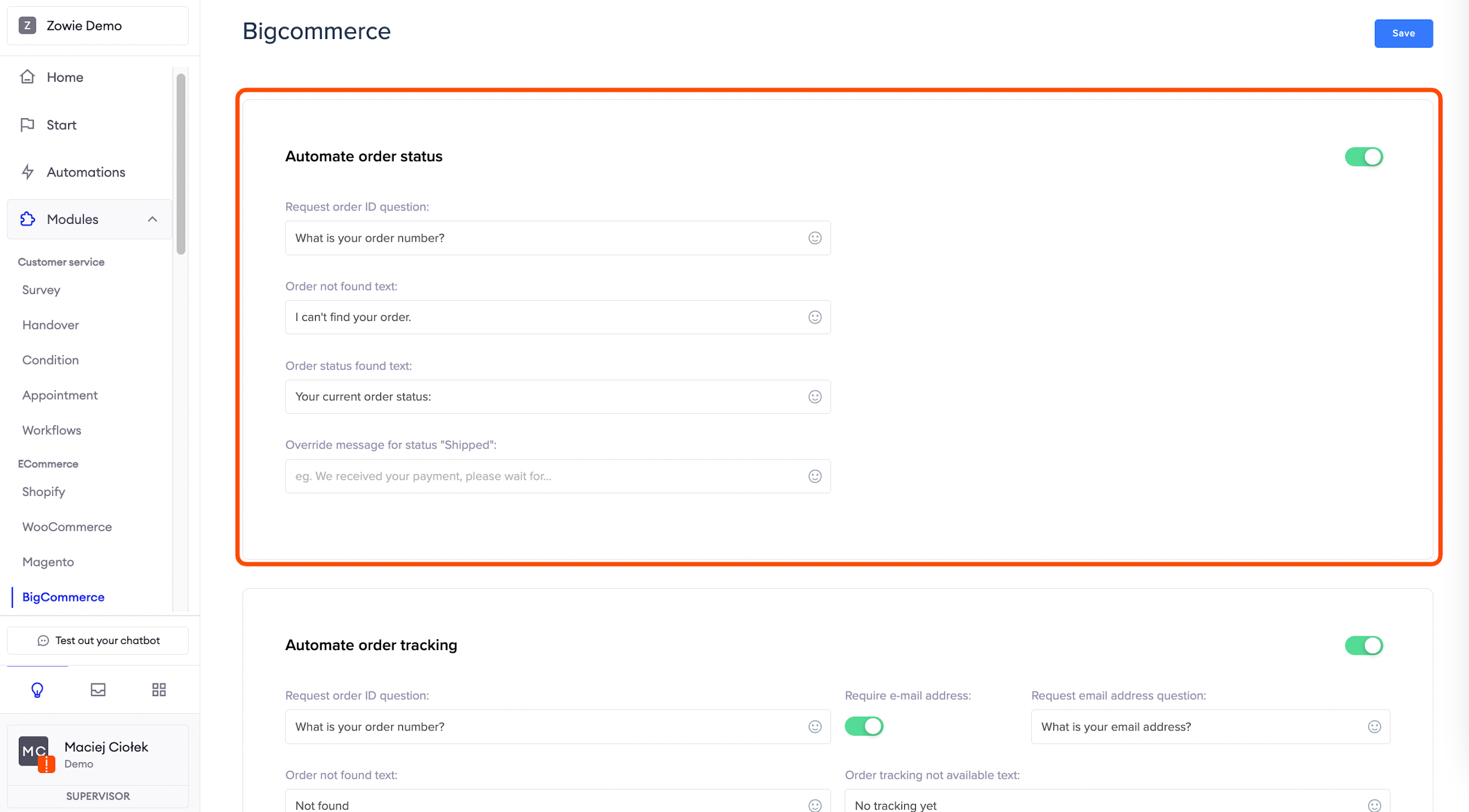
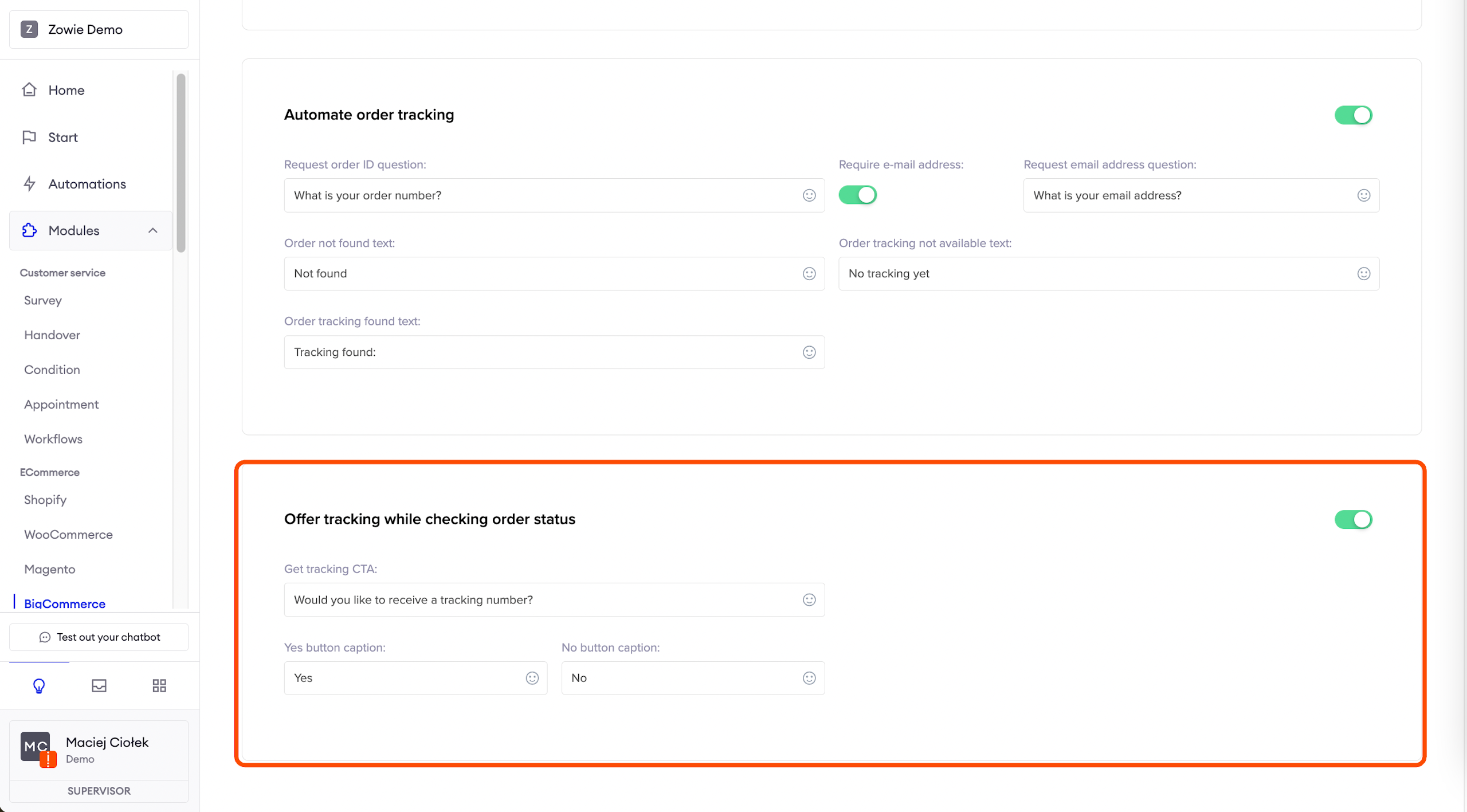
Automate order tracking
Here you can set up and enable the message user will receive on the current tracking status.
You can additionally enable require email address, so the user will only receive tracking information if the email matches the order number.
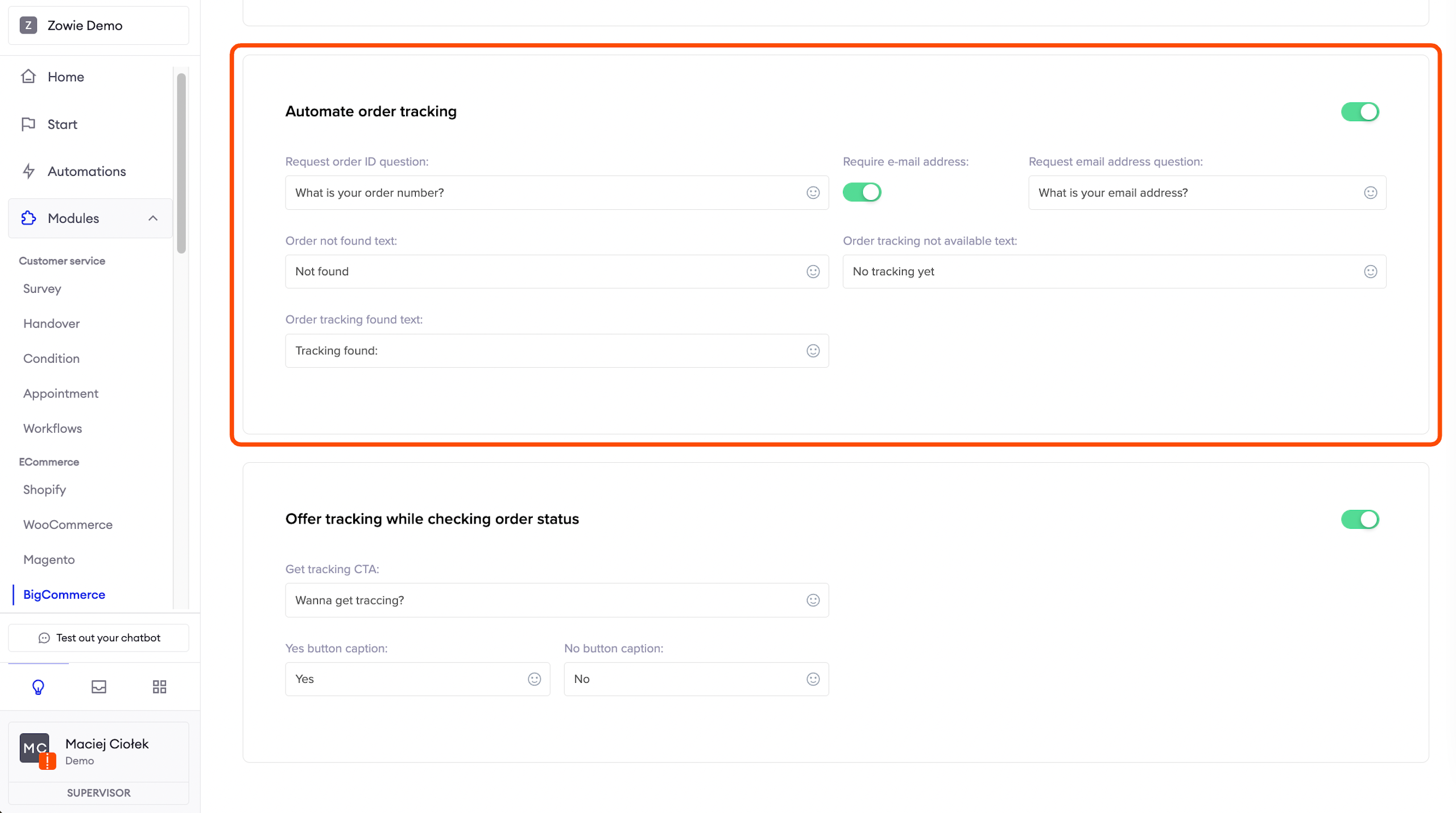
Offer tracking while checking order status
Here you can set up and enable the message user will see after they receive the order status.
You can ask right away if they also want to check the current tracking status.
AttentionNote that this option is only available if Automate order status and Automate order tracking are enabled.
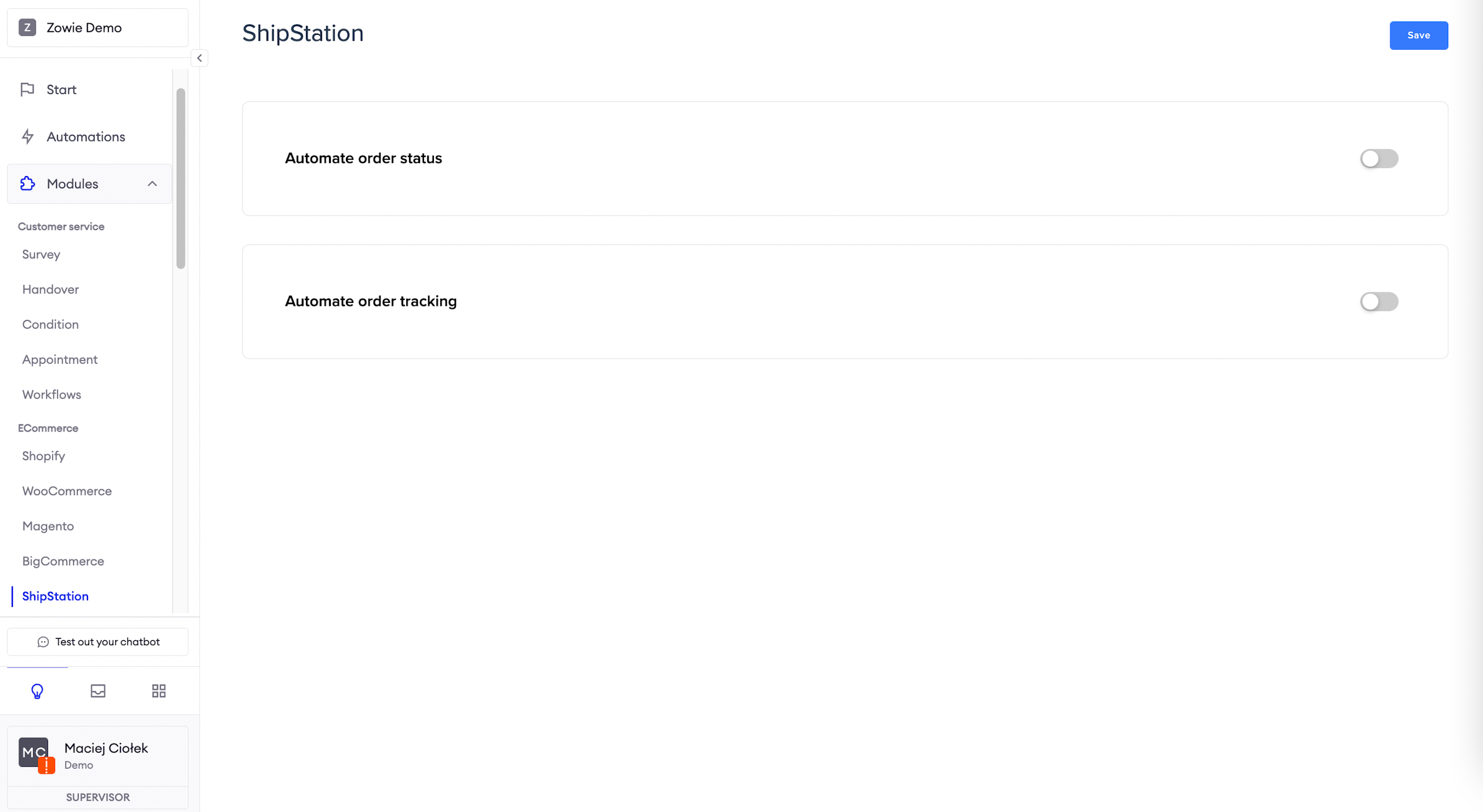
ShipStation
ImportantPlease note that currently, the ShipStation integration is supported in one language.
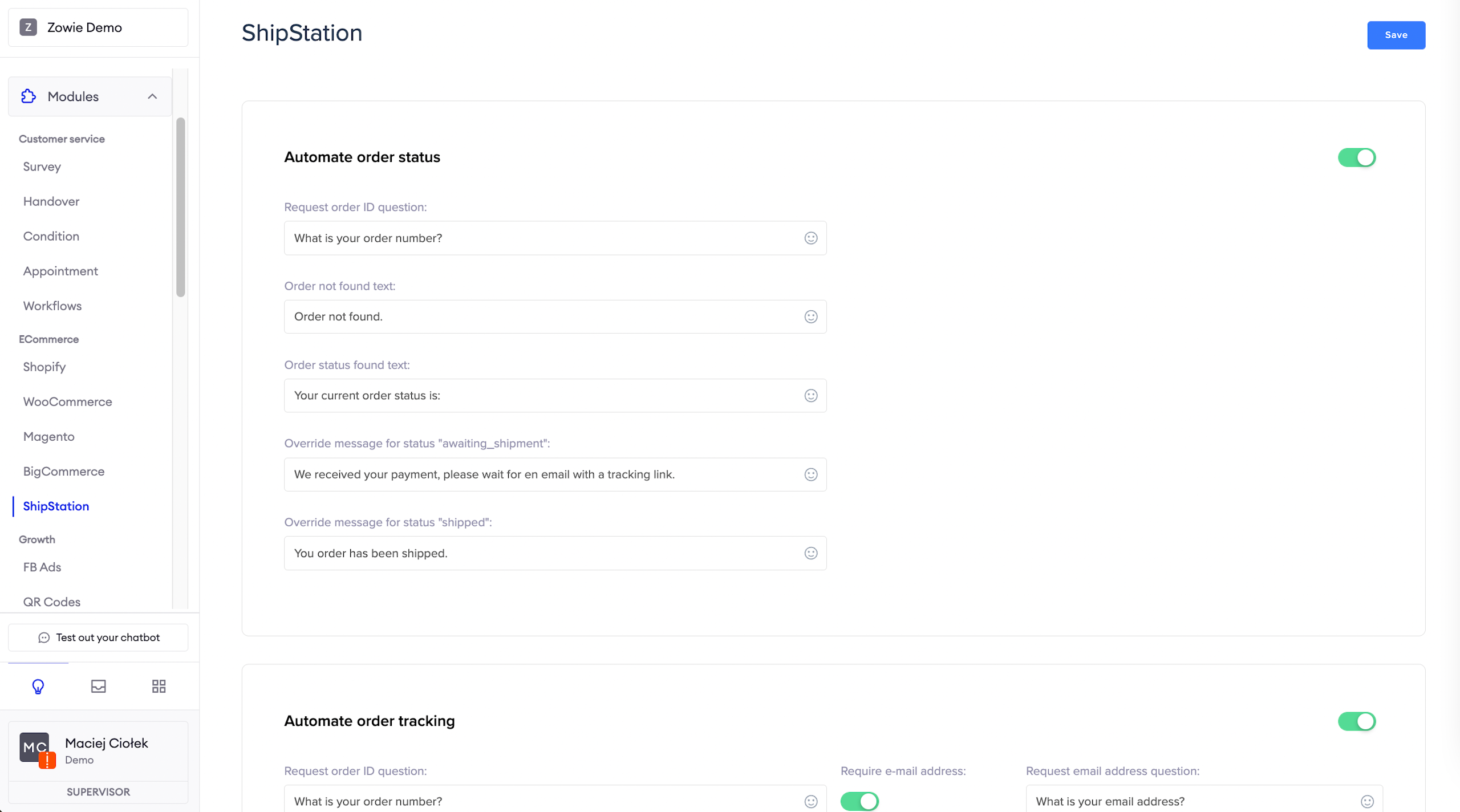
Automate order status
Here you can set up and enable the message user will receive on the current order status.
You can leave statuses from the eCommerce platform or override them with your own wording.
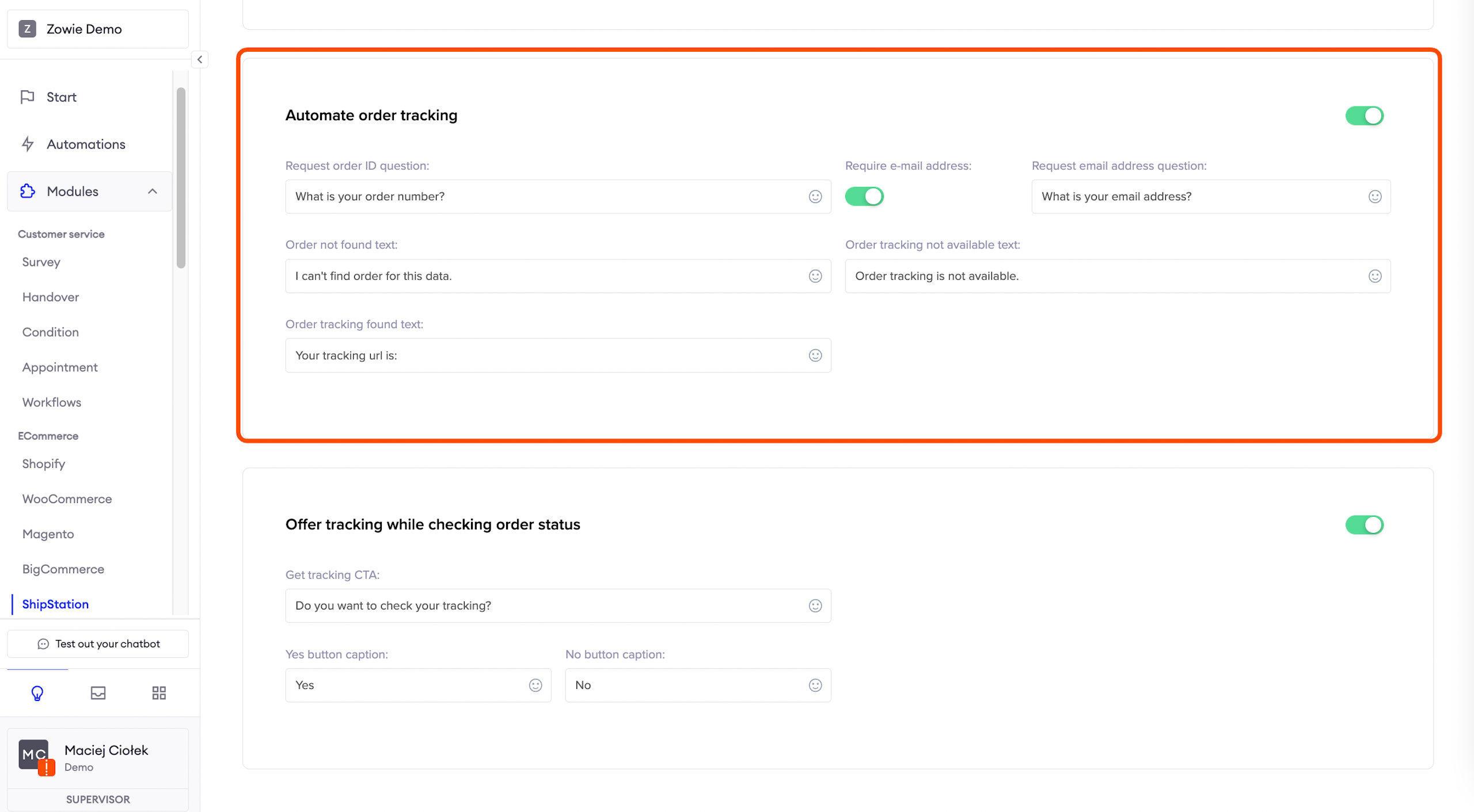
Automate order tracking
Here you can set up and enable the message user will receive on the current tracking status.
You can additionally enable require email address, so the user will only receive tracking information if the email matches the order number.
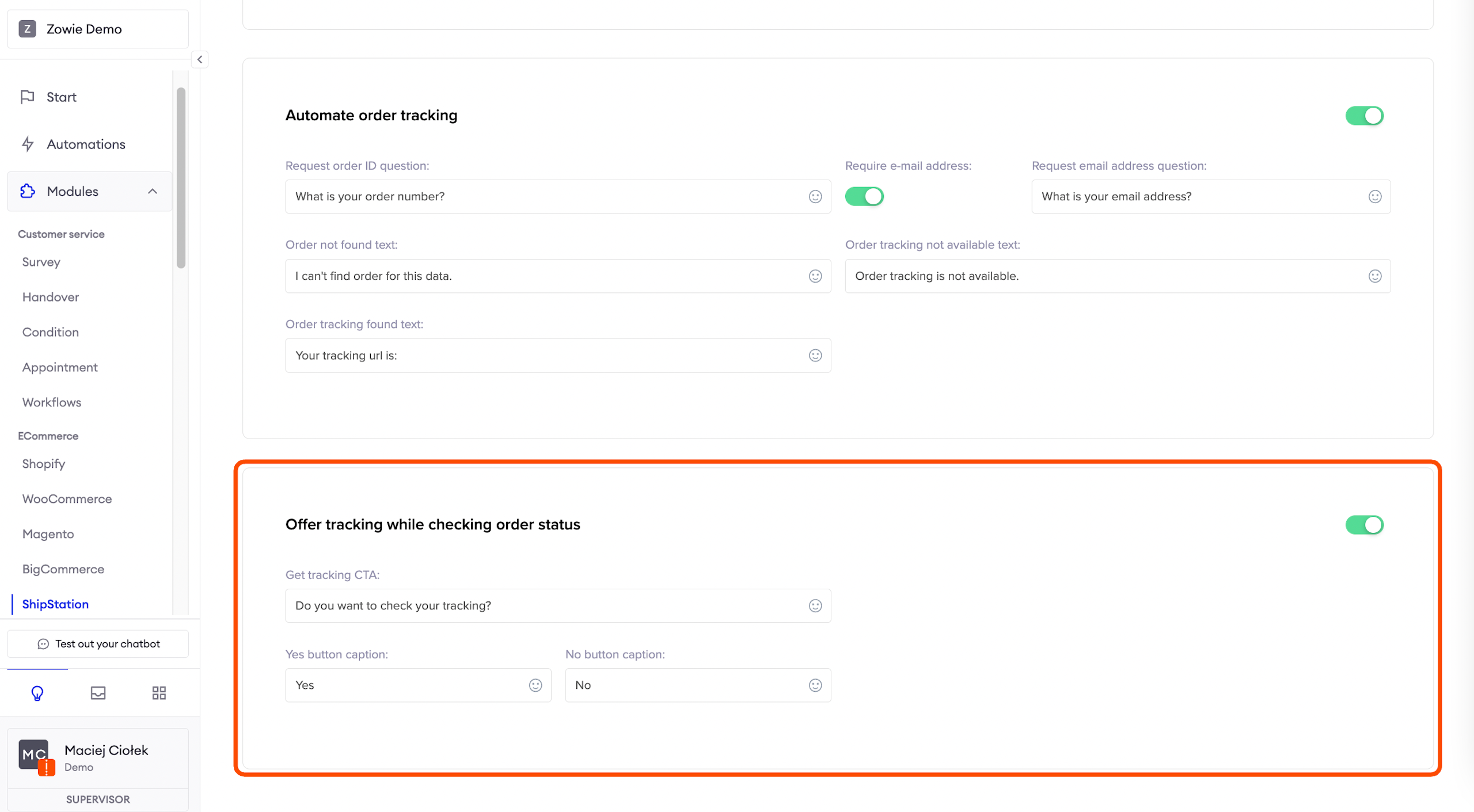
Offer tracking while checking order status
Here you can set up and enable the message user will see after they receive the order status.
You can ask right away if they also want to check the current tracking status.
Updated over 1 year ago