
Frate Returns
Zowie offers integration with Frate Returns that allows easier return processing.
About
This integration allows customer support agents to manage returns and access the Frate Returns Admin Panel Portal directly from within Zowie Inbox.
Use cases
- Agents can view customer returns in the Zowie Inbox sidebar.
- Agents can process a return from Inbox sidebar.
- Agents can cancel a return from Inbox sidebar.
- Agents can flag a return for manual review from the Inbox sidebar.
- Agents can quickly access the Frate Returns Admin Panel from the Inbox.
Prerequisites
Before setting up this integration, ensure the following requirements are met:
- You are using Zowie Inbox.
- Shopify is your eCommerce platform.
- You are using Frate Returns as your returns management system.
- Your Frate Returns account is connected to a Shopify store.
Note: One Frate Returns app can only be connected to one Shopify store.
Configuration
- Create an API key in your Frate Returns account.
- Login to Zowie and go to Workspace → Integrations → Frate Returns.
- Click the "Connect" button that will start the process of integration.
- Provide the following:
- Integration name
- API key
- Shopify Store slug
- Features you'd like to enable for the Frate Returns integration
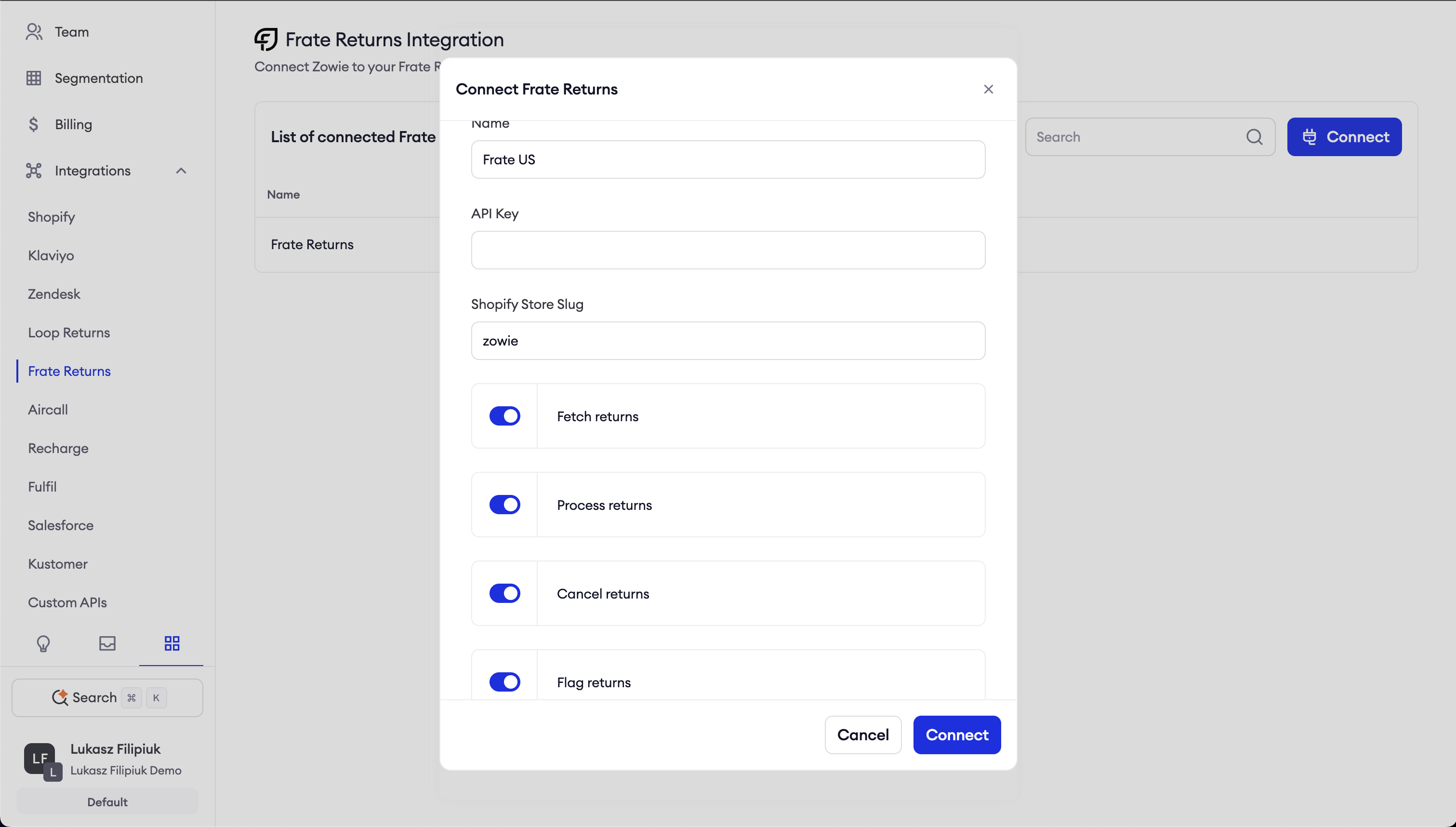
| Feature | Description |
|---|---|
| Show returns at Inbox | Agent can see list of returns in Inbox’s sidebar. |
| Allow agents to flag a return at Inbox | Agent can click a button to flag a return at Inbox’s sidebar. |
| Allow agents to cancel a return at Inbox | Agent can click a button to cancel a return at Inbox’s sidebar. |
| Allow agents to process a return at Inbox | Agent can click a button to process a return at Inbox’s sidebar. |
Features
Show returns at Inbox
After the integration is connected, agents can access return orders in Frate Returns using the Show returns at Inbox flag.
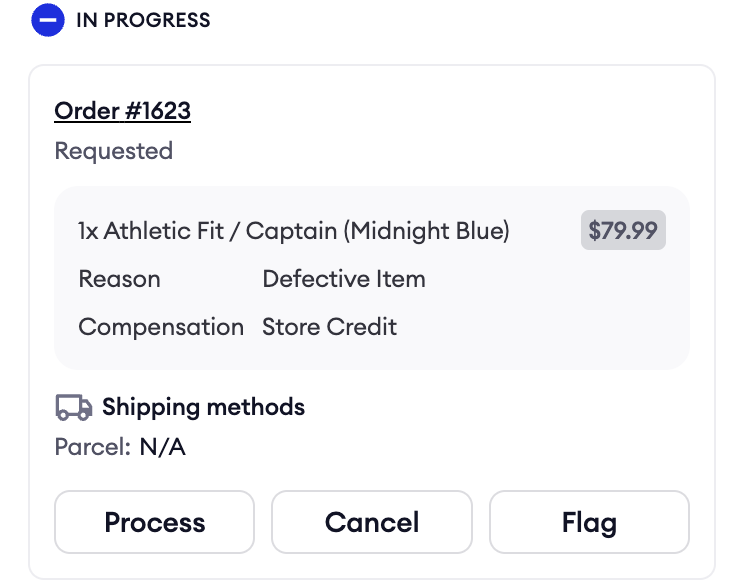
By clicking on order number, agents can access Admin Panel.
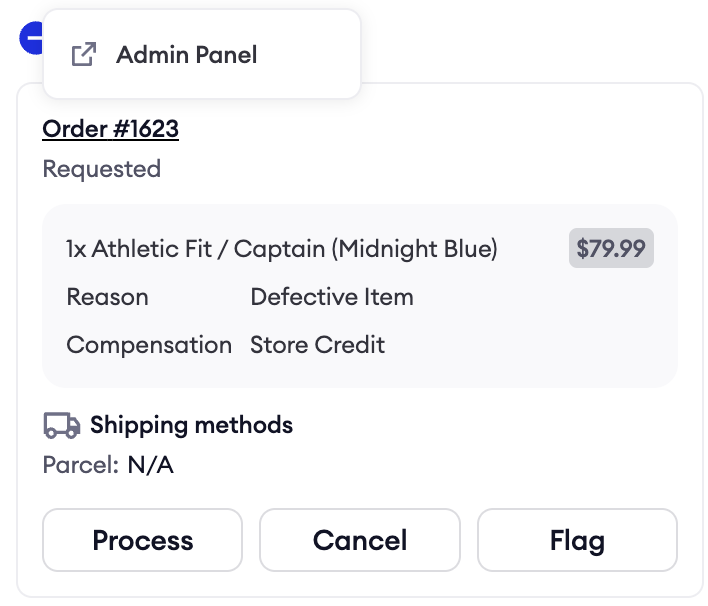
Agent Processes Return Claim
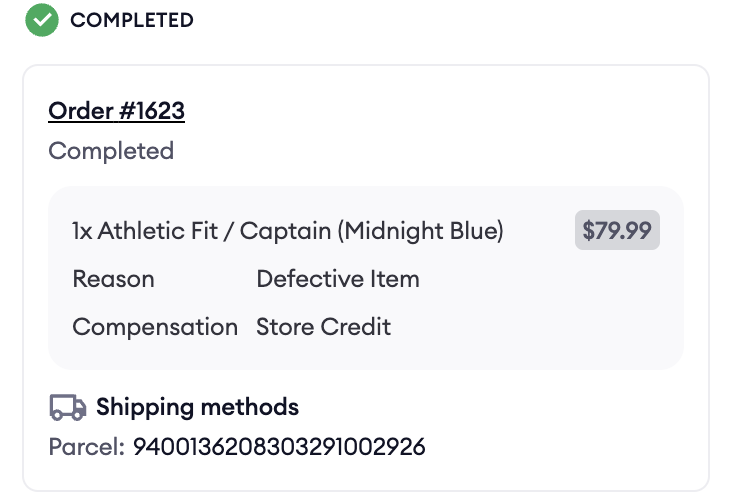
After the integration is connected, agents can process returns in Frate Returns using the Allow agents to process a return at Inbox flag.
When a return is processed, Frate Returns automatically:
- Marks all return item conditions as perfect
- Sends return labels if they haven't been sent yet
- Refunds the order once the return reaches the configured state in Frate Returns
Agent Cancels Return Claim
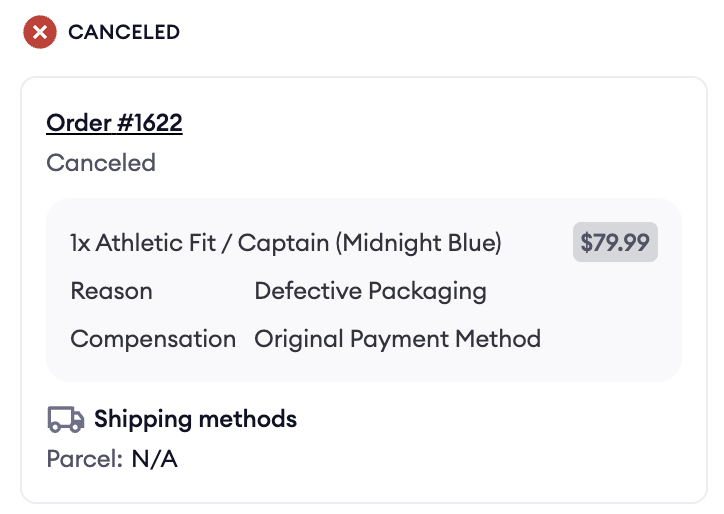
After the integration is connected, agents can cancel returns in Frate Returns using the Allow agents to cancel a return at Inbox flag.
Agent Flags Return Claim
After the integration is connected, agents can flag returns in Frate Returns using the Allow agents to flag a return at Inbox flag.
A flagged review won't be automatically processed until it's been manually reviewed by an agent in the Admin Panel. It can still be manually processed or cancelled through Zowie Inbox
Updated over 1 year ago