
Autoclose
Autoclose is an additional function that will help you manage your tickets. Designed to improve efficiency, Autoclose automatically handles tickets that have been inactive.
What is Autoclose?
Autoclose allows you to automatically close tickets after a specified period of inactivity. The ticket will be automatically moved to a 'Pending' folder and set for autoclose. If no new activity from the end customer occurs within that specified period of time, the ticket will then be closed, ensuring your Inbox remains manageable and up-to-date.
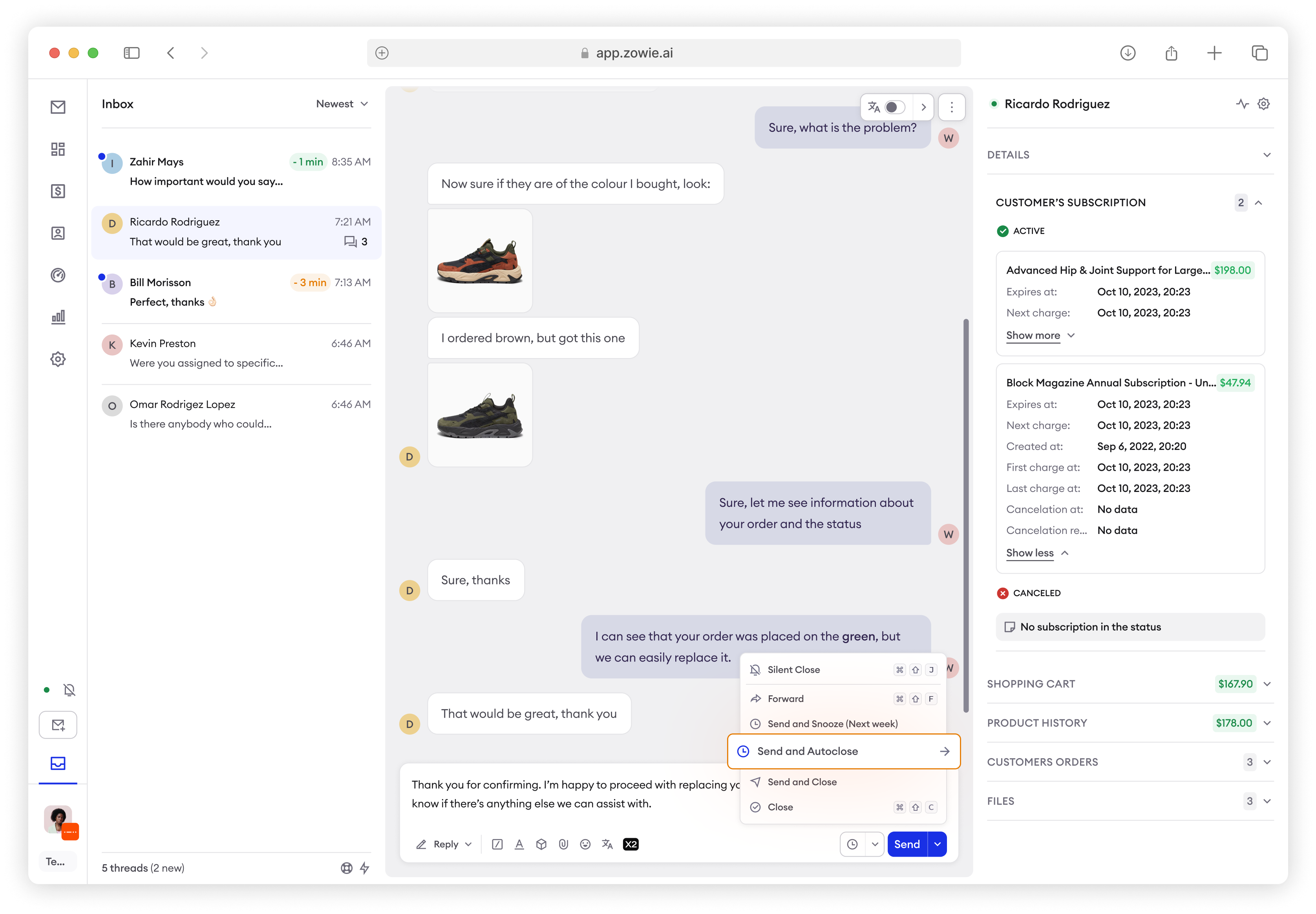
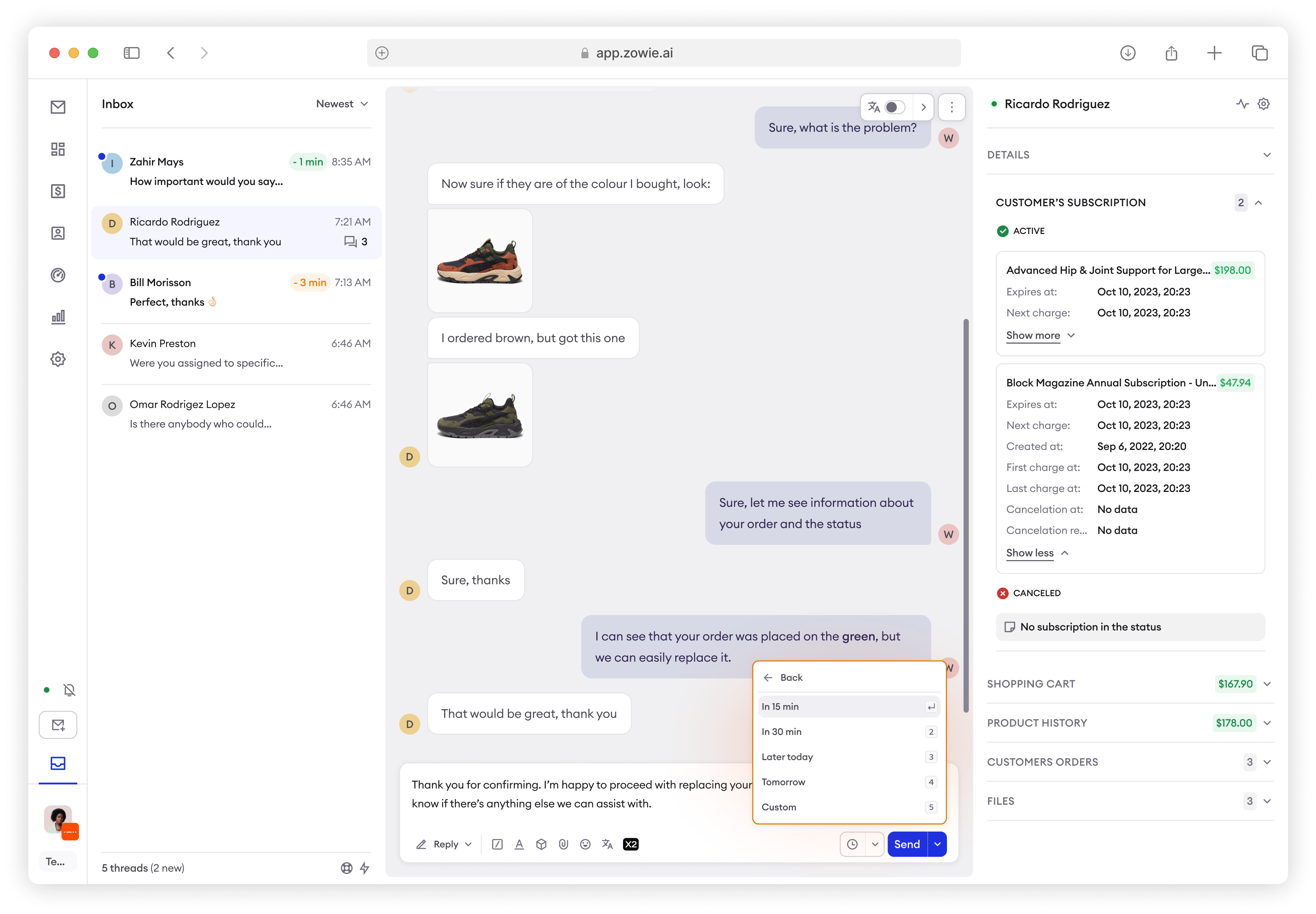
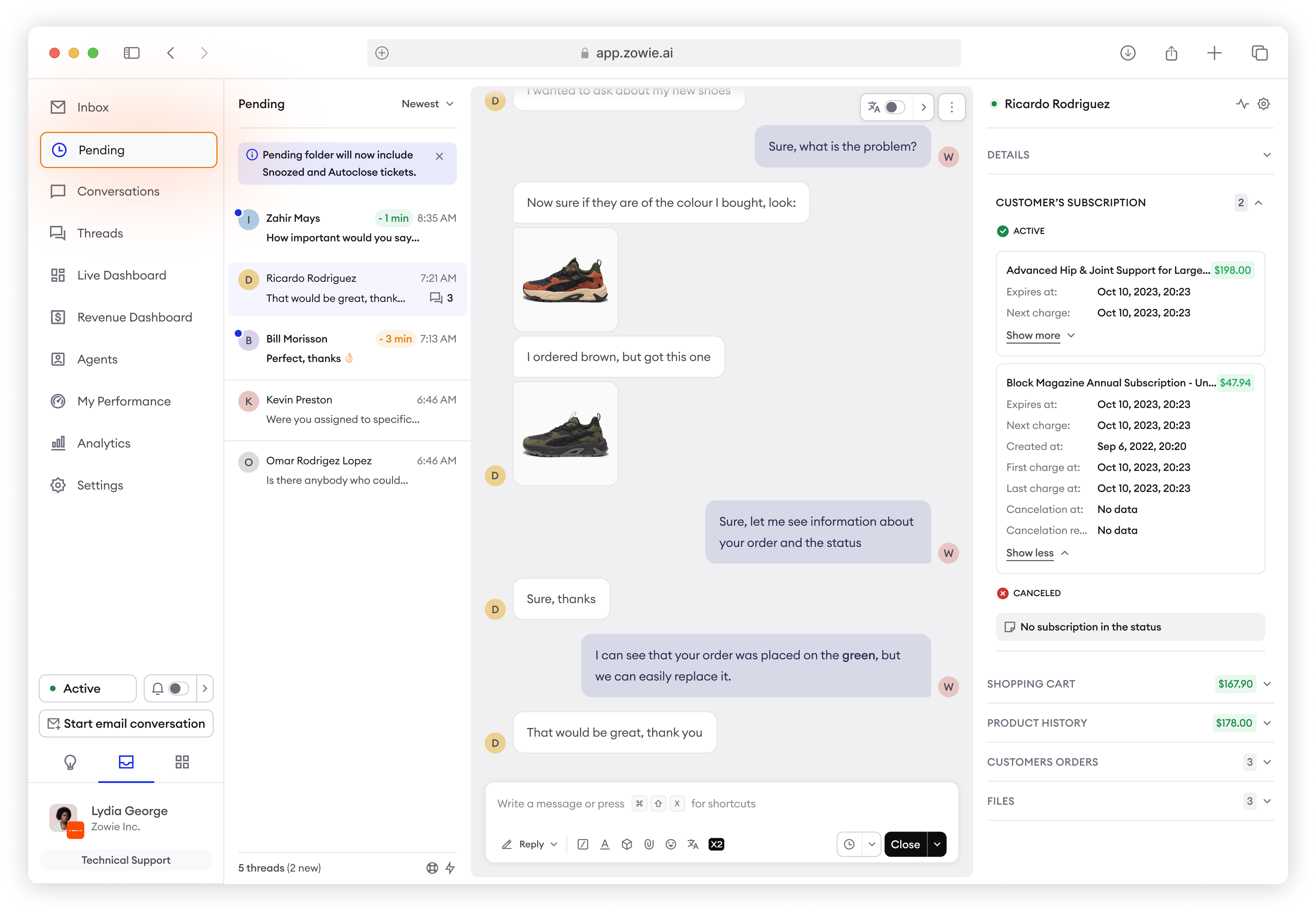
New folder 'Pending' replacing 'Snoozed'
With the release of the Autoclose function, the 'Snoozed' folder has been replaced by a 'Pending' folder. Both Snoozed and Autoclosed tickets will now appear in this folder when those actions are selected.
- Snoozed tickets will return to the Inbox after a specified time, with no changes to that process.
- Autoclosed tickets will automatically close after a specified time if no action is taken by the end customer, this will also be indicated by an event log.
How does Autoclose work?
- Setting up Autoclose:
When you’re handling a ticket, you can now select a specific time frame after which the ticket will be closed automatically if there’s no response from the end customer. This means no more manually checking and closing inactive tickets. - Pending autoclose state:
Once Autoclose is set, the ticket is moved to a ‘Pending’ folder, similar to how snoozed tickets are currently handled. During this pending period, the ticket is considered for closure unless there’s new activity from the end customer. - Required topic selection:
Before an Autoclose action can be finalized, you’ll be prompted to select a topic for the conversation if your organization requires it. This ensures that all relevant data is captured and categorized correctly for future reference. - Automatic cancellation:
If the customer re-engages before the ticket is closed, or if you decide to bring the ticket back into your inbox, the Autoclose action is automatically canceled. The system will even recommend the previously selected topic for quick re-selection, saving you time. - Silent closure - no CSAT sent:
When a ticket is closed through Autoclose, it happens quietly in the background, and a CSAT survey is not sent to the end customer upon ticket closure.
Impact on resolution and handling time metrics
- How does duration spent in Autoclose affect total resolution time?
The time a ticket sits in Pending autoclose state gets counted in the thread resolution time metric.
- How does duration spent in Autoclose affect agent’s resolution time?
The time a ticket sits in Pending autoclose state is not counted into agent’s resolution time metric.
- How does duration spent in Autoclose affect agent handling time?
Handling time includes the time of ticket being assigned to an agent. It doesn’t include the time a ticket is in Pending Autoclose, Snoozed or Waiting to be assigned state.
Autoclose is perfect for situations where?
- A customer hasn’t responded after a set time, and you want to ensure the ticket is closed without manual intervention.
- You need to manage your pending tickets efficiently, knowing that any ticket left unattended will be automatically handled.
Updated over 1 year ago