
BigQuery Data Sharing
With Zowie's BigQuery Integration, customers gain access to selected Zowie data inside BigQuery. This allows running custom queries on Zowie's data models, as well as copying, manipulating, joining, and using the data within BigQuery or any other connected tool.
With this integration, Zowie exposes a dataset containing the customer's Zowie data within the customer's BigQuery through Analytics Hub. Analytics Hub allows for private and secure data sharing between organizations.
The Data team at Zowie is responsible for the Data Sharing configuration.
For those not familiar with Google BigQuery, take a look at these how-to guides.
How to set this up?
On the customer-side:
- Create a GCP project or select an existing one
- Determine identities that will subscribe to the data on Analytics Hub. We recommend that to be Google group.
- share the selected identity email addresses with Zowie
💡 Read more about subscribing to Analytics Hub Listings here.
—
On Zowie's side, it's about preparing the data and making it available in BigQuery through Analytics Hub private listing.
—
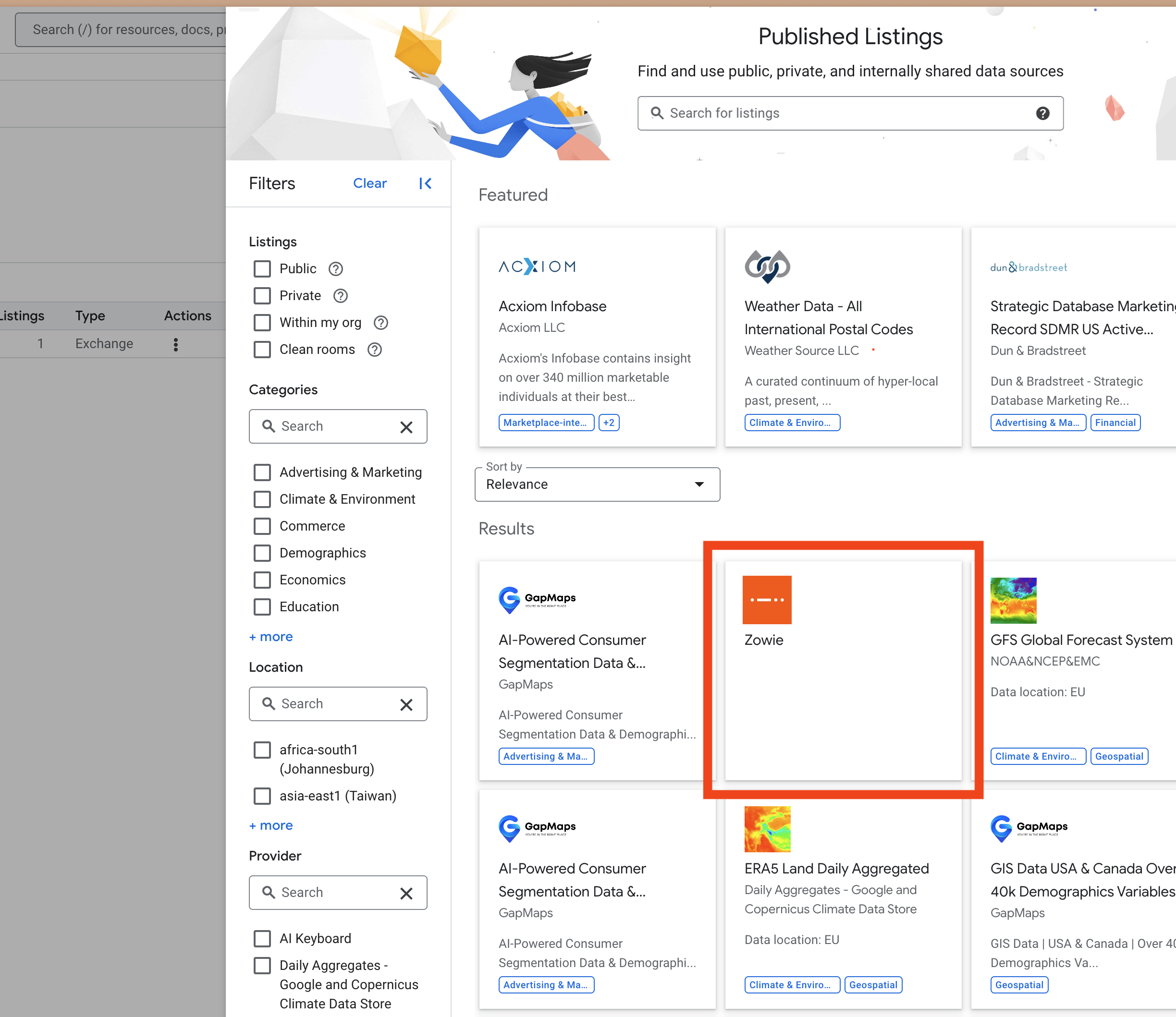
When we prepare the data, customer will see the listing in BigQuery > Analytics Hub > Search listings. Please click on it to proceed.
Configure the destination on your organization's side (linked dataset)
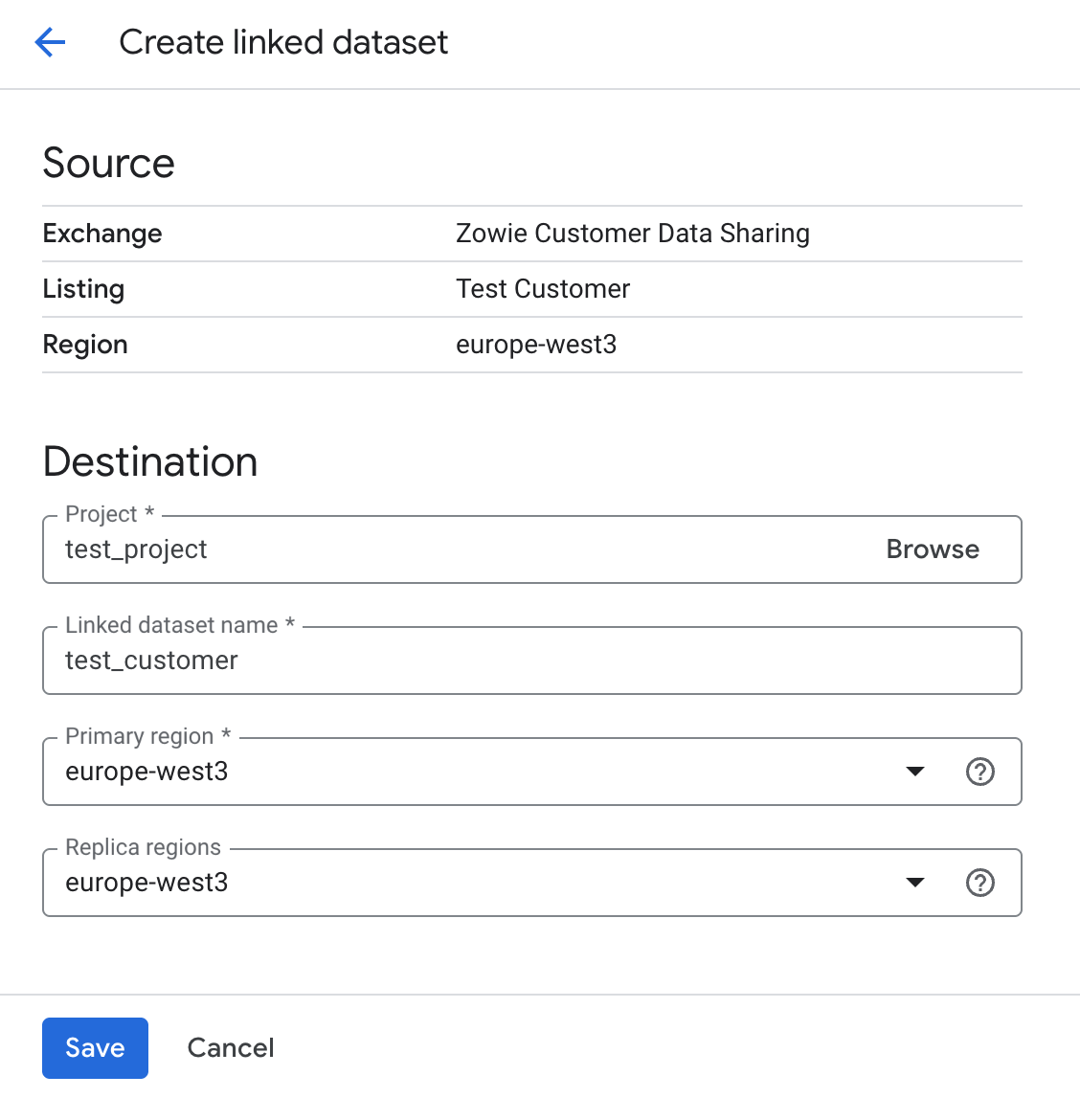
Next, linked dataset wil be available in the list of visible datasets

Linked dataset is created in the europe-west3 region.
To have this data in another region:
- Set up another dataset in
europe-west3, copy data to that dataset (schedule a periodic copy job), and set a secondary replica to the desired region. - Use a third-party tool to copy data to the desired region or service.
Updated 5 months ago