
Recharge
Zowie offers integration with Recharge that allows easier subscription handling.
About
This integration allows customer support agents to manage subscriptions from within Zowie Inbox.
Use cases
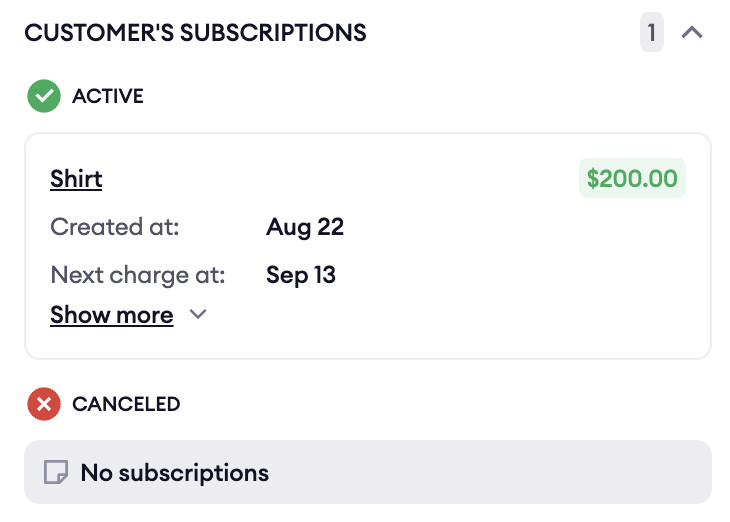
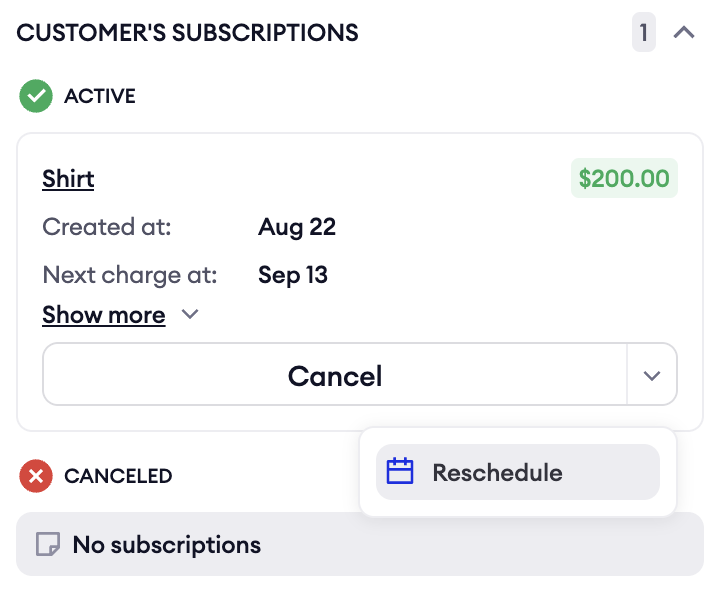
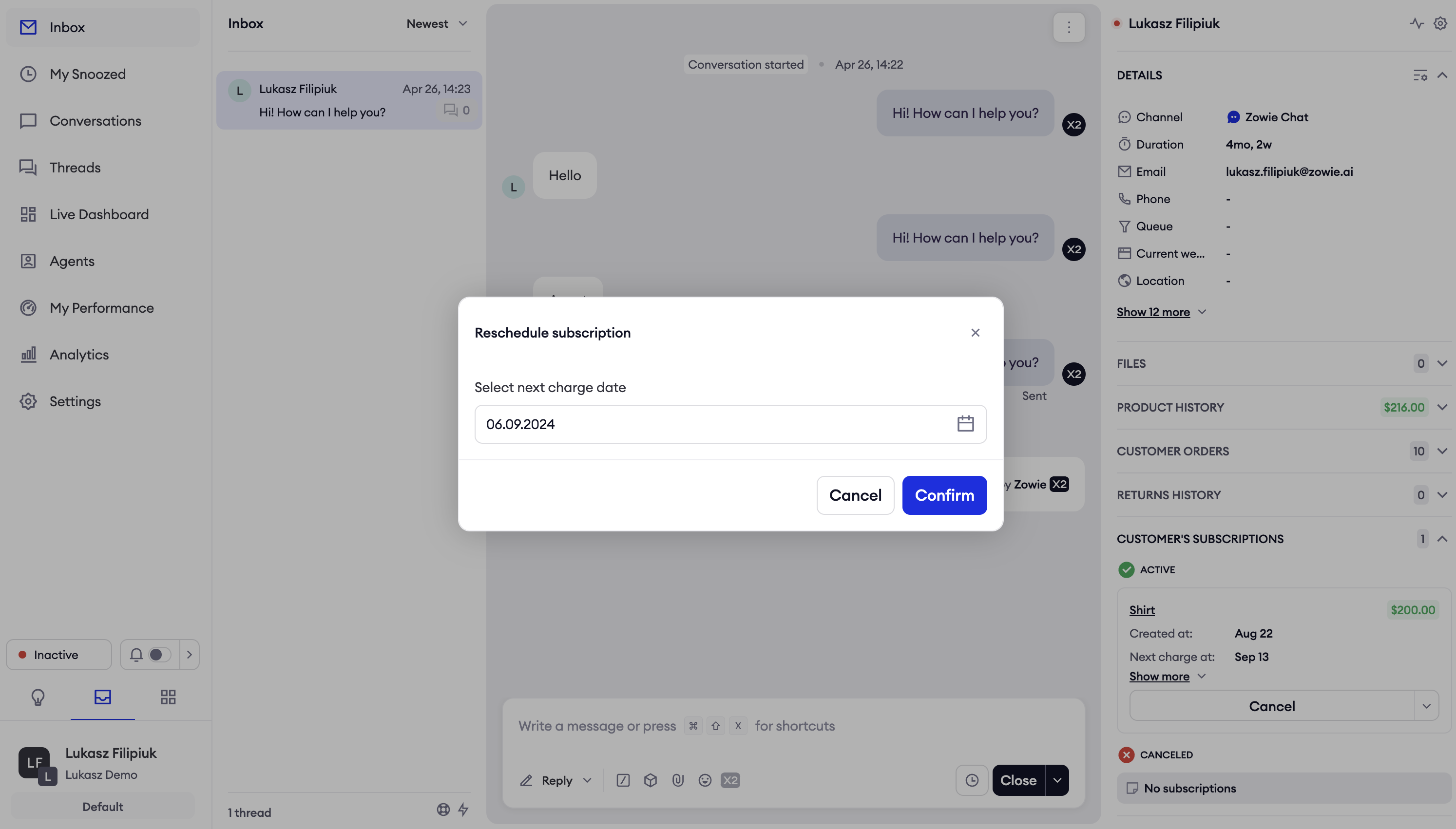
- Agents can view subscriptions from Inbox's sidebar.
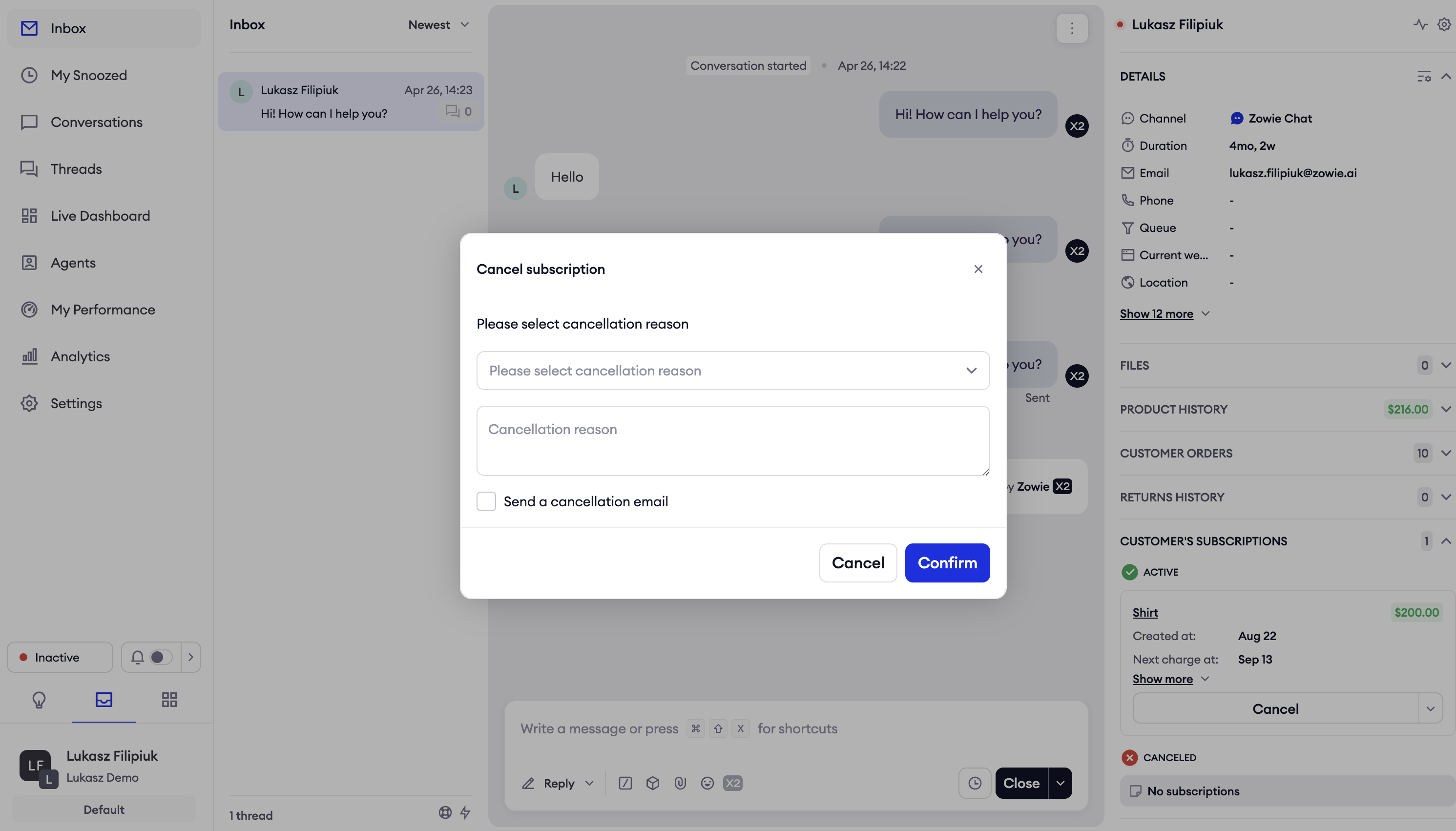
- Agents can cancel subscription from Inbox's sidebar.
- Agents can reschedule a subscription from Inbox’s sidebar.
Prerequisites
Customers must meet the following requirements in order to set up this integration:
- Zowie Inbox is used.
- Recharge is being used as subscription platform.
Configuration
- Make sure that you created API key to Recharge according to their documentation.
- Login to Zowie and go to Workspace → Integrations → Recharge
- Click the "Connect" button that will start the process of integration.
- Provide the name of integration, domain, access token and select the features you would like to enable for your Recharge integration.
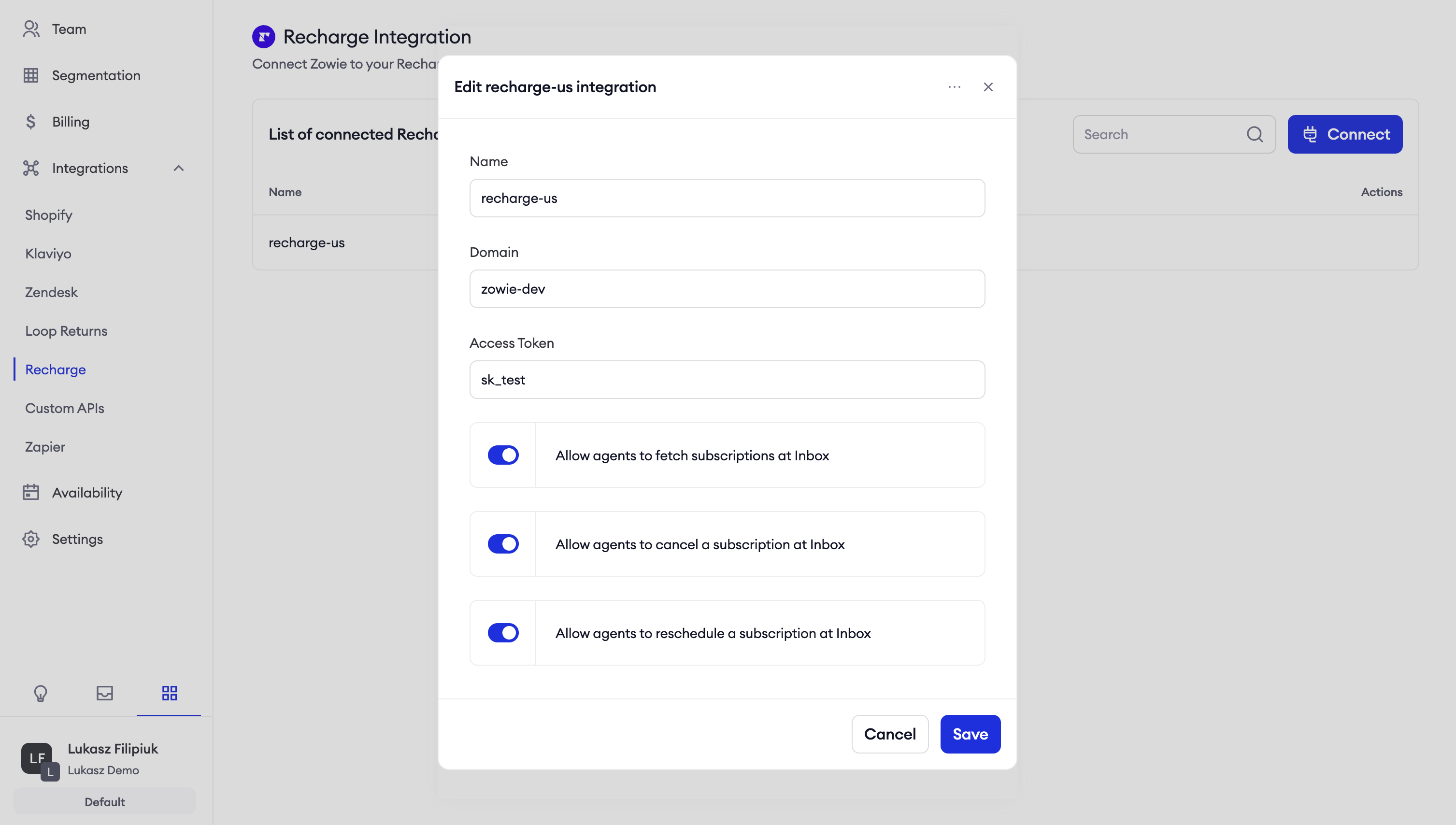
| Feature | Description |
|---|---|
| Allow agents to fetch subscriptions at Inbox | Agent can see list of subscriptions in Inbox’s sidebar. |
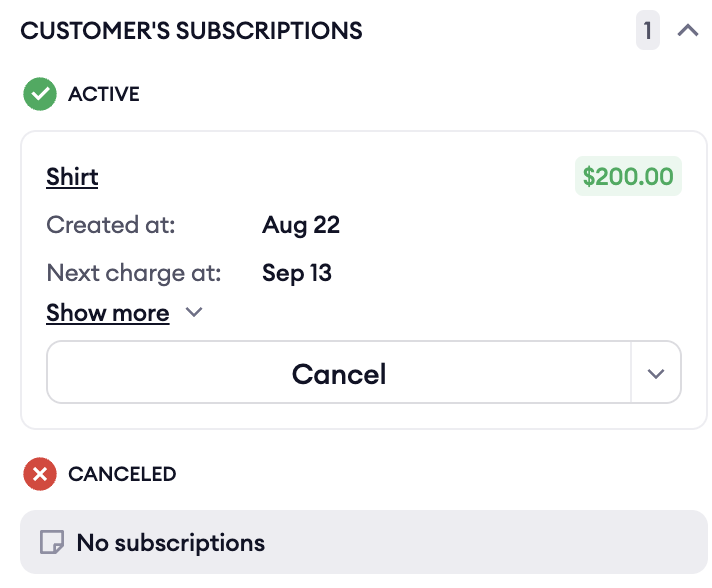
| Allow agents to cancel a subscription at Inbox | Agent can click a button to cancel a subscription at Inbox’s sidebar. |
| Allow agents to reschedule a subscription at Inbox | Agent can click a button to reschedule a subscription at Inbox’s sidebar. |
Features
Allow agents to fetch subscriptions at Inbox
After the integration is connected, agents can access subscriptions from Recharge using the Allow agents to fetch subscriptions at Inbox flag.
Allow agents to cancel a subscription at Inbox
After enabling Allow agents to cancel a subscription at Inbox flag, agents will be able to cancel a subscription at Inbox.
Allow agents to reschedule a subscription at Inbox
After enabling Allow agents to reschedule a subscription at Inbox flag, agents will be able to reschedule a subscription at Inbox.
Updated over 1 year ago
Did this page help you?